How to Wash Mousepad: Easy & Essential Cleaning Tips
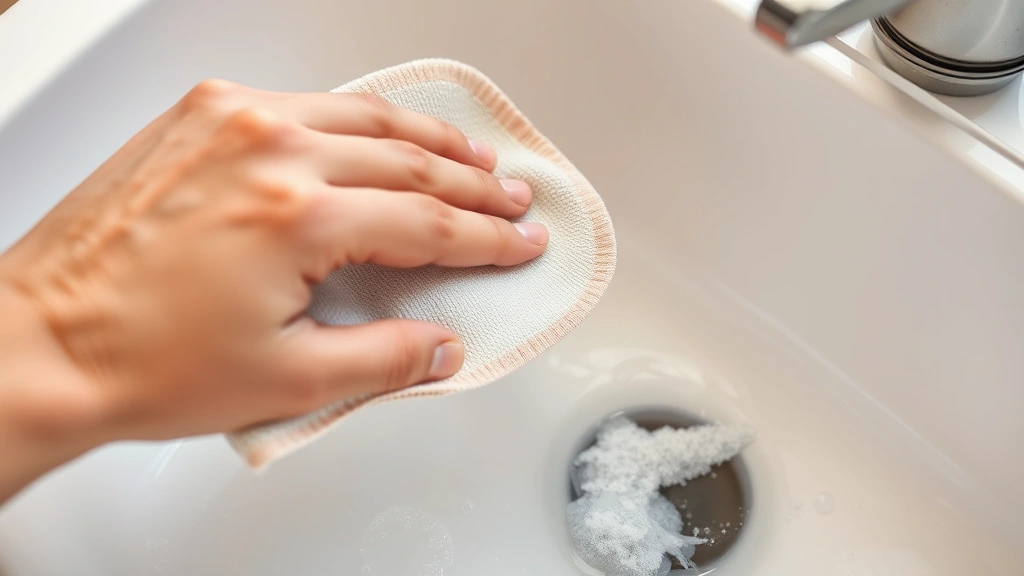
A clean mousepad is essential for smooth mouse tracking and extending your device’s lifespan. Over time, dust, oils, and debris accumulate on your mousepad’s surface, affecting performance and hygiene. Learning how to wash mousepad properly takes just minutes and requires basic household supplies. Whether you have a fabric, rubber, or hard surface mousepad, this guide covers every cleaning method to restore your pad to like-new condition.
Quick Answer: Most mousepads can be cleaned with warm soapy water and a soft cloth. For fabric mousepads, use a gentle detergent and avoid harsh scrubbing. Rubber and hard surface mousepads tolerate more aggressive cleaning with disinfectant wipes or a mixture of water and vinegar. Always air-dry completely before use to prevent damage.
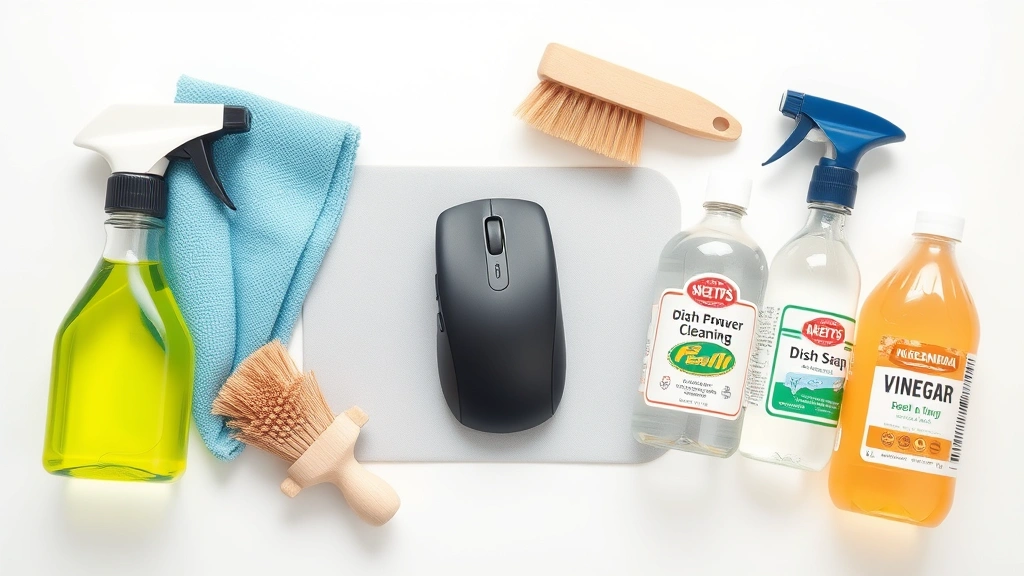
Tools & Materials You’ll Need
- Soft microfiber cloth or sponge
- Warm water
- Mild dish soap or laundry detergent
- White vinegar (optional)
- Disinfectant wipes or isopropyl alcohol
- Soft-bristled brush (optional)
- Towels for drying
- Large basin or sink
- Spray bottle (optional)
Why Cleaning Your Mousepad Matters
Your mousepad accumulates more dirt than you might realize. Dead skin cells, dust particles, food crumbs, and oils from your hands gradually build up on the surface, creating a grimy layer that interferes with your mouse’s optical sensor. A dirty mousepad reduces tracking accuracy, making your cursor movement jerky or unresponsive. Beyond performance, a clean mousepad promotes better hygiene—your hands rest on it for hours daily, making it a breeding ground for bacteria and germs.
Regular cleaning extends your mousepad’s lifespan significantly. When debris embeds into fabric fibers or accumulates on hard surfaces, it causes premature wear and degradation. Learning how to wash mousepad properly prevents permanent staining and maintains the material’s integrity. According to WikiHow’s comprehensive guides, proper equipment maintenance is crucial for optimal performance and longevity.
Benefits of regular mousepad cleaning:
- Improved mouse tracking and cursor responsiveness
- Enhanced hygiene and reduced bacteria growth
- Extended product lifespan
- Better aesthetic appearance
- Prevention of permanent staining
Identify Your Mousepad Type
Before you learn how to wash mousepad, identifying your specific type ensures you use appropriate cleaning methods. Different materials require different approaches to avoid damage. Most mousepads fall into three categories: fabric, rubber, or hard surface.
Fabric mousepads feature a woven cloth surface, typically made from polyester or nylon. These are the most common type and offer excellent mouse control. Rubber mousepads have a rubber base with a smooth or textured surface, providing durability and stability. Hard surface mousepads are made from plastic, glass, or metal materials and offer minimal friction for fast mouse movement.
Check your mousepad’s label or manufacturer’s website for specific care instructions. Some premium mousepads include cleaning recommendations that supersede general guidelines. Understanding your mousepad type prevents accidental damage from incompatible cleaning products.
How to Wash Fabric Mousepads
Fabric mousepads require the gentlest cleaning approach to preserve their woven surface. Start by removing loose debris—hold your mousepad over a trash can and gently tap it to dislodge dust particles. For how to wash mousepad made of fabric, fill a basin with lukewarm water and add a few drops of mild dish soap or laundry detergent.
Submerge your fabric mousepad in the soapy water and let it soak for 5-10 minutes. This softens embedded dirt and oils. Using a soft microfiber cloth or soft-bristled brush, gently scrub the surface in circular motions. Avoid aggressive scrubbing, which can damage fibers and cause fraying. Pay special attention to stained areas, but don’t rub excessively.
Rinse thoroughly under running water until all soap residue disappears. Soap left on the surface attracts dirt quickly and affects mouse tracking. For stubborn stains, create a paste with baking soda and water, apply it to the affected area, let it sit for 15 minutes, then gently scrub and rinse. According to The Spruce’s cleaning expertise, baking soda is excellent for natural stain removal on fabric surfaces.
Fabric mousepad cleaning steps:
- Tap mousepad to remove loose dust
- Fill basin with warm soapy water
- Soak for 5-10 minutes
- Gently scrub with soft cloth or brush
- Rinse thoroughly under running water
- Air-dry completely before use
Cleaning Rubber Mousepads
Rubber mousepads are more durable than fabric and tolerate more aggressive cleaning. How to wash mousepad with rubber surfaces involves similar initial steps but allows for stronger cleaning solutions. Begin by removing loose debris, then wipe the surface with a damp cloth to remove surface dust.
For routine cleaning, mix warm water with a small amount of mild dish soap and wipe the entire surface with a soft cloth. For deeper cleaning or stubborn stains, use a mixture of equal parts white vinegar and water in a spray bottle. Spray the solution onto the mousepad and let it sit for 2-3 minutes, then wipe clean with a soft cloth. The vinegar naturally disinfects while removing oils and grime.
Disinfectant wipes work excellently for rubber mousepads and provide antibacterial benefits. Wipe the entire surface thoroughly, ensuring you cover all areas. For textured rubber mousepads, use a soft-bristled brush to reach into crevices and texture grooves. Rinse with a damp cloth if you used vinegar solution to remove any residual smell.
Rubber mousepads dry quickly, but ensure complete dryness before reconnecting your mouse. Isopropyl alcohol (70% concentration) is also effective for rubber mousepads and evaporates rapidly, making cleanup faster. As noted by Consumer Reports, isopropyl alcohol is safe for electronics and leaves no residue.
Hard Surface Mousepad Cleaning
Hard surface mousepads made from plastic, glass, or metal are the easiest to clean and most forgiving of aggressive cleaning methods. How to wash mousepad with hard surfaces allows for maximum flexibility in cleaning products and techniques. Start with a dry microfiber cloth to remove dust and fingerprints.
For general cleaning, dampen a cloth with warm water and mild soap, then wipe the entire surface. Hard surfaces don’t absorb liquid, so this process is quick and effective. For glass mousepads, use glass cleaner for a streak-free shine and enhanced clarity. Spray the cleaner onto a cloth rather than directly on the mousepad to prevent liquid from seeping into edges.
Disinfectant wipes are ideal for hard surface mousepads and provide thorough cleaning with antimicrobial benefits. Wipe the surface completely, paying attention to edges where dirt accumulates. For stubborn residue or stuck-on debris, use a plastic scraper or old credit card to gently lift it away. Never use metal scrapers on soft hard surfaces like plastic.
Hard surface mousepads benefit from regular polishing with a microfiber cloth to maintain their smooth surface and aesthetic appeal. Unlike fabric mousepads, hard surfaces don’t require extended drying time—they dry almost instantly. This makes how to wash mousepad with hard surfaces the quickest and most convenient option for frequent cleaning.
Proper Drying and Storage
Improper drying can damage your mousepad and create conditions for mold or mildew growth. After washing, never use your mousepad immediately—moisture interferes with mouse tracking and can damage the optical sensor. For fabric mousepads, gently squeeze out excess water without wringing or twisting, which damages fibers.
Lay fabric mousepads flat on a clean towel or hang them vertically to air-dry completely. This typically takes 4-8 hours depending on humidity and air circulation. Ensure your mousepad is completely dry before using it—any residual moisture will affect performance. You can accelerate drying by placing it in a well-ventilated area or near a fan, but avoid direct heat sources like hair dryers, which can damage adhesives and materials.
Rubber and hard surface mousepads dry much faster—usually within 30 minutes to 2 hours. Pat them dry with a clean towel to speed up the process. Store your mousepad in a clean, dry location away from direct sunlight, which can fade colors and degrade materials over time. If you’re storing your mousepad long-term, wrap it loosely in a clean cloth to protect it from dust.
For mousepads with non-slip bases, ensure the base is completely dry before placing on your desk to prevent slipping. Check that no moisture remains in seams or edges, where water can linger and cause damage.
Maintenance Tips to Keep Your Mousepad Clean
Regular maintenance prevents heavy buildup and reduces how often you need to thoroughly wash mousepad. Establish a simple cleaning routine to keep your mousepad fresh and functional. Wipe your mousepad weekly with a dry microfiber cloth to remove dust and fingerprints—this prevents debris from embedding into the material.
Keep food and drinks away from your workspace to prevent spills and staining. Wash your hands before extended computing sessions to minimize oil transfer to your mousepad. If you notice stains immediately, address them promptly before they set permanently. A quick spot-clean with a damp cloth often prevents the need for full washing.
Store your mousepad properly when not in use. Rolling fabric mousepads can cause permanent creases; instead, store them flat or loosely folded. Keep your mousepad away from pets and areas where dust accumulates. If you use your mousepad in a dusty environment, consider using a mousepad cover or protective case.
For those interested in optimizing their entire workspace, learning how to right-click on a Mac and other computer maintenance skills complements proper mousepad care. Additionally, understanding how to clear cache on iPad and general device maintenance promotes overall tech hygiene.
Monthly maintenance checklist:
- Weekly dry cloth wipe
- Bi-weekly spot cleaning for stains
- Monthly deep wash for fabric mousepads
- Monthly disinfection with wipes or vinegar solution
- Check for wear or damage
- Ensure mouse tracking remains responsive
FAQ
Can I machine wash my fabric mousepad?
Most fabric mousepads can be machine washed on a gentle cycle in cold water with mild detergent. Place the mousepad in a mesh laundry bag to protect it. However, hand washing is gentler and more effective for preserving quality. Always check the manufacturer’s instructions before machine washing.
What should I do if my mousepad smells bad?
Soak your mousepad in a mixture of water and white vinegar (1:1 ratio) for 15-20 minutes, then wash normally. The vinegar neutralizes odors naturally. For stubborn smells, sprinkle baking soda on the damp mousepad, let it sit overnight, then brush off and wash. Ensure complete drying to prevent mildew smell from returning.
Is it safe to use bleach on my mousepad?
Avoid bleach on colored mousepads as it causes discoloration and damage. Bleach is too harsh for fabric and rubber materials. For white mousepads with stubborn stains, use oxygen-based cleaners instead, which are gentler and effective. Always test any cleaning solution on an inconspicuous area first.
How often should I wash my mousepad?
For regular users, deep clean your mousepad monthly. If you eat near your desk or have pets, increase frequency to bi-weekly. Daily dry wiping extends the time between deep washes. Heavy users in dusty environments may need weekly washing.
Can I use alcohol-based hand sanitizer to clean my mousepad?
Yes, isopropyl alcohol (70% concentration) is safe for all mousepad types and evaporates quickly. Avoid hand sanitizers with high water content, which can damage fabric. Apply alcohol to a cloth rather than spraying directly on the mousepad to prevent oversaturation.
What if my mousepad has a non-slip base?
Clean the non-slip base carefully with a damp cloth and mild soap. Avoid soaking the entire mousepad if it has a rubber base, as water can damage adhesives. Pat dry thoroughly before use. If the non-slip coating degrades, you can purchase adhesive-backed non-slip pads to restore grip.
Can I dry my mousepad in the sun?
Direct sunlight can fade colors and degrade materials over time. Air-dry in a shaded, well-ventilated area instead. If using sunlight, limit exposure to 1-2 hours maximum. Avoid heat sources like radiators or direct heat vents, which can warp materials and damage adhesives.
Learning how to wash mousepad properly is a simple but essential skill that maintains your equipment’s performance and longevity. Whether you have a fabric, rubber, or hard surface mousepad, following these guidelines ensures effective cleaning without damage. Regular maintenance and prompt attention to spills keep your mousepad in excellent condition for years of reliable use. For more workspace optimization tips, explore how to pair Beats headphones and other tech maintenance guides. You can also learn complementary skills like how to delete duplicate photos on iPhone to keep your entire digital workspace organized and clean.