
Your Wii Remote won’t respond. You’re holding it up, pressing buttons, and nothing happens. Frustrating, right? The good news: how to sync Wii remote is one of the easiest fixes you can do in about 30 seconds. No tech degree required. No special tools. Just you, your console, and this guide.
Whether your remote is brand new out of the box or stopped working after months of use, syncing it back to your Wii or Wii U is straightforward. I’ll walk you through the exact steps, common mistakes people make, and what to do if things still don’t work.
What Does It Mean to Sync a Wii Remote?
Think of syncing like introducing two people who’ve never met. Your Wii Remote and console need to “recognize” each other via Bluetooth wireless connection. When you sync them, you’re telling the console, “Hey, this remote belongs to you now. Listen to it.”
Without syncing, your remote is just a fancy paperweight. The console doesn’t know it exists, so it ignores every button press. Syncing creates that wireless bond—and it’s not permanent. You can sync the same remote to multiple consoles, or sync a new remote to your existing console anytime.
This is different from pairing a Bluetooth speaker or pairing a Firestick remote, but the concept is identical: establishing a wireless connection between two devices.
Before You Start: Quick Checklist
Before you dive into syncing, make sure you’ve got the basics covered:
- Batteries: Pop open the battery cover on the back of your remote. If the batteries are dead, worn out, or corroded, replace them with fresh AA batteries. This is the #1 reason remotes don’t sync.
- Physical damage: Look for cracks, water damage, or obvious wear. If the remote took a hard hit or got wet, it might be toast.
- Console power: Your Wii or Wii U needs to be powered on and at the main menu. You can’t sync from a powered-down console.
- Distance: Stay within 6-10 feet of the console during syncing. Walls and interference can mess with the signal.
- No interference: Keep microwaves, cordless phones, and other wireless devices away from the console while syncing. They can jam the Bluetooth signal.
Pro Tip: If you’ve got an old remote that synced before, try syncing it first. If it works, you know your console is fine and the issue is with the new remote (or it just needs fresh batteries). If it doesn’t work, the problem is likely with your console.
How to Sync Wii Remote to Original Wii Console
This is the most common scenario. You’ve got an original Nintendo Wii and a remote that needs syncing.
- Power on your Wii. Make sure it’s fully booted and you’re at the main menu (the screen with all the channels).
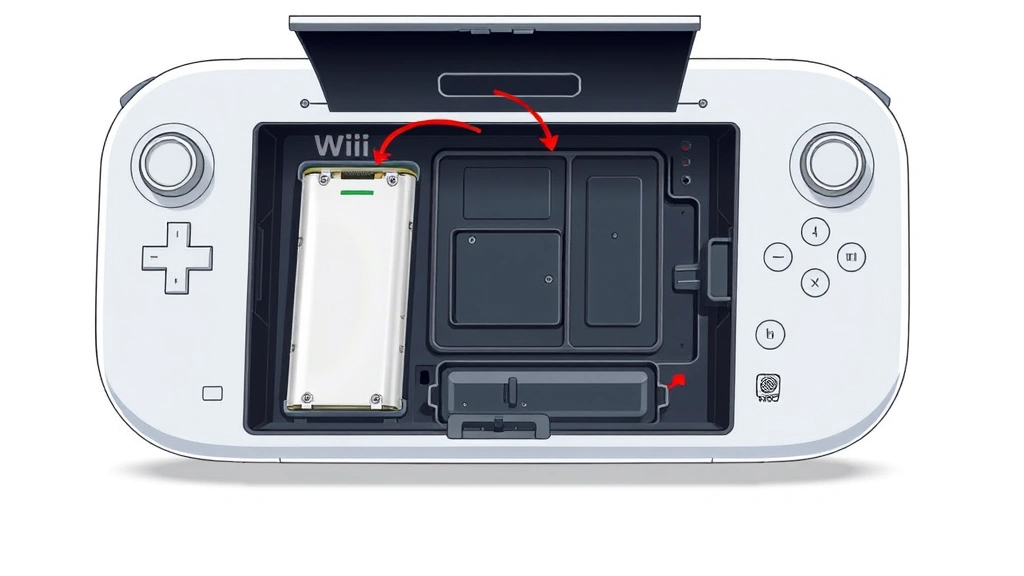
- Open the battery cover on the back of your Wii console. You’ll see a small red button labeled “SYNC” inside the battery compartment.
- Press the red SYNC button on the console. The console’s Bluetooth receiver will activate and start searching for remotes to pair with. You’ll see a light indicator or hear a sound, depending on your console model.
- Within 20 seconds, press the red SYNC button on the back of your Wii Remote. This is the small red button on the battery cover of the remote itself—same location as the console’s sync button.
- Wait for confirmation. The remote will vibrate (rumble), and the console will show the remote as connected on the screen. You’re done.
That’s it. Seriously. The whole process takes less than a minute.
Safety Note: Don’t force the battery cover open. If it’s stuck, gently pry it with a plastic tool (not a metal screwdriver, which can damage the contacts). The covers are designed to pop off, not be yanked.
How to Sync Wii Remote to Wii U
The Wii U is backward compatible with original Wii Remotes, so you can use your old controllers. The syncing process is slightly different.
- Power on your Wii U. Go to the home menu (the gamepad screen).
- Hold the Wii Remote you want to sync. Make sure it has fresh batteries.
- Go to System Settings: Press the Home button on the gamepad, then navigate to System Settings (the wrench icon).
- Select Controllers. This is where you manage all your connected remotes.
- Choose Pair: Select the option to pair a new controller.
- Press the SYNC button on your Wii Remote. The console will search for the remote and establish the connection within a few seconds.
- Confirm the pairing. The screen will show your remote is now synced. You may need to assign it to a player (Player 1, Player 2, etc.) if you’re using multiple remotes.
Wii U syncing is more menu-driven than the original Wii, but it’s just as straightforward. The console walks you through it.
Syncing Multiple Remotes
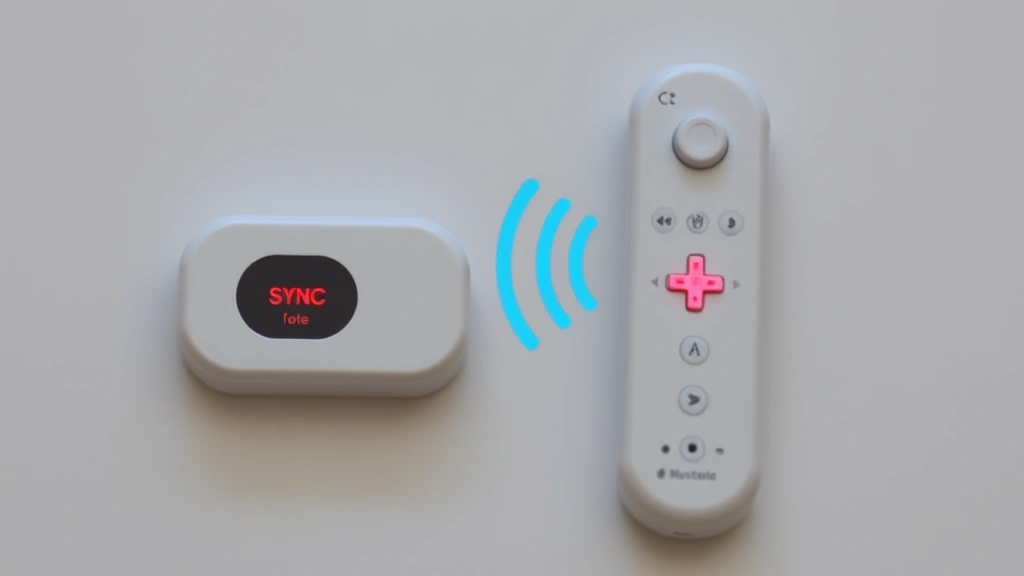
If you’re setting up a multiplayer game session, you’ll need to sync multiple remotes to the same console. Good news: you can sync up to four Wii Remotes to one console.
For Original Wii:
- Press the SYNC button on the console.
- Press the SYNC button on the first remote. Wait for confirmation (vibration).
- Press the SYNC button on the console again.
- Press the SYNC button on the second remote. Wait for confirmation.
- Repeat for the third and fourth remotes as needed.
For Wii U: Follow the same menu process (System Settings → Controllers → Pair) for each remote. The console will handle assigning them to different player slots automatically.
Pro Tip: Sync remotes one at a time, waiting for full confirmation before moving to the next. If you try to sync multiple remotes simultaneously, they might get confused about which console they’re pairing with.
Syncing Multiple Remotes
If you’re setting up a multiplayer game session, you’ll need to sync multiple remotes to the same console. Good news: you can sync up to four Wii Remotes to one console.
For Original Wii:
- Press the SYNC button on the console.
- Press the SYNC button on the first remote. Wait for confirmation (vibration).
- Press the SYNC button on the console again.
- Press the SYNC button on the second remote. Wait for confirmation.
- Repeat for the third and fourth remotes as needed.
For Wii U: Follow the same menu process (System Settings → Controllers → Pair) for each remote. The console will handle assigning them to different player slots automatically.
Pro Tip: Sync remotes one at a time, waiting for full confirmation before moving to the next. If you try to sync multiple remotes simultaneously, they might get confused about which console they’re pairing with.
Troubleshooting: When Syncing Doesn’t Work
Sometimes the process isn’t smooth. Here’s what to do if your remote still won’t sync.
Problem: Remote vibrates but doesn’t connect to console.
– The remote is responding (batteries are good), but the console isn’t hearing it. Try moving closer to the console. Check for interference from other wireless devices. If you’ve got multiple consoles nearby, make sure you’re syncing to the right one.
Problem: Remote doesn’t vibrate at all when you press SYNC.
– Your batteries are likely dead. Replace them with fresh AAs. If you just replaced them and it still doesn’t work, try a different set (sometimes new batteries can be defective). If the remote still doesn’t vibrate, the internal circuits might be damaged.
Problem: Syncing worked, but the remote disconnects randomly during use.
– This usually means interference or a weak battery. Replace the batteries first. If it still disconnects, move away from other wireless devices (WiFi routers, microwaves, cordless phones). If you’re too far from the console, move closer. Some older remotes lose their connection as they age—this is normal wear.
Problem: Console won’t respond to SYNC button at all.
– The console’s Bluetooth receiver might be failing. Try unplugging the console for 30 seconds, then plugging it back in. This performs a soft reset. If that doesn’t work, the console itself may need repair. Check Nintendo’s official support page for warranty information or repair options.
Problem: You’ve synced the remote before, but it won’t reconnect after being stored for months.
– Old Wii Remotes can “forget” their pairing if they’re not used for extended periods. This is rare but happens. Just re-sync using the standard process. The remote will reconnect to the console it was originally paired with, or you can pair it to a new console.
If none of these solutions work, you might need a replacement remote. Third-party Wii Remotes are available online for $20–$40, and they sync the same way as original Nintendo remotes. Just make sure you’re buying from a reputable seller, as counterfeit remotes exist.
Keeping Your Remote Synced (Maintenance Tips)
Once you’ve got your remote synced, here’s how to keep it working:
- Replace batteries regularly: Wii Remotes drain batteries faster than you’d think. If you’re a heavy gamer, swap them out every 3–6 months. Weak batteries cause connection drops.
- Clean the battery contacts: Over time, corrosion can build up on the metal contacts inside the battery compartment. Use a dry cotton swab to gently wipe the contacts every few months. This prevents poor connections.
- Store in a cool, dry place: Don’t leave remotes in hot cars, humid bathrooms, or near water. Extreme temperatures and moisture damage the internal circuits.
- Avoid dropping: Wii Remotes are tough, but repeated drops can crack the internal components. Use a protective case if you’re transporting them.
- Keep the console well-ventilated: A console that overheats can have Bluetooth receiver issues. Make sure there’s airflow around it, and don’t stack things on top of it.
If you’re having similar pairing issues with other devices, the process is similar. For example, how to reset a Firestick remote involves pressing specific button combinations, and how to reset AirPods Pro requires holding the setup button until the light flashes. The concept is the same: re-establishing a wireless connection.
Frequently Asked Questions
Can I sync a Wii Remote to multiple consoles?
– Yes. A single remote can be synced to different consoles, but only one at a time. If you sync it to Console A, then sync it to Console B, it will disconnect from Console A. You’d need to re-sync it to Console A to use it there again. For multi-console households, it’s easier to have separate remotes for each console.
How long does syncing take?
– The actual sync process takes 20–30 seconds from start to finish. Most of that time is just the console searching for the remote. Once you press the SYNC button on the remote, connection usually happens within 5 seconds.
Do I need to sync my remote every time I turn on the console?
– No. Once synced, the remote stays paired to the console even after you power it off. The connection is saved in the console’s memory. You only need to re-sync if the connection is lost or if you’re pairing a new remote.
Why does my remote keep losing its connection during games?
– Weak batteries are the #1 culprit. Replace them with fresh ones. If that doesn’t fix it, you might have interference from nearby WiFi routers or other wireless devices. Try moving the console away from these sources, or move closer to the console while playing. If the remote is very old, the internal receiver might be degrading.
What’s the difference between syncing and pairing?
– For Wii Remotes, these terms are used interchangeably. Syncing = pairing. Both mean establishing a wireless connection between the remote and console. You might hear “re-sync” or “re-pair” used the same way.
Can I use a third-party Wii Remote instead of the official Nintendo remote?
– Yes. Third-party remotes (made by companies like PowerA or Nyxi) work with Wii and Wii U consoles and sync the same way. They’re usually cheaper ($20–$30) than original Nintendo remotes ($40–$60). Just buy from a trusted retailer to avoid counterfeits.
What if I lost the manual and can’t find the SYNC button?
– The SYNC button is always on the back of the remote, under the battery cover. It’s a small red button. On the console, it’s also red and located inside the battery compartment on the back. If you can’t see it, make sure the battery cover is fully open.
Do I need WiFi for syncing?
– No. Syncing uses Bluetooth, which is separate from WiFi. Your console doesn’t need to be connected to the internet to sync a remote. However, if you want to play online games or download updates, you’ll need WiFi.

Can I sync a Wii Remote to a Nintendo Switch?
– No. The Nintendo Switch uses its own Joy-Con controllers and doesn’t support original Wii Remotes. The Switch has a different Bluetooth system. If you want to use a classic controller-style remote on Switch, you’d need a third-party adapter or a Switch-compatible controller.
How do I know if the sync was successful?
– The remote will vibrate (rumble) when successfully synced. On the console screen, you’ll also see the remote appear in the controller list or player assignment. If you don’t feel a vibration and don’t see the remote listed, the sync didn’t work—try again.


