
How to Replace AirTag Battery: Simple & Essential Guide

Your Apple AirTag’s battery won’t last forever—it typically runs for about one year before needing replacement. Learning how to replace AirTag battery is one of the easiest maintenance tasks you can perform, requiring just a few seconds and no special tools. This guide walks you through the entire process, from identifying when your battery needs replacing to installing a fresh CR2032 coin cell battery and getting your tracker back in action.
Quick Answer: To replace your AirTag battery, hold the polished stainless steel back cover and twist counterclockwise until it pops off. Remove the old CR2032 battery, insert a new one with the positive side facing up, and twist the cover back on clockwise until it clicks. Your AirTag will chime to confirm the new battery is working. The entire process takes under 30 seconds.
Tools & Materials You’ll Need
- One CR2032 coin cell battery (3V lithium)
- Your AirTag device
- Clean, dry hands (optional: lint-free cloth)
- Well-lit workspace
Note: You don’t need any screwdrivers, special tools, or technical knowledge to complete this task.
Signs Your AirTag Battery Needs Replacement
Knowing when to replace your AirTag battery prevents you from losing track of important items. Your iPhone will send you a notification when your AirTag’s battery is running low—this is the clearest indicator that it’s time to learn how to replace AirTag battery. The notification typically appears when the battery reaches approximately 10% capacity, giving you plenty of warning before complete depletion.
Beyond notifications, you might notice that your AirTag stops responding to “Find My” requests or fails to play a sound when you ask Siri to locate it. Some users report that their AirTag becomes unresponsive in the Find My app or takes longer than usual to update its location. If you haven’t received a low battery notification but your AirTag seems sluggish, the battery might be nearing the end of its life cycle.
According to WikiHow’s comprehensive guides, most consumer electronics with coin cell batteries show similar warning patterns. Apple’s design is particularly user-friendly because it alerts you well before the battery completely dies.
Understanding Your AirTag’s Battery Type
Your AirTag uses a CR2032 coin cell battery, which is a common 3-volt lithium battery found in many household devices. This specific battery type was chosen by Apple for its reliability, widespread availability, and consistent performance in tracking devices. Understanding the battery specifications ensures you purchase the correct replacement when it’s time to replace your AirTag battery.
CR2032 batteries are inexpensive and readily available at pharmacies, supermarkets, electronics stores, and online retailers. A single battery typically costs between $2 and $8, depending on the brand and quantity purchased. Buying a multi-pack is economical if you own multiple AirTags or other devices using CR2032 batteries, such as Apple Watch accessories or fitness trackers.
When purchasing a replacement, look for the CR2032 designation on the packaging. Avoid confusing it with similar-looking batteries like CR2025 or CR2016, which won’t fit properly. As reviewed by Consumer Reports, name-brand batteries (Energizer, Duracell, Panasonic) generally outperform generic alternatives in longevity and reliability.
How to Open Your AirTag

Opening your AirTag to replace the battery requires a gentle twisting motion rather than force. Start by locating the polished stainless steel back cover—this is the shiny, reflective side opposite the white plastic front. Hold your AirTag firmly in one hand, ensuring you have a good grip on the device itself.
Position your other hand on the back cover, placing your thumb or fingers on the stainless steel portion. Apply gentle, steady pressure and twist counterclockwise—similar to opening a jar or unscrewing a lid. You’ll feel slight resistance, but the cover should rotate smoothly without requiring significant force. Never force the cover; if it’s not budging, you may be turning in the wrong direction or applying uneven pressure.
After a quarter to half turn counterclockwise, you’ll hear a subtle click and the cover will pop off. Some users find it helpful to use a soft cloth to improve grip on the polished stainless steel, especially if their hands are slightly damp. The entire opening process should take just a few seconds.
Removing the Old Battery
Once the back cover is removed, you’ll see the CR2032 battery sitting in a small circular compartment. The battery is typically held loosely by gravity and the compartment’s design, so it should lift out easily with a gentle nudge. Never use sharp objects to pry out the battery, as this could damage the internal components.
Use your fingernail or the edge of a soft plastic object to gently lift one edge of the battery. The battery will tilt up slightly, allowing you to grasp it and remove it completely. Pay attention to the battery’s orientation—note which side was facing up (the positive side, marked with a plus sign). This information is crucial for correctly installing the new battery.
Dispose of the old battery responsibly. Many retailers that sell batteries (Best Buy, Walgreens, CVS) accept used batteries for recycling at no charge. Never throw batteries in regular trash, as they contain materials that should be recycled properly.
Installing the New Battery
Before installing your new CR2032 battery, verify that the positive side (marked with a + symbol) is clean and free from fingerprints or debris. Gently insert the new battery into the compartment with the positive side facing up, matching the orientation of the old battery you just removed. The battery should fit snugly but not require force to seat properly.
Press down gently on the battery to ensure it’s fully seated in the compartment. You should hear or feel a subtle click as the battery makes contact with the internal connectors. This moment is critical—if the battery isn’t properly seated, your AirTag won’t recognize it and won’t power on.
Take a moment to verify the battery is correctly positioned before closing the cover. Look at the compartment from different angles to confirm the battery is flat and level, not tilted or partially inserted. Proper seating ensures consistent contact between the battery and your AirTag’s internal electronics.
Closing Your AirTag and Testing
With the new battery installed, it’s time to close your AirTag and verify everything works correctly. Align the back cover with the opening and twist it clockwise—the opposite direction from when you opened it. Apply steady, gentle pressure and continue twisting until you feel the cover click into place and stop rotating. Don’t overtighten; the click indicates the cover is properly seated.
Your AirTag should emit a distinctive chime or beep within a few seconds, confirming that the new battery is functioning and the device has powered on. This audio confirmation is Apple’s way of telling you the replacement was successful. If you don’t hear a chime, remove the cover, verify the battery is properly seated with the positive side up, and try again.
Open the Find My app on your iPhone to confirm your AirTag is reconnected and showing as active. Navigate to the Items tab and select your AirTag—you should see its current location and status. The app should no longer display a low battery warning, and the device should respond normally to location requests.
Troubleshooting Battery Issues
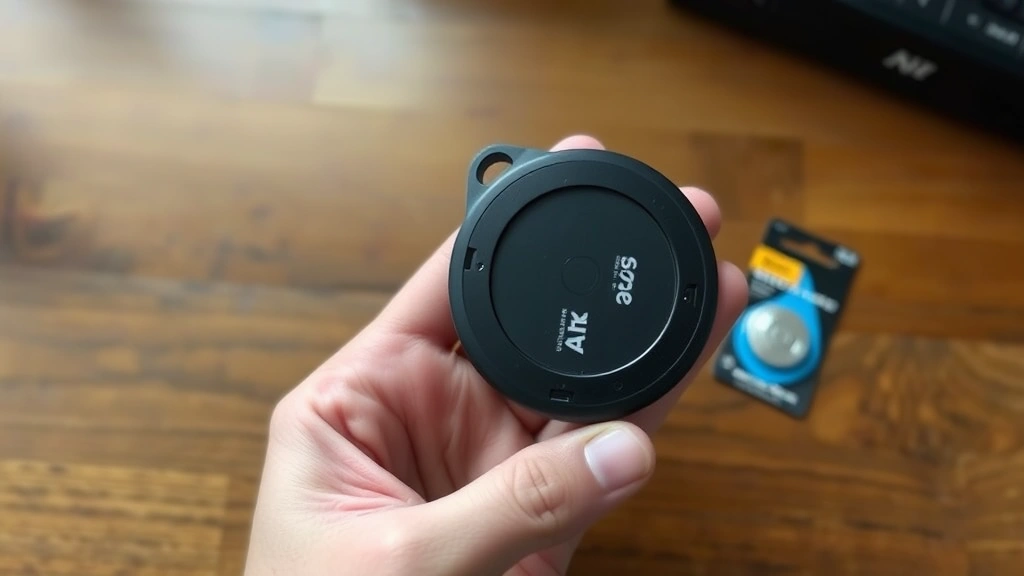
If your AirTag doesn’t chime after installing a new battery, try these troubleshooting steps. First, remove the cover again and verify the battery is inserted with the positive side facing up. Sometimes a battery can shift during the closing process, breaking the connection. Reseat the battery firmly and close the cover again.
If the battery still doesn’t work, try a different new battery—it’s possible the first replacement was defective. Occasionally, batteries sit in storage for extended periods and lose their charge. Purchasing batteries from reputable retailers minimizes this risk. As noted by Instructables, battery quality varies significantly between manufacturers.
If multiple new batteries don’t work, your AirTag’s internal components may have failed. In this case, contact Apple Support or visit an Apple Store. Your device may still be under warranty, or Apple can advise you on replacement options. Don’t attempt to repair internal damage yourself, as this will void any remaining coverage.
Maximizing Your AirTag Battery Life
While you can’t dramatically extend your AirTag’s battery life, certain practices help optimize performance and prevent premature depletion. Avoid exposing your AirTag to extreme temperatures, as both excessive heat and cold can reduce battery efficiency. Store unused AirTags in a cool, dry place rather than leaving them in hot cars or freezing conditions.
Using your AirTag normally won’t significantly drain the battery faster. The device is designed to operate for approximately one year with typical usage patterns. If you notice your battery depletes much faster than expected—within a few months—your AirTag may have a defect or you might be in an area with exceptionally poor network connectivity, forcing the device to work harder.
Keep your iOS device updated to the latest version, as Apple regularly releases updates that optimize Find My efficiency and battery management. Additionally, if you’re looking to manage other Apple devices more effectively, you might want to learn how to turn off Find My iPhone when needed, which can help you understand the Find My ecosystem better. For users with multiple Apple devices, understanding how to connect Apple Pencil to iPad and manage various Apple accessories helps you maintain your entire ecosystem efficiently.
According to Lifehacker’s technology recommendations, proper device maintenance extends the lifespan of all consumer electronics. The same principle applies to your AirTag—treating it gently and keeping it in reasonable conditions helps ensure reliable performance throughout its battery cycle.
Consider purchasing extra CR2032 batteries in advance so you’re never caught without a replacement. Keeping a spare battery in your desk drawer, car, or travel bag ensures you can replace your AirTag battery immediately when the low battery notification appears, eliminating any gap in tracking capability.
FAQ
Q: How often do I need to replace my AirTag battery?
A: Apple estimates that AirTag batteries last approximately one year with normal usage. However, actual battery life depends on how frequently you use the Find My features and your device’s activity level. Some users report battery life extending to 12-18 months.
Q: Can I use a different battery type in my AirTag?
A: No. Your AirTag is specifically designed for CR2032 3-volt lithium batteries. Using different battery types could damage your device or create safety hazards. Always use genuine CR2032 batteries from reputable manufacturers.
Q: Will replacing the battery erase my AirTag’s data?
A: No. Replacing the battery doesn’t erase any settings, location history, or paired device information. Your AirTag will continue working exactly as before, just with fresh battery power.
Q: What should I do with my old AirTag battery?
A: Take used batteries to retailers that accept battery recycling, such as Best Buy, Walgreens, or CVS. Many communities also have dedicated battery recycling programs. Never dispose of batteries in regular household trash.
Q: Is it safe to replace the AirTag battery myself?
A: Yes, absolutely. Replacing an AirTag battery is completely safe and requires no technical expertise. The device is designed for user-friendly battery replacement, and you won’t encounter any electrical hazards or complex components.
Q: My AirTag still shows a low battery warning after replacing the battery. What’s wrong?
A: Try force-closing the Find My app and reopening it to refresh the battery status display. Sometimes the app takes a moment to recognize the new battery. If the warning persists after several minutes, verify the new battery is properly seated and try removing and reinserting it.
Q: Can I replace multiple AirTag batteries at once?
A: Yes, you can replace batteries in multiple AirTags using the same process. Just ensure you have enough CR2032 batteries for all devices. Work through each AirTag systematically to avoid confusion.
Q: Where’s the cheapest place to buy CR2032 batteries?
A: Prices vary by retailer and quantity. Warehouse clubs like Costco often offer the best per-unit pricing when buying multi-packs. Online retailers like Amazon frequently have competitive prices, and local pharmacies and supermarkets offer convenience if you need a battery immediately.


