
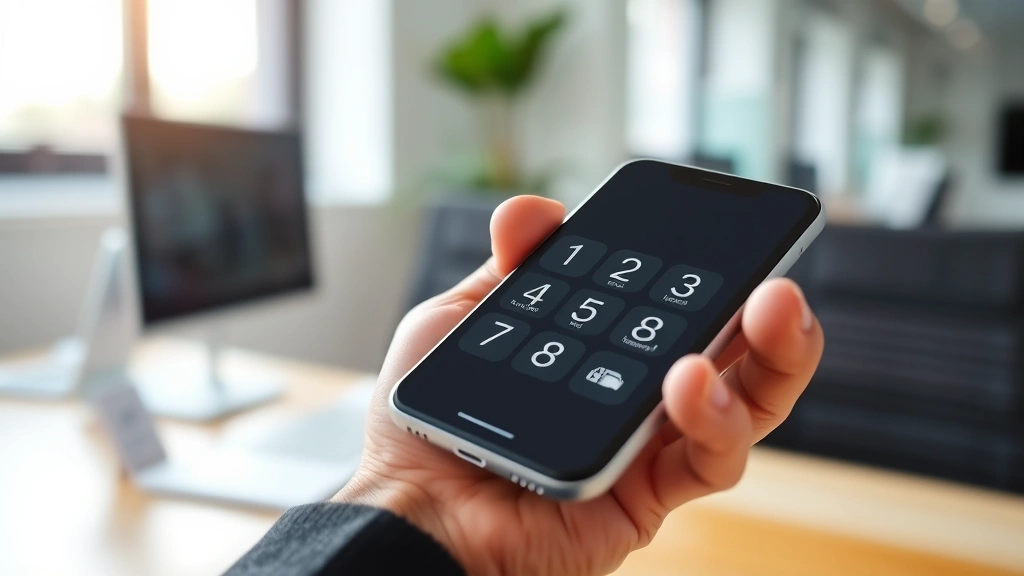
Ever been stuck in phone tree purgatory, frantically pressing buttons and wondering if you’re actually talking to a real human or a robot that forgot half its script? Yeah, that’s the extension dial nightmare. Knowing how to phone an extension properly isn’t just about punching in numbers—it’s about actually getting where you need to go without the runaround. This guide breaks down everything from basic extension dialing to handling those tricky IVR systems that seem designed to confuse you.
What Is a Phone Extension?
A phone extension is basically a shortcut. Instead of calling a main business number and hoping the receptionist transfers you to the right person, an extension lets you dial a specific internal number directly. Think of it like knowing the exact aisle number at a warehouse instead of wandering around asking employees where stuff is.
Extensions are typically 3-5 digit numbers assigned to individual employees, departments, or services within a larger phone system. They’re used in offices, hospitals, universities, government agencies—basically anywhere with more than a handful of phone lines. The main number gets you to the switchboard or automated system; the extension gets you to your actual destination.
Here’s the real talk: extensions exist because phone systems are expensive. A company isn’t going to buy 500 separate phone lines for 500 employees. They buy one main line (or a few) and use extensions to route calls internally. For you calling in, it means faster connections and less time listening to hold music.
Basic Steps: How to Phone an Extension
Let’s start with the straightforward scenario. You’ve got a number and an extension. Here’s what you actually do:
- Dial the main phone number. This is the primary business number you’re calling. Wait for the call to connect and listen for the greeting.
- Listen to the prompt. The system will usually tell you what to do next. It might say “Press 1 for sales, 2 for support” or “To reach a specific extension, press the pound key.”
- Enter the extension when prompted. This is where the actual extension dialing happens. Most systems ask you to enter the extension number after you hear a tone or beep.
- Wait for the connection. The system routes your call to that extension. This usually takes 2-5 seconds.
- Leave a message if needed. If the extension goes to voicemail, leave a clear message with your name and callback number.
That’s the basic framework. But here’s where it gets messy: not every system works exactly the same way. Some companies have you dial the extension during the initial greeting. Others make you wait until after you’ve selected a department. The key is listening carefully to what the automated voice tells you.
A pro tip that saves tons of time: if you’re calling the same place repeatedly, jot down the exact sequence. Write down “Call main number → wait for beep → press 3 for support → wait for second beep → enter extension 4521.” Next time you call, you’ll know exactly what to do without fumbling.
Navigating IVR Systems
IVR stands for Interactive Voice Response. It’s that automated system that greets you with “Your call is important to us” while you’re silently fuming. IVR systems are actually pretty smart, but they’re also the source of most extension dialing frustration.
Here’s how modern IVR systems typically work:
- You call the main number
- An automated voice greets you and offers menu options
- You press numbers (usually 0-9) to navigate through menus
- The system either connects you directly or asks for more information
- Eventually, you either reach a human or get transferred to voicemail
The trick with IVR systems is understanding that they’re often designed with a specific call flow in mind. If you’re trying to reach extension 4521 but the system keeps asking you to choose a department first, you need to follow their hierarchy. You can’t usually skip steps—the system won’t let you.
However, here’s something most people don’t know: many IVR systems have a “bypass” option. If you press 0 at any menu, you’ll often reach a live operator. This is your escape hatch when you’re confused or the automated system isn’t cooperating. Some systems also let you say “operator” or “representative” instead of pressing numbers, especially on newer systems.
Pro Tip: If you’re calling a business for the first time and you don’t know the extension, asking the live operator for the person’s name and extension (and writing it down) saves you from repeating this process next time. Most operators will happily provide this information.
Direct Dial vs. Transfer Methods
There are basically two ways to reach an extension: direct dial and transfer.
Direct Dial means you call a specific number that routes straight to an extension without going through a main switchboard. For example, some companies publish direct numbers like “Press 1 for direct dial to our sales team.” This is faster and bypasses the IVR entirely.
Transfer Method means you call the main number, navigate the IVR, and the system transfers you to the extension. This is more common and is what most people experience when calling larger organizations.
Direct dial is obviously better when available, but it’s not always an option. If you have a choice between direct dial and transfer, go direct dial every time. You’ll get through faster and you’re less likely to get disconnected.
Some companies also offer hybrid approaches. They might have a main number that connects to a live receptionist, who then transfers you to your extension. This is actually pretty common in smaller businesses (50-200 employees). The advantage is that a human can help if you’re confused. The disadvantage is that receptionists sometimes get busy and you’ll be on hold.
Common Mistakes When Dialing Extensions

After years of watching people struggle with phone systems, the same mistakes come up repeatedly. Here are the ones that cause the most headaches:
Mistake #1: Dialing too fast. This is the biggest culprit. You get through the IVR menu and immediately start punching in your extension number like you’re angry at the phone. The system can’t process your input fast enough, and half your digits get lost. Solution: pause for about a half-second between each digit. It feels slow, but it works.
Mistake #2: Not listening to the full prompt. You hear “Press 1 for sales” and immediately press 1, missing the rest of the message that says “or press 2 for direct extension entry.” Always let the system finish talking before you respond.
Mistake #3: Using the wrong extension format. Some systems want just the numbers (4521). Others want you to include a pound sign or asterisk (#4521 or *4521). Check your documentation or ask the operator what format to use.
Mistake #4: Not waiting for the dial tone. After you press a menu option, there’s usually a brief pause while the system processes. If you start dialing your extension before that tone comes, your input gets jumbled. Wait for the beep or tone before entering the extension.
Mistake #5: Assuming all extensions are the same length. Most are 3-5 digits, but some companies use 2 digits or 6+ digits. Don’t assume—ask or check the directory.
Mobile Phone Extension Dialing
Dialing extensions on a mobile phone is nearly identical to landlines, but there are a few quirks worth knowing.
The main difference: on mobile phones, you can’t always use the same tone-based systems that work on landlines. Some older IVR systems specifically expect input from a phone with a physical keypad (DTMF tones). Most modern systems handle mobile input fine, but occasionally you’ll run into a system that struggles with mobile calls.
Here’s what to do if you’re having trouble:
- Make sure you’re using the numeric keypad, not voice input
- Slow down your input—mobile systems sometimes process digits more slowly
- If the system doesn’t recognize your input, try pressing the numbers again, more deliberately
- Some systems let you switch between tone and pulse dialing in your phone settings (though this is rare on modern phones)
One thing that confuses mobile users: if you’re on WiFi calling, the extension dialing should work exactly the same as a regular call. WiFi calling uses the same phone protocols as cellular, so there’s no difference in how extensions are handled.
If you’re using a VoIP service (like Google Voice or Skype), extension dialing usually works fine, but occasionally you’ll hit a system that doesn’t recognize VoIP calls properly. If that happens, try calling from a regular phone number or contact the business directly to ask for an alternative method.
International Extension Dialing
Calling an extension internationally adds a layer of complexity, but the basic principle is the same.
When you’re calling a business in another country and need to reach an extension, you follow this sequence:
- Dial the international access code (usually + on mobile phones, or 011 from US landlines)
- Dial the country code (44 for UK, 61 for Australia, 33 for France, etc.)
- Dial the area code (without the leading 0 if it’s a UK number)
- Dial the main business number
- Follow the IVR prompts and dial the extension as you normally would
The extension dialing itself doesn’t change—you’re still pressing numbers to navigate the system. The challenge is just getting through to the main number first.
One important note: international calls can be expensive, and holding on IVR systems while you figure out the menu can rack up charges quickly. If you’re calling internationally regularly, consider using a VoIP service or internet calling app, which typically has much lower rates.
Also, be aware that some businesses in other countries use different extension formats or IVR systems. For example, some UK businesses use # to submit extension numbers instead of just waiting for the system to process them. When in doubt, listen carefully to the prompts or ask a live operator.
Troubleshooting Failed Extension Calls
Sometimes you do everything right and still can’t get through. Here’s how to diagnose the problem:
Symptom: The extension rings but nobody answers. This usually means the extension is valid but the person isn’t at their desk or is on another call. Leave a voicemail. If you need immediate help, try pressing 0 to reach the operator and ask if there’s someone else who can help or if you can reach the person another way.
Symptom: You hear a fast busy signal or “invalid extension” message. The extension number you have is wrong. Double-check the number. If you’re sure it’s correct, call the main line and ask the operator for the correct extension.
Symptom: The system keeps dropping you or disconnecting. This is usually a network issue on either end. Try calling again. If it keeps happening, try a different phone or calling method (if you were on mobile, try a landline, or vice versa).
Symptom: The IVR system doesn’t recognize your input. Slow down your digit entry. Wait longer between each number. Some systems are just finicky about timing. If that doesn’t work, press 0 and talk to an operator.
Symptom: You keep getting routed to the wrong department. You’re probably entering the wrong sequence. Ask the operator to walk you through the correct menu options or ask them to transfer you directly.
Safety Note: If you’re calling a business for emergency services (hospital, emergency dispatch, etc.), don’t rely on extension dialing. Always call the main emergency number and clearly state your emergency. Extension systems aren’t designed for emergency situations.
According to OSHA guidelines, proper communication protocols in emergency situations are critical. Always prioritize direct communication with emergency services over navigating automated systems.
Frequently Asked Questions
What’s the difference between an extension and a direct dial number?
– An extension is a short number (usually 3-5 digits) that you dial after reaching the main business number. A direct dial number is a complete phone number that connects straight to a specific person or department without going through the main switchboard. Direct dial is faster, but not all businesses publish direct dial numbers.
Can I save extensions in my phone?
– Yes. Most smartphones let you save a contact with a phone number and a note field. You can save the main number and add the extension in the note field (e.g., “Acme Corp – ext. 4521”). Some advanced contacts apps let you add pauses or wait times, so the phone automatically enters the extension after calling the main number.
Why do some extensions require a pound sign (#) at the end?
– The pound sign tells the IVR system that you’re done entering the extension number. Some systems require this; others process the extension automatically after a certain number of digits or after a pause. If you’re not sure, try entering the extension without the pound sign first. If that doesn’t work, try again with the pound sign.
What should I do if I don’t know the extension?
– Call the main number and ask the receptionist or operator for the extension. They’ll usually provide it without any fuss. You can also check the company’s website—many businesses publish employee directories with extensions. If that doesn’t work, try general business directories or LinkedIn to find contact information.
Can I use voice commands to dial extensions?
– Most modern IVR systems don’t support voice commands for extension entry, though some newer systems do. If you want to try, listen for a prompt that says “Say your extension” or “Say the department you need.” However, this feature is still relatively uncommon, so don’t expect it. Stick with the numeric keypad for reliability.
Why does my extension call sometimes go to voicemail without ringing?
– This usually means the extension’s voicemail is full, the extension is set to forward automatically, or the person has do-not-disturb enabled. Leave a message if possible. If this keeps happening, try calling back during business hours or contact the company through another method.
Is there a standard format for how extensions are written?
– There’s no universal standard, but common formats include: ext. 4521, x4521, (ext 4521), or just 4521. When you’re writing down an extension, include the main number and the extension clearly so you don’t forget either one.
Can I dial an extension if I’m calling from outside the country?
– Yes, as long as you’ve dialed the correct international number to reach the main business line. The extension dialing process is the same once you’ve connected to their phone system. Just be aware that international calls can be expensive, so using a VoIP service might save you money.

What’s the best time to call and reach someone at an extension?
– This depends on the business, but generally, mid-morning (9-11 AM) and early afternoon (1-3 PM) are better than first thing in the morning or late afternoon. Avoid calling during lunch hours (typically 12-1 PM) or after 4 PM when people are wrapping up. If you’re calling a business in a different time zone, check what time it is there before calling.
Why do some extensions require you to press a number before entering the extension?
– Some IVR systems route calls differently based on the department or service you need. By pressing a number first (like “Press 1 for sales”), the system knows to route your call to the right department’s extension pool. This helps manage call volume and ensures you’re reaching the right group.


