

Learning how to find scale factor is one of those practical skills that shows up everywhere—from resizing blueprints to adjusting recipes, from enlarging artwork to calculating map distances. Whether you’re tackling a geometry problem, working on a DIY project, or just trying to make sense of proportions, understanding scale factor is your ticket to getting measurements right the first time.
Table of Contents
What is Scale Factor?
Scale factor is simply the number you multiply or divide by to resize something while keeping its proportions intact. Think of it as the magic multiplier that lets you enlarge or shrink objects, drawings, or measurements without distorting them. If you’re scaling up a recipe and the scale factor is 2, you double every ingredient. If you’re shrinking a blueprint and the scale factor is 0.5, you halve every dimension.
The beauty of scale factor is that it works the same way whether you’re dealing with inches, centimeters, or any other unit. It’s all about the relationship between the original size and the new size. Understanding this relationship is what separates guesswork from precision.
Step One: Identify Your Measurements
Before you can calculate anything, you need two solid measurements: the original dimension and the new dimension. This is your foundation. Write them down clearly—don’t rely on memory here. Label which one is the original (sometimes called the “pre-image”) and which one is the new size (the “image”).
For example, if you’re enlarging a photograph from 4 inches wide to 10 inches wide, your original measurement is 4 inches and your new measurement is 10 inches. If you’re reducing a map where the original distance is 100 miles but you want it to represent 50 miles on your new version, those are your two numbers to work with.
Pro tip: Make sure both measurements use the same unit. If one is in inches and the other is in feet, convert them first. Mixing units is a shortcut to confusion and wrong answers.
Step Two: Set Up Your Ratio
Now comes the mathematical part, and it’s simpler than it sounds. You’re going to create a fraction: the new measurement divided by the original measurement. This fraction is your scale factor.
Using our photograph example: 10 inches (new) ÷ 4 inches (original) = your scale factor. Or with the map: 50 miles (new) ÷ 100 miles (original) = your scale factor.
The order matters here—always put the new measurement on top and the original on the bottom. Getting this backwards will give you the reciprocal, which will shrink things when you meant to enlarge them, or vice versa. It’s an easy mistake to make, so double-check your setup before moving forward.
Step Three: Divide Carefully
Take your ratio and perform the division. This is where a calculator becomes your best friend, especially if you’re working with decimals or awkward fractions. You can use a basic calculator, a spreadsheet (like the ones you’d organize with merging columns in Excel for data organization), or even do it by hand if you’re comfortable with long division.
For the photo: 10 ÷ 4 = 2.5. That’s your scale factor. Everything gets multiplied by 2.5 to reach the new size.
For the map: 50 ÷ 100 = 0.5. That’s your scale factor. Everything gets multiplied by 0.5 (or divided by 2) to reach the new size.
If you get a decimal like 2.5 or 0.333, that’s perfectly normal. Scale factors don’t have to be whole numbers. They can be fractions, decimals, or even percentages—whatever the math gives you is correct.

Step Four: Verify Your Work
Before you apply your scale factor to everything else, test it on one of your original measurements. Multiply the original measurement by your calculated scale factor. Does it equal the new measurement? If it does, you’re golden. If it doesn’t, recalculate.
Example check: Original photo width (4 inches) × scale factor (2.5) = 10 inches. ✓ Correct.
Example check: Original map distance (100 miles) × scale factor (0.5) = 50 miles. ✓ Correct.
This verification step takes 10 seconds and saves you from applying a wrong factor to all your other measurements. It’s worth the time, especially on important projects.
Step Five: Apply the Factor
Now you multiply every relevant measurement by your scale factor. If you’re resizing a rectangle that’s 4 inches by 6 inches with a scale factor of 2.5, the new rectangle is 10 inches by 15 inches. If you’re scaling down a blueprint with multiple dimensions and your scale factor is 0.5, you multiply each dimension by 0.5.
If you’re working with multiple measurements, a spreadsheet makes this much easier. You can set up formulas to do all the multiplication at once. If you’re organizing data while you work, knowing how to lock rows in Excel helps keep your headers stable while you calculate.
For complex projects with lots of dimensions, you might also want to wrap text in Excel to keep your spreadsheet readable and organized as you work through the calculations.
Common Mistakes to Avoid
The biggest mistake people make is flipping the fraction—putting the original measurement on top instead of the new one. This gives you the reciprocal of the correct scale factor, which does the opposite of what you want.
Another common error is forgetting to convert units before calculating. 4 inches and 1 foot look like different numbers, but they’re not in the same language. Convert first, calculate second.
People also sometimes forget that scale factor applies to ALL dimensions equally. If you’re scaling a 2D shape, both width and height get multiplied by the same factor. If you’re scaling a 3D object, length, width, and height all get the same treatment.
Finally, don’t assume your scale factor has to be a “nice” number. If the math gives you 1.333 or 0.667, that’s your answer. Use it with confidence.
Real-World Examples That Click
Example 1: Enlarging a Photo You have a photo that’s 3 inches wide and 5 inches tall. You want to enlarge it to 9 inches wide. Scale factor = 9 ÷ 3 = 3. The new height will be 5 × 3 = 15 inches. Your enlarged photo is 9 by 15 inches.
Example 2: Scaling a Recipe A recipe serves 4 people and calls for 2 cups of flour. You need to feed 10 people. Scale factor = 10 ÷ 4 = 2.5. You need 2 × 2.5 = 5 cups of flour. Every ingredient gets multiplied by 2.5.
Example 3: Reading a Map On your map, 1 inch represents 10 actual miles. A distance on the map is 3 inches. Real distance = 3 × 10 = 30 miles. Your scale factor here is 10 (the miles per inch), and you multiply the map measurement by it.
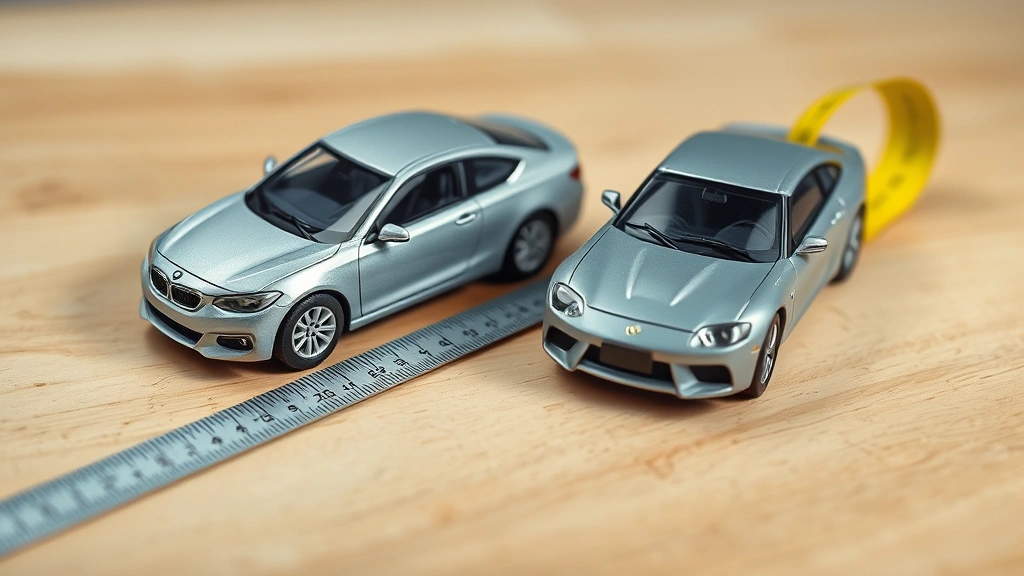
Example 4: Model Building You’re building a model car. The real car is 180 inches long, and your model will be 18 inches long. Scale factor = 18 ÷ 180 = 0.1. Every dimension of the real car gets multiplied by 0.1 for your model.
Handy Scale Factor Shortcuts
If you’re scaling by common factors, memorize these: A scale factor of 2 means everything doubles. A scale factor of 0.5 means everything halves. A scale factor of 3 means everything triples. These show up constantly in real projects.
For percentages: A scale factor of 1.5 is a 50% increase. A scale factor of 0.75 is a 25% decrease. If someone says “increase by 20%,” your scale factor is 1.2. If they say “reduce by 20%,” your scale factor is 0.8.
When you’re working with data entry or calculations across multiple measurements, removing empty rows in Excel keeps your calculation area clean and prevents formula errors. Clean data makes accurate scaling easier.
For statistical work involving scale factors, if you need to work out standard deviation on Excel, you can apply your scale factor to the results to see how variation changes with scaling.
Frequently Asked Questions
Can a scale factor be negative?
In pure geometry, scale factors are positive numbers. A negative scale factor would flip the object, which is a different transformation called a reflection combined with scaling. For practical purposes like resizing photos or recipes, stick with positive numbers.
What if my scale factor is between 0 and 1?
That’s a reduction. You’re making things smaller. A scale factor of 0.5 cuts everything in half. A scale factor of 0.25 cuts everything to one-quarter size. These are just as valid as scale factors greater than 1.
Does scale factor work the same for 2D and 3D objects?
The calculation method is identical, but the effect differs. For 2D shapes, multiplying both dimensions by the scale factor gives you the new shape. For 3D objects, you multiply all three dimensions (length, width, height) by the same scale factor. The volume changes by the cube of the scale factor, but the calculation process is the same.
What’s the difference between scale factor and ratio?
Scale factor is a specific type of ratio—it’s the ratio of the new measurement to the original measurement. All scale factors are ratios, but not all ratios are scale factors. A scale factor always compares a resized version to an original.
How do I find scale factor if I only know the final measurements?
You can’t, without knowing at least one original measurement. Scale factor requires comparing two sizes. If you have the final size but not the starting size, you need additional information to work backwards.


