
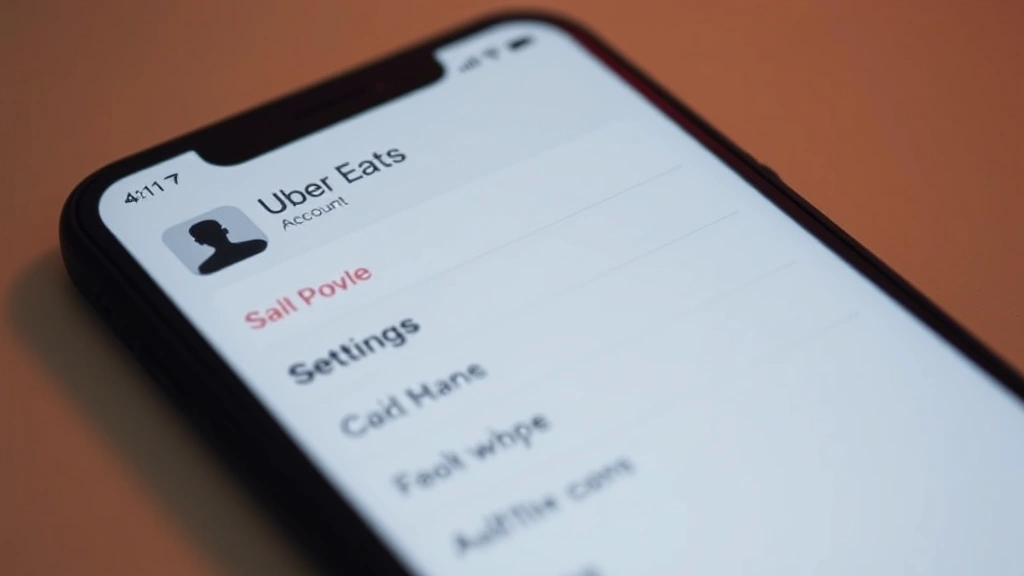
Ready to say goodbye to Uber Eats? Whether you’re cutting back on delivery apps, switching to a competitor, or just cleaning up your digital footprint, knowing how to delete Uber Eats account is straightforward—but there are a few things you should know before you hit that final button. This guide walks you through every step, from backing up your data to permanently removing your account from Uber’s servers.
The truth is, most people don’t realize that deleting an Uber Eats account is different from just uninstalling the app. You need to actually go into your account settings and request deletion. Otherwise, your data stays in their system, and you’ll get notifications if you ever reinstall. Let’s fix that.
Before You Delete: What to Know
Before you pull the trigger on deleting your Uber Eats account, take a few minutes to handle some loose ends. This isn’t complicated, but skipping these steps can leave you frustrated later.
Check your account balance and credits. If you have promotional credits, unused balance, or pending refunds, they’ll be gone once your account is deleted. Uber doesn’t refund these, so use them or lose them. Log in and look at your wallet to see what you’ve got sitting there.
Review your order history. If you need records of past orders (for receipts, expense tracking, or whatever reason), take screenshots or export them now. Once the account is gone, this data becomes much harder to access. Some people use this for tax deductions if they’re tracking business meals.
Unlink your payment methods. While Uber will remove your linked credit cards and bank accounts when you delete the account, it’s good practice to manually unlink them first. This gives you peace of mind that your payment info isn’t floating around.
Cancel any active subscriptions. If you’re on Uber Pass (the subscription that gives you discounts), you’ll want to cancel that separately before deleting your account. Otherwise, you might still get charged.
Pro Tip: Take a screenshot of your account settings page before deletion. If you ever need to prove you had an account or dispute a charge, having documentation helps.
Similar to how you might cancel other subscriptions like canceling a Roku subscription or canceling Fubo, the key is handling any pending charges or credits first.
How to Delete Uber Eats on Mobile (iPhone & Android)
The mobile app is where most people access Uber Eats, so this is the method 90% of users will follow. The process is nearly identical on iPhone and Android.
Step 1: Open the Uber Eats app and log in. Make sure you’re using the account you want to delete. If you have multiple accounts (which is surprisingly common), double-check you’re in the right one.
Step 2: Tap the account icon. In the bottom right corner, you’ll see your profile icon. Tap it. On some versions, it might say “Account” or show your initials.
Step 3: Go to Settings. Look for a gear icon or “Settings” option in the menu. Tap it.
Step 4: Scroll down to “Legal.” This is where Uber hides the deletion option. It’s not in a super obvious place, which is probably intentional.
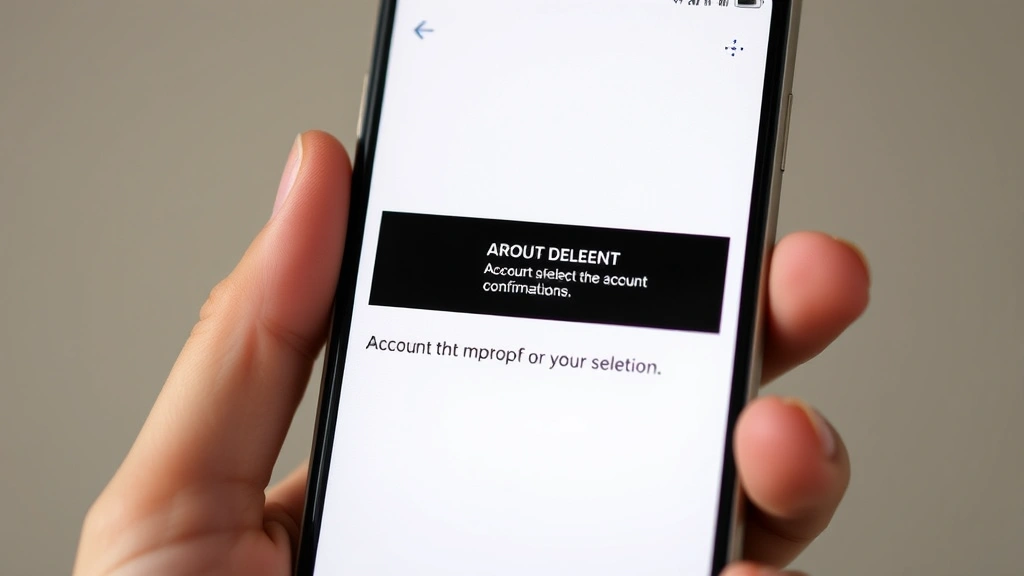
Step 5: Tap “Delete Account.” You’ll see a warning that explains what’s about to happen. Read it (seriously), then confirm.
Step 6: Choose your reason (optional). Uber will ask why you’re leaving. You don’t have to answer, but they use this feedback. Pick whatever applies: too expensive, using a competitor, privacy concerns, whatever.
Step 7: Confirm deletion. You’ll get a final warning. Tap “Delete Account” again. Some versions ask you to type “delete” to confirm—just follow the prompts.
Step 8: Wait for confirmation. Uber will send you an email confirming the deletion. This can take a few minutes to arrive, but check your inbox and spam folder.
That’s it. Your account is gone. The app will log you out immediately, and you won’t be able to log back in.
How to Delete Uber Eats via Web Browser
If you prefer using the website or just want a backup method, you can delete your account through any web browser. The steps are almost identical.
Step 1: Go to ubereats.com and log in. Use your email and password.
Step 2: Click your account icon (top right). It’s usually in the upper right corner of the page.
Step 3: Select “Account Settings.” This opens your profile page.
Step 4: Scroll to the bottom and look for “Delete Account.” It’s usually under a “Legal” or “Account” section. The exact wording varies slightly depending on your region and when Uber last updated their interface.
Step 5: Click “Delete Account.” A popup or new page will appear explaining what happens.
Step 6: Confirm your reason (optional) and proceed. Answer the feedback question if you want, then click the final confirmation button.
Step 7: Check your email for confirmation. Uber will send you an email to verify the deletion went through.
The web method is often faster and clearer because you can see everything on a bigger screen. If you’re having trouble finding the delete option on mobile, try the website instead.
What Happens After Deletion
Understanding what actually happens when you delete your account helps you know what to expect.
Your account is deactivated immediately. You won’t be able to log in, place orders, or access any of your account information. If you try to log in, you’ll get an error message.
The app will stop working. Even if you don’t uninstall it, the app becomes useless. You can’t order, view your history, or do anything else. It’s basically a dead weight on your phone.
Your data gets deleted over time. Uber doesn’t instantly wipe everything from their servers. According to their privacy policy, they keep some data for legal and security reasons, but your personal information (address, payment methods, order history) is removed from active systems within 30 days, though backups might persist longer. This is standard practice across tech companies.
You’ll stop getting notifications. No more emails about promotions, order reminders, or app updates. Your phone number and email are removed from their marketing lists.
Restaurants can’t contact you. If a restaurant needs to reach you about an order issue, they won’t be able to. This is why it’s important to resolve any active orders before deleting.
Safety Warning: Make absolutely sure you don’t have any active orders or disputes when you delete. Once the account is gone, it’s much harder to resolve issues with restaurants or get refunds for problems.
Refunds and Unused Credits
This is the part that trips people up. Let’s be clear: unused credits and promotional balances are forfeited when you delete your account. Uber doesn’t refund them, and they don’t transfer to a new account if you recreate one later.
What about pending refunds? If you’re waiting on a refund from a disputed order, delete after the refund processes. Check your transaction history to see if anything is pending. Refunds typically take 3-5 business days to hit your bank account or credit card.
How to use up your credits before deleting: Order something, even if it’s small. A $3 coffee is better than losing a $10 credit. You can also gift credits to friends in some regions, though this feature isn’t available everywhere.
What if you have Uber Pass? Your subscription will be canceled automatically when you delete the account. You won’t be charged again, and you won’t get a refund for the current billing period. If you want a refund, cancel Uber Pass manually before deleting the account—you might have better luck getting a partial refund depending on when you’re in the billing cycle.
For comparison, handling credits and subscriptions is similar to what you’d do when canceling other digital subscriptions. Always use or transfer credits before deletion.
Can You Reactivate Your Account?
Once your account is deleted, it’s deleted. You can’t just flip a switch to turn it back on.
However, you can create a new account. If you change your mind, you can sign up again using the same email address or phone number. Your old account data won’t transfer over, but you’ll be able to use the service again. You’ll start fresh—no order history, no saved addresses, no payment methods.
There’s a catch: Some users report that Uber’s system flags accounts created shortly after deletion, especially if they use the same email. This might trigger additional verification steps or even temporary blocks. If this happens, wait a few days before creating a new account, or use a different email address.
Your old reviews and ratings are gone. Any reviews you wrote or ratings you received from restaurants disappear. If you were a regular at certain restaurants, they won’t have a record of that anymore.
If you’re just taking a break and might come back, consider deactivating your account instead of deleting it. Some apps offer this option, though Uber Eats doesn’t have an official “pause” feature. Your best bet is to just not use it for a while.
Troubleshooting Deletion Issues
Most deletions go smoothly, but here’s what to do if something goes wrong.
“Delete Account” button isn’t showing up. This usually means you’re not in the right place in settings. Try the web version instead of the app—it’s clearer. Make sure you’re logged into the account you want to delete. If you’re using an old version of the app, update it first.
You get an error message during deletion. Common errors include “Account has pending orders” (wait for orders to complete) or “Unable to process request” (try again in a few minutes, or use the web version). If errors persist, contact Uber support through the app or website.
You deleted the account but can still log in. This sometimes happens if the deletion request didn’t fully process. Log out, wait 30 minutes, then try logging in again. If you can still access it, go back to settings and request deletion again.
You didn’t get a confirmation email. Check your spam and promotions folders—Uber emails sometimes end up there. If it’s been more than an hour and you still haven’t received anything, contact Uber support. They can confirm whether the deletion went through on their end.
You have an active order when trying to delete. Cancel the order first. You can’t delete your account while an order is being prepared or delivered. Once the order is complete or canceled, try deleting again.
Contacting Uber support. If you’re stuck, open the app (or go to the website), tap your account icon, and look for “Help” or “Support.” Describe your issue and submit a ticket. Response times vary, but Uber usually gets back to you within 24-48 hours. According to Uber’s official support site, they prioritize account deletion requests.
Pro Tip: Keep screenshots of error messages if you’re troubleshooting. When you contact support, this documentation helps them resolve issues faster.
If you’re having trouble with other apps or services, similar troubleshooting steps apply. Sometimes it’s just about trying a different method—like how finding hidden apps on iPhone requires checking different locations, account deletion sometimes needs a different approach if one method fails.
Frequently Asked Questions
Will deleting Uber Eats delete my Uber account too?
– No. Uber Eats and Uber (the ride-sharing service) are separate accounts, even though they’re both owned by Uber. Deleting one doesn’t affect the other. If you want to delete both, you’ll need to do each one separately.
How long does it take for my account to be completely deleted?
– Your account is deactivated immediately and you’ll lose access right away. However, Uber’s servers may retain some data for up to 30 days for legal and security purposes. After that, your personal information is removed from active systems. Some backup data might persist longer, but it’s not accessible to you or Uber’s normal operations.
Can I recover my account after deletion?
– No, you cannot recover a deleted account. You can create a new account, but your old account data (orders, reviews, saved addresses, payment methods) is gone permanently. Start fresh with a new account if you decide to return.
What happens to my refunds if I delete my account?
– Any pending refunds should process before you delete. If you delete while a refund is pending, it might get lost or take much longer to process. Always wait for pending refunds to complete before deleting your account.
Can I delete my account if I have a pending order?
– No. You must cancel or complete any active orders before you can delete your account. Once all orders are finished or canceled, the delete option will work.
Is there a way to temporarily deactivate instead of permanently deleting?
– Uber Eats doesn’t offer an official deactivation or pause feature. Your only options are to delete permanently or just stop using the app. If you think you might want to come back, consider just not opening the app rather than deleting it.
Will restaurants know I deleted my account?
– Restaurants won’t receive a notification that you deleted your account. However, they won’t be able to contact you if there are issues with orders. Any reviews you wrote will disappear from their profile.
What should I do with my Uber Eats gift cards before deleting?
– Use them before you delete. Once your account is gone, gift cards tied to that account are useless. If you have physical gift cards, you can use them on a new account after you create one, but digital credits will be lost.
Can I delete my account on behalf of someone else?
– No. Uber requires account owners to request deletion themselves. You can’t delete someone else’s account without their login credentials. This is a security measure to prevent unauthorized access.
Does deleting Uber Eats free up storage space on my phone?
– Deleting your account doesn’t free up storage. You need to uninstall the app itself to free up space. Delete your account first (which removes your data from Uber’s servers), then uninstall the app from your phone to reclaim storage space.
Final Thoughts
Deleting your Uber Eats account is straightforward once you know the steps. The key is handling the details first—use your credits, wait for refunds, and cancel any subscriptions. Then go into settings, request deletion, and confirm via email. It takes about five minutes total.

Whether you’re switching to a competitor, cutting back on delivery, or just cleaning up your digital life, this process works the same way. And if you change your mind later, you can always create a new account and start fresh.
Remember: take screenshots of your order history if you need them, use up any promotional credits, and don’t delete while orders are pending. Follow those rules and you’ll have no regrets.


