
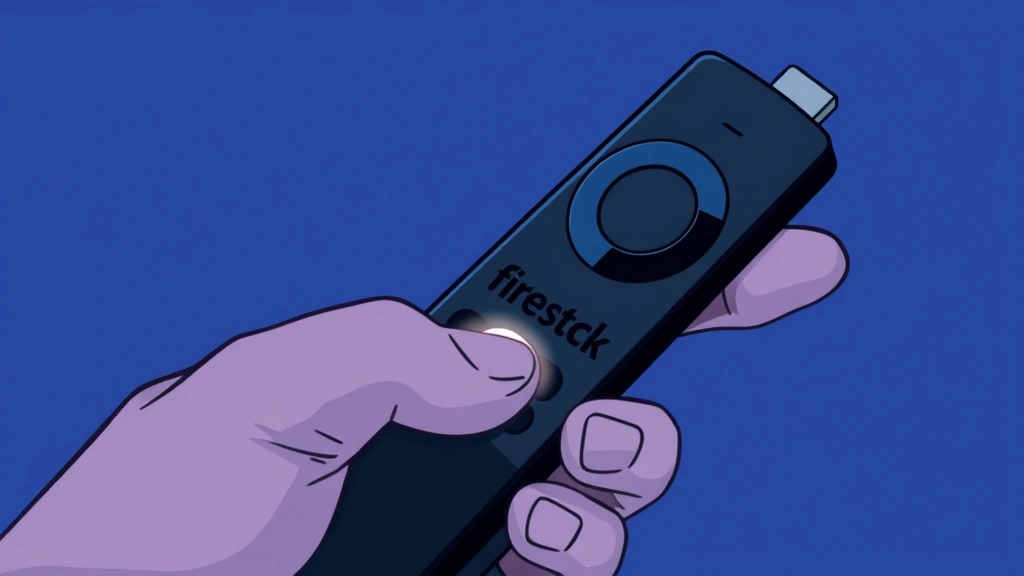
Your new Fire TV Stick is sitting there, unboxed and ready to go—but that remote won’t pair. Frustrating, right? The good news: learning how to connect Firestick remote is genuinely simple. Most people get it working in under five minutes. Whether you’re setting up a brand-new device or reconnecting an old remote after it went haywire, this guide walks you through every scenario without the tech jargon.
We’ve all been there—staring at a remote that won’t respond, wondering if you need to buy a replacement or if there’s some secret button combo. Spoiler: there isn’t. The Firestick remote connection process is straightforward, and I’m going to show you exactly how to do it.
Quick Answer: Pairing Your Remote in 30 Seconds
If you’re in a hurry: Hold the Home button (the house icon) on your Firestick remote for about 10 seconds until the LED light blinks. That’s it. Your remote is now in pairing mode and should connect automatically to your Fire TV Stick within seconds. The light will stop blinking once it’s paired. Done.
Still not working? Keep reading. We’ll cover why that might happen and what to do next.
Before You Start: What You Actually Need
Here’s the thing: you don’t need much to connect your Firestick remote. In fact, you probably have everything already.
- Your Fire TV Stick (plugged in and powered on)
- Your Firestick remote (with working batteries)
- Two AA batteries (if the remote doesn’t have them yet)
- Your Fire TV Stick remote pairing button (we’ll explain where this is)
That’s genuinely all you need. No apps to download beforehand, no special cables, no complicated setup.
Pro Tip: Before you start, make sure your Fire TV Stick is powered on and you’re on the home screen. A Stick that’s in sleep mode or stuck on a loading screen can cause pairing headaches. If you’re unsure, unplug it for 10 seconds, plug it back in, and wait for the home screen to load.
Pairing a New or Factory-Reset Remote
Let’s say you just pulled the remote out of the box, or you’ve reset it to factory settings. Here’s the exact process:
- Install batteries first. Flip the remote over, slide the battery cover off, and insert two fresh AA batteries. Seriously, use new ones—old batteries are the #1 cause of pairing failures.
- Turn on your Fire TV Stick and make sure you’re looking at the home screen. If the screen is black or loading, wait a moment.
- Point the remote at your Fire TV Stick. You want a clear line of sight. This isn’t Bluetooth magic—the remote uses infrared, which means it needs to “see” the device.
- Hold down the Home button. That’s the button with the house icon on it. Press and hold for about 10 seconds. You’ll see the LED light on the remote start blinking. This means it’s in pairing mode.
- Wait for the connection. Within 5-10 seconds, the LED should stop blinking and stay steady or turn off. Your remote is now paired to your Fire TV Stick.
- Test it. Press the up arrow or the select button. If something happens on your TV, you’re golden. If nothing happens, move to the troubleshooting section below.
That’s the standard process. For most people, this works the first time. But let’s talk about what happens when it doesn’t.
Reconnecting a Remote That Lost Connection
Sometimes your remote pairs fine initially, but then it stops working weeks or months later. Maybe you moved your Stick, maybe there was a power outage, or maybe the remote just decided to be difficult. The good news: reconnecting is the same as pairing a new one.
The quick fix: Hold Home for 10 seconds again. Seriously. Nine times out of ten, this solves it. The remote needs to re-establish its connection, and holding Home is how you tell it to do that.
If that doesn’t work:
- Check your batteries. Weak batteries are the silent killer. Swap them out for fresh ones and try again.
- Make sure your Fire TV Stick is on. Unplug it, wait 30 seconds, and plug it back in. Let it fully boot up before trying to pair.
- Move closer to the Stick. If you’re across the room or there’s a wall between you, the infrared signal might not reach. Get within 3-4 feet and try pairing again.
- Hold Home for longer. Sometimes 10 seconds isn’t enough. Try holding it for 15-20 seconds and watch for the LED to blink.
Here’s a real-world analogy: think of the pairing process like a handshake. Both sides need to be ready at the same time. If your Stick is asleep or your batteries are dead, the handshake can’t happen.
Troubleshooting When Things Go Wrong
Let’s address the scenarios where how to connect Firestick remote becomes genuinely frustrating.
The LED doesn’t blink at all
This almost always means your batteries are dead or installed wrong. Flip the remote over, check that the batteries are facing the right direction (+ side up), and make sure they’re making good contact. If the LED still doesn’t blink after that, your batteries are definitely dead. Grab fresh ones and try again.
The LED blinks but the remote doesn’t work
Your remote entered pairing mode, but it’s not connecting to your Stick. Here’s what to do:
- Restart your Fire TV Stick. Unplug it for 30 seconds, plug it back in, and wait for the home screen.
- Try pairing again. Hold Home for 10 seconds. Sometimes the Stick needs a fresh start to accept the pairing signal.
- Check for interference. Believe it or not, some devices emit infrared signals that can mess with your remote. Move your Stick away from your router, soundbar, or other electronics and try again.
- Reset the remote to factory settings. Hold Home + Back buttons together for 10 seconds. This clears any weird pairing data and lets you start fresh.
If none of that works, you might have a hardware issue. According to Amazon’s official Fire TV support page, a remote that won’t pair after a factory reset is usually defective and qualifies for replacement.
The remote pairs but only works sometimes
This is usually a battery or line-of-sight issue. Weak batteries will work intermittently—the remote sends a signal sometimes but not consistently. Replace them with fresh ones. Also, make sure you’re pointing the remote directly at your Stick. If your Stick is mounted behind your TV or in an awkward spot, the infrared signal might not reach it every time.
You have multiple Fire TV devices and the remote keeps pairing to the wrong one
This is annoying but fixable. Your remote will pair to whichever Stick is closest and in pairing mode. If you have two Sticks in the same room, only turn on one at a time when you’re pairing. Once you’ve paired the remote to the first Stick, move to the other room, turn on the second Stick, and pair the second remote. Keep remotes and Sticks in separate rooms until they’re properly paired.
Battery Issues and Remote Maintenance
Here’s something most people don’t realize: your Firestick remote is incredibly sensitive to battery quality. This isn’t a knock against Amazon—it’s just how infrared remotes work. They need consistent power to send a strong signal.
Battery best practices:
- Use name-brand batteries (Energizer, Duracell). Cheap store-brand batteries often have inconsistent voltage.
- Replace both batteries at the same time, even if only one seems dead. Mixing old and new batteries causes voltage imbalances.
- Don’t leave dead batteries in the remote. They can leak and damage the contacts. If you’re not using the remote for a while, take the batteries out.
- Check the battery contacts inside the remote. If they look corroded or dirty, gently clean them with a dry cloth or a cotton swab.
According to Family Handyman’s remote repair guide, corroded battery contacts are responsible for about 40% of remote control failures. It’s a simple fix that most people overlook.
Maintaining your remote:
Keep your remote clean and dry. Spilled coffee or dust buildup can interfere with the infrared sensor. If your remote gets wet, remove the batteries immediately and let it air dry for 24 hours before using it again. If it’s been exposed to significant moisture, you might want to let it sit in a bowl of uncooked rice overnight—this absorbs residual moisture.
Also, don’t drop it. Firestick remotes are tougher than they look, but a hard fall can damage the internal infrared emitter or loosen the battery contacts. If your remote has taken a tumble and won’t pair, try the reset process first. If that doesn’t work, it might have internal damage.
Alternative Control Methods (Phone App)
Here’s a lifesaver if your remote refuses to cooperate: you can control your Fire TV Stick using your phone. Download the Amazon Fire TV app (available on iOS and Android). Once installed, open the app, tap the remote icon, and you can control your Stick from your phone.
This isn’t a permanent solution—you’ll want to get your physical remote working eventually—but it buys you time while you troubleshoot. Plus, the phone app actually has some advantages. You can type search queries using your phone’s keyboard, which is way faster than using the remote’s directional buttons.
To connect your phone to your Firestick for remote control:
- Make sure your phone and Fire TV Stick are on the same Wi-Fi network.
- Open the Fire TV app on your phone.
- Tap the remote icon at the bottom.
- Select your Fire TV Stick from the list.
- You’ll see a pairing code on your TV. Enter it in the app to confirm.
Once paired, your phone becomes a full remote replacement. You can navigate, select, play, pause, adjust volume—everything. This is actually how many tech-savvy homeowners prefer to control their streaming devices because it’s faster for searching.
Frequently Asked Questions
How long does it take to pair a Firestick remote?
– It should take less than a minute. Hold Home for 10 seconds, wait for the LED to blink, and you’re done. If it’s taking longer than that, something’s wrong (usually dead batteries).
Can I use a Firestick remote with multiple Fire TV devices?
– No. Each remote pairs to one Stick. If you have multiple Sticks, you need multiple remotes. However, you can pair a new remote to an existing Stick by following the pairing steps above. The old remote will automatically unpair.
What if my Firestick remote has a pairing button on the back?
– Some older Firestick models have a dedicated pairing button on the back instead of using the Home button. Check your remote’s manual. If it has a button labeled “Pair” or a button with a symbol that looks like two arrows connecting, hold that for 10 seconds instead of Home.
Do I need to unpair my remote before pairing a new one?
– Not really. When you pair a new remote to your Stick, the old one automatically loses its connection. You don’t need to do anything to the old remote. Just pair the new one and you’re good.
My remote works but only from certain angles. Why?
– Infrared signals need a clear line of sight. If your Stick is mounted at an angle or behind your TV, the remote might not reach it from certain positions. Try moving your Stick to a more central location or pointing the remote more directly at it. Also, check for obstacles—even a glass table can weaken an infrared signal.
Can I pair my Firestick remote without the TV being on?
– No. Your Fire TV Stick needs to be powered on and displaying the home screen for pairing to work. If the Stick is in sleep mode or off, the pairing won’t complete.
Is there a way to pair a Firestick remote without holding the Home button?
– Not really. Holding Home is the standard method. Some older remotes have a dedicated pairing button, but the process is the same. If your remote doesn’t have a Home button (very rare), check your manual for the correct pairing button.
What’s the difference between pairing and connecting?
– In the context of Firestick remotes, these terms are used interchangeably. Pairing is the process of connecting your remote to your Stick so they can communicate. Once paired, they stay connected until you pair the remote to a different Stick or reset it.
My Firestick remote keeps disconnecting. Is it broken?
– Probably not. Intermittent disconnection is usually caused by weak batteries, interference from other devices, or a Stick that needs to be restarted. Replace your batteries first, then try restarting your Stick. If it still disconnects, you might have a hardware issue, but it’s worth trying these steps first.

Can I use a universal remote with my Firestick?
– Yes, but not all universal remotes work with Firestick. You’d need a universal remote that supports Amazon Fire TV devices specifically. It’s easier and cheaper to just use the official Firestick remote or the phone app. According to Bob Vila’s universal remote guide, compatibility can be hit-or-miss with third-party options.
Is there a reset code for Firestick remotes?
– Yes. Hold Home + Back for 10 seconds to factory reset your remote. This clears all pairing data and returns it to its original state. After resetting, you’ll need to pair it again using the standard Home button method.


