How to Clean iPhone Charging Port: Simple & Amazing Tips
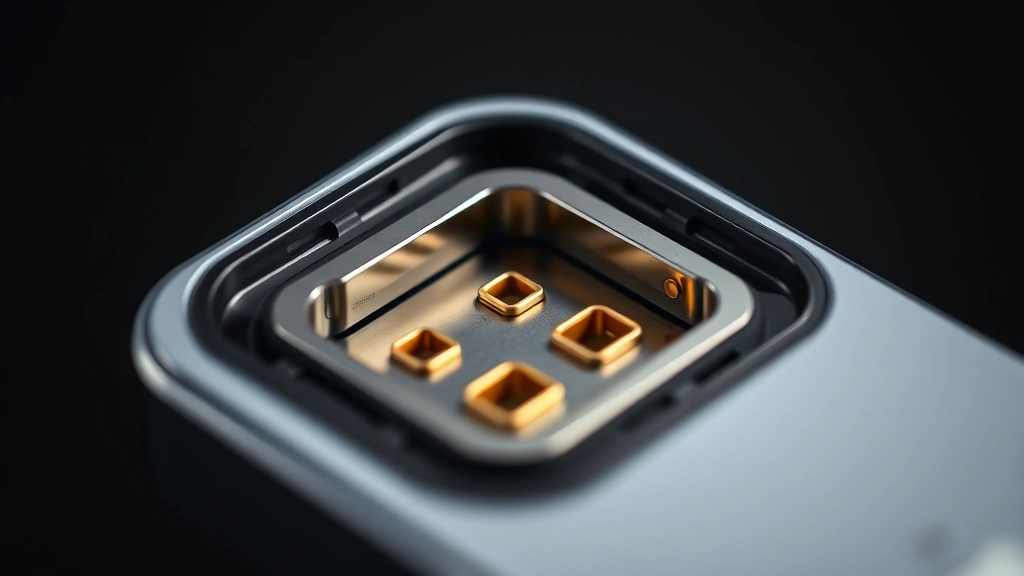
Is your iPhone charging slowly or not at all? A dirty charging port is often the culprit. Over time, lint, dust, and debris accumulate inside the Lightning or USB-C port, blocking the connection between your cable and phone. Learning how to clean iPhone charging port safely can restore your device’s charging capability and save you hundreds in repairs. This guide walks you through proven methods using everyday household items.
Quick Answer
The safest way to clean iPhone charging port is to use a dry toothpick or wooden stick to gently scrape debris from the port’s interior. Power off your phone first, then carefully insert the tool at a slight angle and use light, short strokes. Avoid metal objects, liquids, and excessive force. For stubborn debris, try compressed air or a soft-bristled brush. If cleaning doesn’t work, your port may need professional service.
Tools & Materials You’ll Need
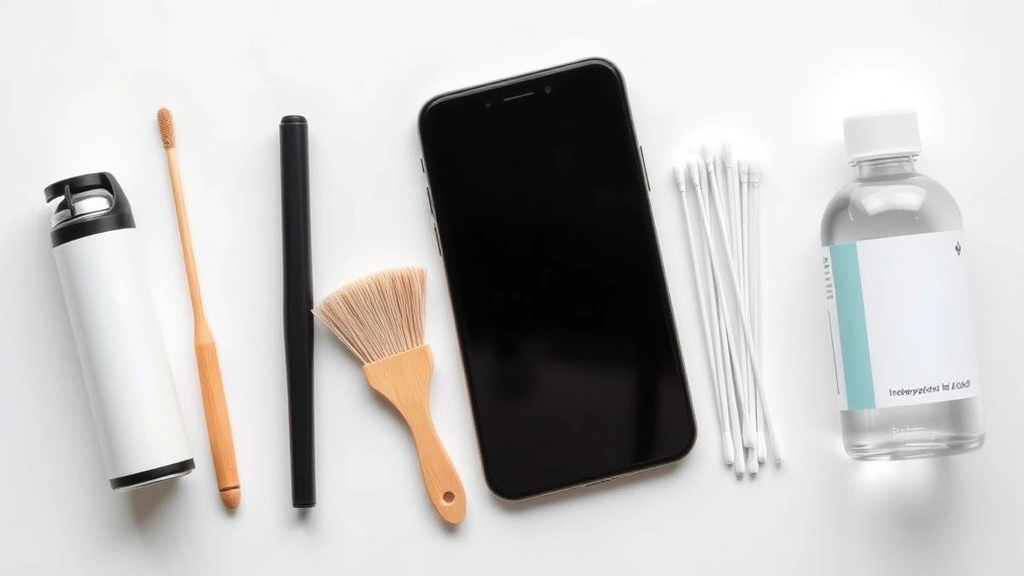
- Toothpick or wooden stick (non-metal preferred)
- Compressed air canister (optional but recommended)
- Soft-bristled toothbrush or small brush
- Flashlight or phone light
- Magnifying glass (optional)
- Isopropyl alcohol (70% concentration, optional)
- Cotton swabs
- Small bowl or container
- Microfiber cloth
Preparation Steps Before Cleaning
Before you start cleaning your iPhone charging port, take essential precautions to protect your device. Power off your iPhone completely—don’t just put it in sleep mode. This prevents accidental electrical damage if your cleaning tool accidentally touches internal components. Press and hold the power button until the “slide to power off” screen appears, then confirm the shutdown.
Next, gather all your materials in one place and inspect your charging port with a flashlight. Look closely at the port’s opening to identify what type of debris is present—is it lint, dust, or dried charging residue? This observation helps you choose the best cleaning method. If you can already see large pieces of lint, you might benefit from compressed air first.
Work in a well-lit area, preferably near a window or under a lamp. Good lighting lets you see exactly what you’re doing and helps prevent accidentally pushing debris deeper into the port. Consider using a magnifying glass to get a better view of the port’s interior, especially if you have vision difficulties.
The Toothpick Method: Safest Approach
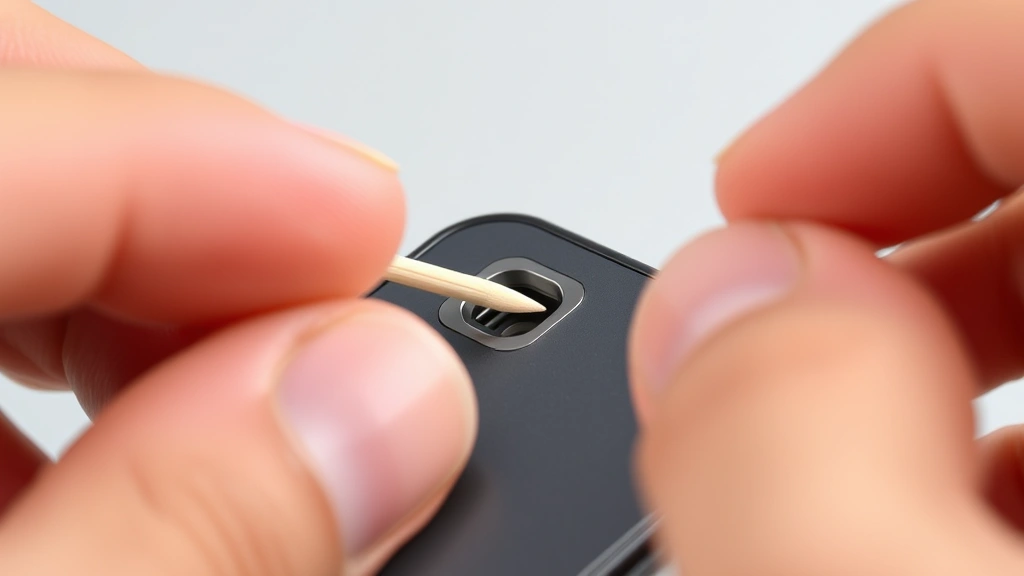
The toothpick method is the most popular and safest way to clean iPhone charging port debris. Wooden or plastic toothpicks are non-conductive, meaning they won’t cause electrical damage if they accidentally touch metal contacts inside the port. Start by selecting a clean, unused toothpick—avoid using ones that have been in food, as they may leave residue.
Hold your iPhone firmly but gently, positioning it so you have a clear view of the charging port. Insert the toothpick at a slight angle (about 45 degrees) rather than straight in. This angle helps you scrape the sides of the port where lint typically accumulates. Use light, gentle pressure—you’re not trying to dig or gouge the port. Make short, controlled strokes, moving from the back of the port toward the opening.
Work slowly and deliberately. If you feel resistance, stop immediately and try a different angle. Never force the toothpick deeper if it feels stuck. Rotate the toothpick as you work to clean different sides of the port. You should see lint and dust particles starting to come out. Wipe away the debris with a clean microfiber cloth or cotton swab between strokes.
According to WikiHow’s comprehensive guides, this manual method works best for moderate lint buildup and is the least risky option for protecting your device’s internal components.
Using Compressed Air for Debris Removal
Compressed air is an excellent tool for how to clean iPhone charging port, especially for loose debris and dust. The pressurized air dislodges particles without requiring you to insert anything into the port. Purchase a can of compressed air from any electronics or office supply store. Hold the can upright and use the small straw attachment that comes with it.
Position your iPhone so the charging port faces away from you and any sensitive areas. Hold the compressed air can about 2-3 inches from the port opening. Use short, controlled bursts rather than one long spray. The goal is to blow debris out, not to force it deeper inside. Repeat this process 3-4 times, checking between bursts to see if particles are being expelled.
Important safety note: Never shake the compressed air can or hold it upside down, as this can release liquid instead of air, which could damage your phone. Also, avoid using a hair dryer or shop air compressor—these are too powerful and can damage the delicate charging port components.
Compressed air works particularly well when combined with other methods. Use it first to remove loose debris, then follow up with the toothpick method for stubborn lint that’s stuck to the port walls.
Soft Brush Cleaning Technique
A soft-bristled brush offers a gentle alternative for learning how to clean iPhone charging port without the risk of accidentally scratching internal contacts. Use a brush with very fine bristles—old toothbrushes work well if they’re soft-bristled, or purchase a specialized electronics cleaning brush. Avoid stiff brushes that could damage the port.
With your iPhone powered off, gently insert the brush bristles into the charging port at a slight angle. Use light, circular motions to loosen debris clinging to the port’s interior walls. The bristles are thin enough to reach into the port without causing damage. Work for about 30 seconds, then remove the brush and inspect the port with your flashlight.
This method is particularly effective for removing dried charging residue or corrosion that may have built up over time. If you notice any white or greenish substance (signs of corrosion), the soft brush can help remove it gently. Follow up with a clean cotton swab to wipe away any remaining particles.
As The Spruce’s home maintenance experts recommend, soft-bristled tools are ideal for delicate electronic components that require careful handling.
Isopropyl Alcohol Method for Stubborn Grime
For stubborn grime or corrosion that won’t budge with mechanical cleaning methods, isopropyl alcohol can help. Use only 70% isopropyl alcohol—higher concentrations can damage components, and lower concentrations won’t be as effective. Never use water, vinegar, or other household cleaners, as these can cause corrosion or damage.
Dampen a cotton swab with isopropyl alcohol—it should be damp, not dripping wet. Gently insert the swab into the charging port and rotate it slowly to clean the interior walls. The alcohol helps dissolve dried residue and disinfects the port. Work for about 20-30 seconds, then remove the swab and let the alcohol evaporate completely (usually 2-3 minutes).
Never insert the swab forcefully or leave it in the port. If the swab gets stuck, stop immediately and gently wiggle it free. Allow your iPhone to air dry completely before attempting to charge it. The alcohol evaporates quickly, but waiting a few minutes ensures no liquid remains inside the port that could cause electrical issues.
This method is especially useful if your phone has been exposed to moisture or if you notice any discoloration in the charging port. However, reserve this approach for stubborn cases—mechanical cleaning alone is usually sufficient for regular maintenance.
Prevention Tips to Keep Your Port Clean
The best approach to how to clean iPhone charging port is prevention. By keeping your charging port clean from the start, you’ll avoid buildup that requires deep cleaning. Store your iPhone in a clean, dust-free environment when not in use. Avoid keeping it in pockets with lint-producing fabrics or in bags with loose debris.
Use protective covers or cases that include charging port covers. Many quality iPhone cases have small flaps or shields that protect the port from dust and lint. When your phone isn’t in use, consider keeping a small dust plug in the charging port—these are inexpensive and specifically designed for this purpose.
Be mindful of your charging habits. Avoid charging your phone in dusty environments like garages or workshops. Don’t leave your phone uncovered on surfaces where dust can accumulate. Clean the charging cable’s connector regularly with a dry cloth to prevent transferring debris into the port.
If you’re prone to lint accumulation (perhaps you keep your phone in jean pockets), clean your charging port monthly as preventive maintenance. This regular upkeep prevents the severe buildup that requires aggressive cleaning. You can also explore how to update apps on iPhone to ensure your device’s software is optimized, which can sometimes improve charging recognition.
When to Seek Professional Help
Sometimes, despite your best cleaning efforts, charging issues persist. If your iPhone still won’t charge after thorough cleaning, the problem may be internal damage that requires professional repair. Signs that you need professional help include persistent charging failures, visible corrosion inside the port, or physical damage to the port itself.
If your phone has been exposed to water damage, the charging port may have internal corrosion that’s invisible from the outside. Professional technicians have specialized equipment to safely clean internal corrosion without damaging your device. They can also test your charging cable and battery to determine if those components are the actual problem.
Visit an Apple Store or authorized Apple service provider for the safest repairs. These professionals use genuine parts and have training specific to iPhone charging systems. Attempting to force a repair yourself when the port is damaged can worsen the problem and void any remaining warranty coverage.
Consider professional help if you’ve already tried cleaning and the issue persists for more than a week. Sometimes what appears to be a dirty port is actually a loose internal connection or a failing charging port that needs replacement.
FAQ
Is it safe to use metal objects to clean iPhone charging port?
No, metal objects are not recommended for cleaning your iPhone charging port. Metal is conductive and can damage the delicate electronic contacts inside the port if it touches them. Stick to non-conductive materials like wooden toothpicks, plastic picks, or soft-bristled brushes. If you must use a metal tool, ensure it’s non-magnetic and use extreme caution.
Can I use water to clean my iPhone charging port?
Water should be avoided when cleaning your charging port. While iPhones have some water resistance, introducing water directly into the charging port can cause corrosion of internal components. If your phone has been wet, allow it to dry completely (24 hours) before attempting to charge it. For cleaning purposes, use only isopropyl alcohol (70%) if liquid cleaning is necessary.
How often should I clean my iPhone charging port?
Most users benefit from cleaning their charging port every 3-6 months as preventive maintenance. However, if you frequently keep your phone in pockets or dusty environments, monthly cleaning may be necessary. If you notice charging issues or slow charging speeds, clean your port immediately rather than waiting for scheduled maintenance.
What if my toothpick breaks inside the charging port?
If a toothpick breaks inside the port, don’t panic. First, power off your iPhone immediately. Use a flashlight to locate the broken piece. If it’s visible and near the opening, carefully use another toothpick or tweezers to remove it. If the piece is lodged deep inside, stop attempting removal and contact Apple Support or visit an Apple Store for professional extraction.
Can dirty charging port cause battery problems?
A dirty charging port doesn’t directly damage your battery, but it prevents proper charging, which stresses your battery over time. When your phone can’t charge efficiently, you may experience rapid battery drain, overheating, or reduced battery lifespan. Cleaning your port promptly helps maintain healthy battery function and charging performance.
Is compressed air safe for iPhone charging port?
Yes, compressed air is safe for your iPhone charging port when used correctly. Hold the can upright, use short bursts, and maintain 2-3 inches distance from the port. Never shake the can or use it upside down. Compressed air is actually one of the safest cleaning methods because it doesn’t require inserting anything into the port.
Why does my iPhone charging port get dirty so quickly?
Lint from clothing (especially jeans), dust, and debris accumulate in charging ports naturally over time. The port’s narrow opening acts like a lint trap. If you frequently keep your phone in pockets, carry it in bags, or use it in dusty environments, accumulation happens faster. Using protective port covers and storing your phone in clean spaces helps slow this process.
Should I clean my charging cable too?
Yes, cleaning your charging cable connector is equally important. Use a dry microfiber cloth to wipe the metal connector on your cable regularly. Avoid using liquids on the cable connector. A clean cable prevents transferring debris into your port each time you charge. If your cable connector shows discoloration or corrosion, replace the cable rather than attempting to clean it.
Learning how to clean iPhone charging port is a valuable skill that extends your device’s lifespan and maintains reliable charging performance. By following these methods and prevention tips, you’ll avoid costly repairs and keep your iPhone functioning optimally. According to Consumer Reports’ electronics maintenance guides, regular preventive cleaning is one of the most cost-effective ways to maintain smartphone longevity.
If you’re experiencing other iPhone issues, you might also find it helpful to explore how to turn off Find My iPhone for troubleshooting purposes, or learn about how to scan with iPhone to maximize your device’s capabilities. For Apple device owners interested in broader maintenance, how to connect Apple Pencil to iPad offers similar hands-on guidance for device care. Additionally, keeping your software current by learning how to replace AirTag battery demonstrates the importance of Apple ecosystem maintenance across all your devices.
Remember, patience and gentleness are key when cleaning your charging port. Take your time, use proper tools, and don’t force anything into the port. With these simple yet effective techniques, you’ll restore your iPhone’s charging capability and prevent future issues. Your device will thank you with reliable, fast charging performance for years to come.