
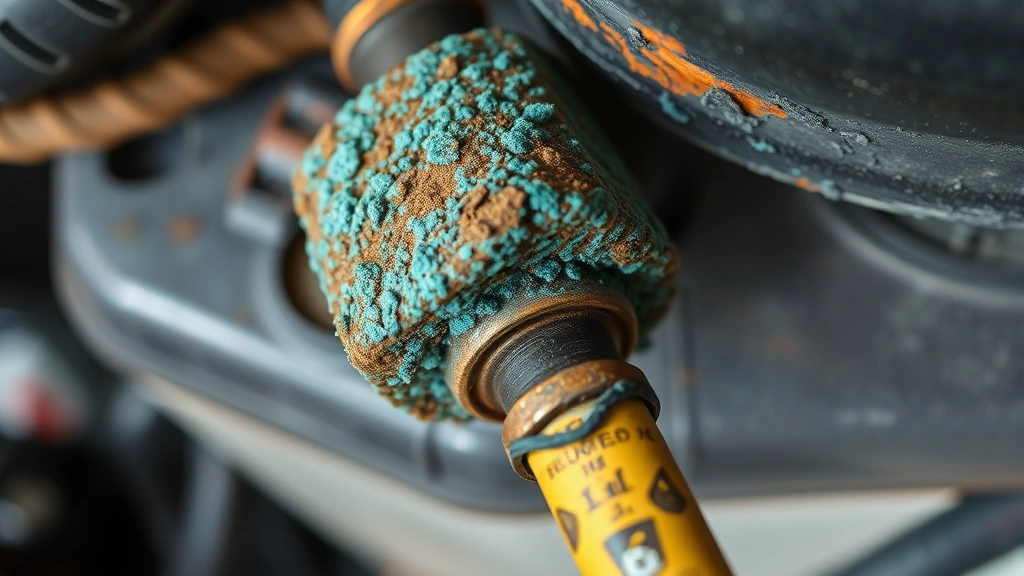
Battery corrosion is one of those sneaky problems that catches people off guard. You go to start your car, and nothing happens—or worse, you flip a switch on a device and get nothing but a weak flicker. The culprit? Crusty, corroded battery terminals that are blocking power from flowing where it needs to go. Cleaning battery terminals isn’t rocket science, but do it wrong and you could damage your equipment, hurt yourself, or make the corrosion worse. This guide walks you through how to clean battery terminals safely, whether you’re dealing with your car, a backup power system, or household electronics.
Corrosion happens because batteries generate chemical reactions, and moisture mixed with metal creates that blue-green or white crusty buildup you see on terminals. The good news? It’s fixable in about 20 minutes with basic household supplies. The bad news? You need to follow specific steps to avoid electrical hazards and damage.
Why Battery Terminals Corrode
Understanding why corrosion happens helps you prevent it later. Battery terminals corrode because of a chemical reaction between the battery’s metal posts (usually lead or copper) and the surrounding environment. When sulfuric acid from inside the battery mixes with moisture and oxygen, it creates that crusty buildup. In cars, this happens faster if your battery is old, if you live in a humid climate, or if your charging system isn’t working properly.
The blue-green corrosion you see is typically copper sulfate or other oxidized compounds. White or light-colored corrosion is usually lead oxide. Either way, this stuff acts like an insulator—it blocks electrical current from flowing between the battery and your car’s electrical system. That’s why a corroded battery can be perfectly good chemically but won’t start your engine.
Corrosion also happens on smaller batteries in flashlights, remote controls, and backup power systems. The same chemical principle applies. Moisture, time, and the natural breakdown of battery chemistry all contribute to terminal buildup.
Safety First: What You Need to Know
Safety Warning: Car batteries contain sulfuric acid and can deliver a dangerous electrical shock. Never work on battery terminals while the engine is running. Always disconnect the negative terminal first and reconnect it last. Wear safety glasses and gloves. If acid splashes on your skin, rinse immediately with water and seek medical attention.
Before you touch anything, understand what you’re dealing with. A car battery is not a toy. It contains sulfuric acid strong enough to burn your skin and clothing. It also holds enough electrical charge to cause serious injury if you create a short circuit.
The golden rule: Always disconnect the negative (black) terminal first. This breaks the circuit and prevents accidental shorts. When you’re done cleaning, reconnect the negative terminal last. Reversing this order can cause sparks and damage your vehicle’s electrical system.
Wear safety glasses and nitrile or rubber gloves. If you’re cleaning a severely corroded battery, the acid residue can splash. Your eyes and skin need protection. If you have sensitive skin, consider wearing long sleeves too.
Work in a well-ventilated area. Battery acid vapors aren’t pleasant to breathe. If you’re working in a garage, crack a window or work outside if possible.
Never use a wire brush directly on the battery terminals themselves—only on the cable connectors. The terminal posts are soft and can be damaged, which makes the corrosion problem worse.
Tools and Materials You’ll Need
You don’t need fancy equipment. Most of what you need is probably already in your home.
- Baking soda – The MVP. It neutralizes battery acid and is safe to handle.
- White vinegar – Helps dissolve corrosion. Some people use lemon juice as an alternative.
- Water – Distilled water is best, but tap water works.
- Wire brush or old toothbrush – For scrubbing. A soft brass wire brush is ideal; avoid steel wool on terminals.
- Small containers – For mixing your cleaning solution.
- Rags or paper towels – For wiping and drying.
- Safety glasses and gloves – Non-negotiable.
- Wrench or socket set – To disconnect the battery cables (size depends on your vehicle).
- Petroleum jelly or battery terminal protectant – Optional but recommended for prevention.
Some people swear by commercial battery terminal cleaners like those recommended by Family Handyman. They work, but baking soda and vinegar are cheaper and just as effective for most corrosion.
Step-by-Step Cleaning Process
Step 1: Safety Setup
Put on your safety glasses and gloves. If you’re working on a car battery, turn off the engine and let it cool for a few minutes. Pop the hood and locate the battery. Take a photo with your phone so you remember the cable configuration—this saves headaches later.
Step 2: Disconnect the Negative Terminal
Using your wrench, loosen the nut on the negative (black) terminal. This is critical: always disconnect negative first. Once it’s loose, wiggle the cable connector gently and pull it off. Set it aside where it won’t accidentally touch the terminal again.
If the terminal is stuck, spray it with penetrating oil (like WD-40) and wait 5 minutes. Don’t force it—you can crack the terminal post.
Step 3: Disconnect the Positive Terminal
Now loosen and remove the positive (red) terminal the same way. Again, be gentle. You now have both cables safely disconnected.
Step 4: Mix Your Cleaning Solution
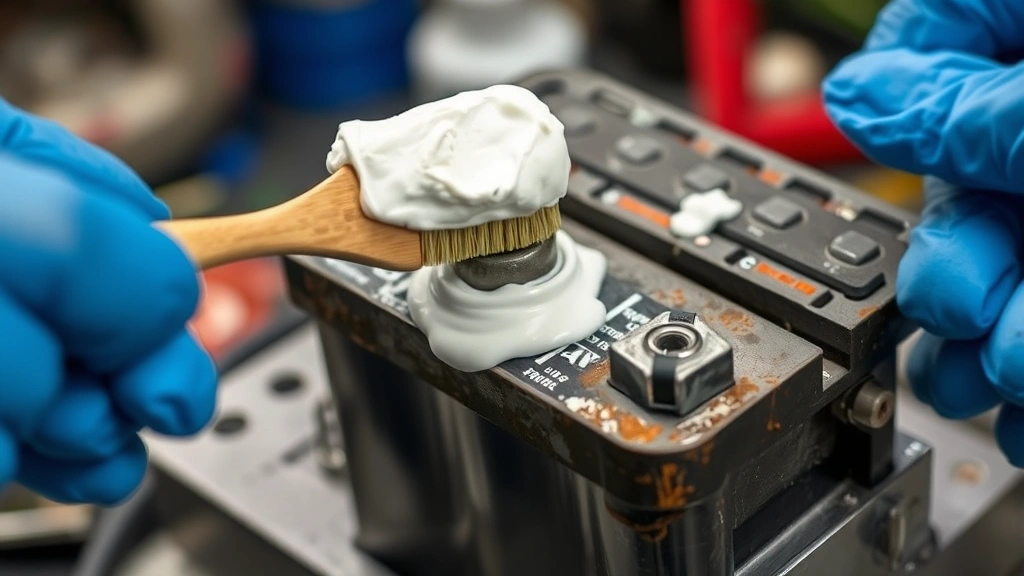
In a small container, mix equal parts baking soda and water to create a paste. It should be thick enough to stick to the terminals but spreadable. Alternatively, mix baking soda with a small amount of vinegar—it’ll fizz, which actually helps break down corrosion. The fizzing action is like a tiny scrubbing machine.
Step 5: Apply the Paste
Using an old toothbrush or soft wire brush, apply the baking soda paste directly to the corroded terminals. Don’t be shy—coat them thoroughly. The paste will start to foam and bubble as it reacts with the corrosion. This is exactly what you want.
Let it sit for 5-10 minutes. This gives the baking soda time to neutralize the acid and loosen the crusty buildup.
Step 6: Scrub Gently
Using a soft brush (not a wire brush on the terminals themselves), gently scrub away the loosened corrosion. Work in circular motions. You’ll see the blue-green or white crud start to come off. If it’s stubborn, apply more paste and let it sit another few minutes.
For the cable connectors (not the battery posts), you can use a slightly stiffer wire brush. These connectors are more durable and can handle more aggressive scrubbing.
Step 7: Rinse Thoroughly
Once the corrosion is gone, rinse the terminals and connectors with distilled water. Use a spray bottle or pour water carefully—you want to rinse away all the baking soda residue. Dry everything completely with a clean rag. Any moisture left behind will just restart the corrosion cycle.
Step 8: Clean the Cable Connectors
While you’re at it, clean the inside of the cable connectors where they attach to the terminals. Corrosion builds up here too, and it blocks electrical contact. Use a wire brush to clean the inside surfaces. Rinse and dry.
Step 9: Reconnect the Cables
This is where order matters. Reconnect the positive (red) terminal first. Tighten the nut snugly—not super tight, just firm. Then connect the negative (black) terminal and tighten it.
Make sure both connections are tight. A loose connection will cause the same starting problems as corrosion.
Step 10: Apply Preventative Coating (Optional but Smart)
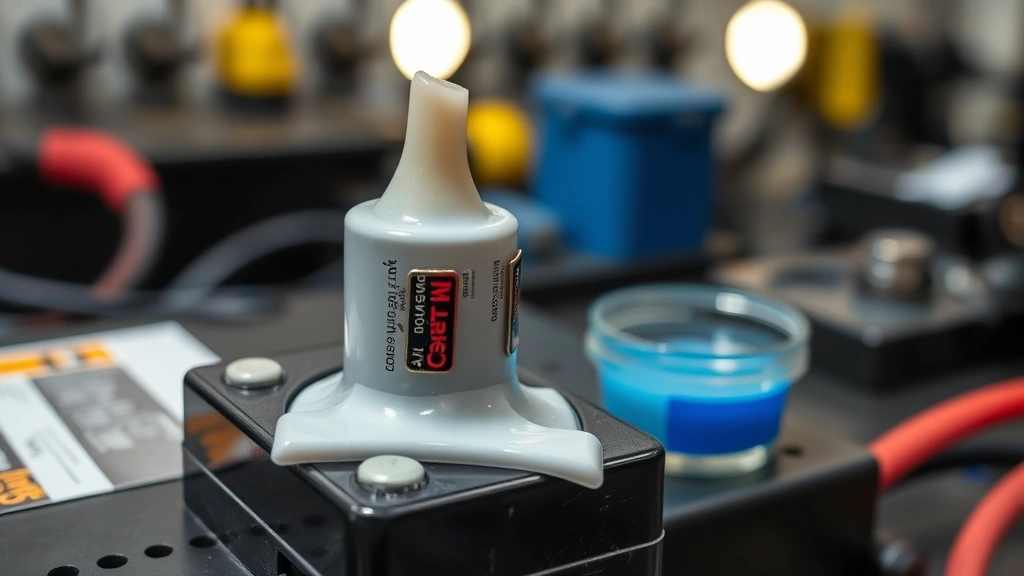
Once everything is dry and reconnected, consider applying a thin coat of petroleum jelly or a commercial battery terminal protectant to the terminals. This creates a moisture barrier and slows down future corrosion. Wipe off any excess.
Cleaning Car Battery Terminals Specifically
Car batteries are the most common place people deal with corrosion, so let’s dig deeper into the specifics. Your car’s battery sits in an engine bay that gets hot, wet, and salty (especially in winter). This is a perfect storm for corrosion.
If your battery is more than 5 years old and heavily corroded, cleaning might buy you time, but you should start thinking about replacement. A battery that’s heavily corroded is often near the end of its life anyway. This Old House has a solid guide on battery replacement if you need to go that route.
For newer batteries with surface corrosion, cleaning works great. You’ll notice an immediate improvement in starting power. If your car starts sluggishly even after cleaning, the battery itself might be failing, and cleaning won’t fix that.
One thing specific to cars: check your alternator’s output while you’re at it. A failing alternator overcharges the battery, which accelerates corrosion. If you clean the terminals and corrosion comes back within a few weeks, have your charging system tested. Most auto parts stores will test it for free.
Prevention: Keep Corrosion From Coming Back
Cleaning is great, but prevention is better. Here’s how to slow down corrosion:
- Keep terminals dry. Moisture is the enemy. If you park in a garage, even better. If you’re outside, consider a battery cover or terminal covers (cheap plastic caps that slip over the posts).
- Apply a protective coating. That petroleum jelly or terminal protectant spray really does help. Reapply it every 6 months or after you wash your car.
- Tighten connections regularly. Loose connections allow moisture to creep in. Check them every few months.
- Replace your battery on schedule. Don’t wait until it fails. Most car batteries last 3-5 years. Plan ahead.
- Keep your charging system working properly. An alternator that’s overcharging or undercharging will accelerate corrosion. Have it tested if corrosion keeps coming back.
- In winter, rinse salt off your car. Road salt is brutal on battery terminals. Wash underneath your car regularly during winter months.
Think of prevention like brushing your teeth—a little maintenance now prevents a bigger problem later.
When Cleaning Isn’t Enough
Sometimes you clean the terminals and your car still won’t start. What now?
Scenario 1: The car starts but barely. The battery itself might be weak. Even a clean battery can be dead. Use a multimeter to check the voltage. A healthy car battery reads around 12.6 volts when the engine is off. If it’s reading 12 volts or less, the battery is likely dying.
Scenario 2: Corrosion comes back immediately. This usually means your charging system is overcharging. Have your alternator tested. You can also check for a faulty voltage regulator, which is a common culprit. Bob Vila’s guide on battery corrosion covers this in detail.
Scenario 3: The battery case is cracked or leaking. If you see acid leaking from the battery itself, it’s time for a replacement. Do not attempt to repair a damaged battery—it’s a safety hazard.
Scenario 4: You see corrosion on the engine block or other metal parts nearby. Battery acid is corrosive. If it’s splashed beyond the terminals, rinse those areas with a baking soda solution too. Don’t let acid sit on your engine block—it will eat through paint and metal.
If none of these scenarios apply and your car still won’t start, you might have a different electrical problem. Have a mechanic run a full electrical diagnostic.
Frequently Asked Questions
Can I use Coca-Cola to clean battery terminals?
– Technically yes, because the phosphoric acid in Coke can dissolve some corrosion. However, it’s sticky, leaves residue, and attracts dirt. Baking soda and vinegar work better and don’t leave a sugary mess. Stick with the proven method.
Is it safe to clean a battery while it’s still connected?
– No. Always disconnect both terminals before cleaning. Even though you’re only touching the outside, you risk creating a short circuit if a tool touches both the terminal and the metal engine block. Disconnect first, clean, reconnect. It takes 30 extra seconds and prevents disaster.
What if the corrosion is really thick and won’t come off?
– Let the baking soda paste sit longer—up to 20 minutes. For stubborn buildup, try soaking the cable connectors in vinegar for a few minutes before scrubbing. If it’s still stuck, you might need a slightly stiffer brush, but avoid damaging the soft terminal posts. If the terminal itself is pitted or damaged, replacement is the better option.
Can I use steel wool or a wire wheel on the terminals?
– Not on the battery posts themselves. Steel wool and wire wheels are too aggressive and will damage the soft lead or copper posts. Use them on the cable connectors, which are more durable. For the terminals, stick with a soft brass brush or old toothbrush.
How often should I clean battery terminals?
– If you’re using preventative coating, you shouldn’t need to clean them more than once a year. If corrosion keeps coming back every few months, you have a charging system problem that needs professional attention. Normal maintenance is annual or as needed.
Can I prevent corrosion entirely?
– No, but you can slow it down significantly. Corrosion is a natural chemical process. The best you can do is keep terminals dry, apply protective coating, and maintain your charging system. Some cars are just prone to it—older vehicles or those in humid/salty climates corrode faster than others.
What should I do if battery acid gets on my skin?
– Rinse immediately with lots of water for at least 15 minutes. Remove any contaminated clothing. If the burn is significant or the acid got in your eyes, seek medical attention immediately. This is why gloves and safety glasses are non-negotiable.
Is there a difference between cleaning car battery terminals and other battery types?
– The principle is the same—baking soda neutralizes corrosion. However, with smaller batteries in electronics, you have less acid to worry about and more risk of damaging delicate components. For those, use a damp cotton swab with a tiny bit of baking soda paste rather than soaking them. Work carefully and dry completely before reinserting.


