How to Check if iPhone is Unlocked: Simple & Essential Guide
Wondering whether your iPhone is unlocked? Whether you’re buying a used device, switching carriers, or simply need to verify your phone’s status, knowing how to check if iPhone is unlocked is essential. An unlocked iPhone gives you the freedom to use any carrier’s SIM card worldwide, while a locked device restricts you to a specific network. In this comprehensive guide, we’ll walk you through multiple methods to determine your iPhone’s unlock status quickly and confidently.
Quick Answer: The fastest way to check if your iPhone is unlocked is to insert a SIM card from a different carrier. If your phone connects to that network, it’s unlocked. Alternatively, you can check Settings > General > About and look for carrier lock information, contact your current carrier, or visit an Apple Store for verification. Each method takes just minutes and requires no technical expertise.
Tools & Materials You’ll Need
- Your iPhone (any model)
- A SIM card from a different carrier (optional but recommended)
- Access to Wi-Fi or cellular data
- Your Apple ID credentials
- Contact information for your carrier (phone number or account details)
Method 1: Insert a Different Carrier’s SIM Card
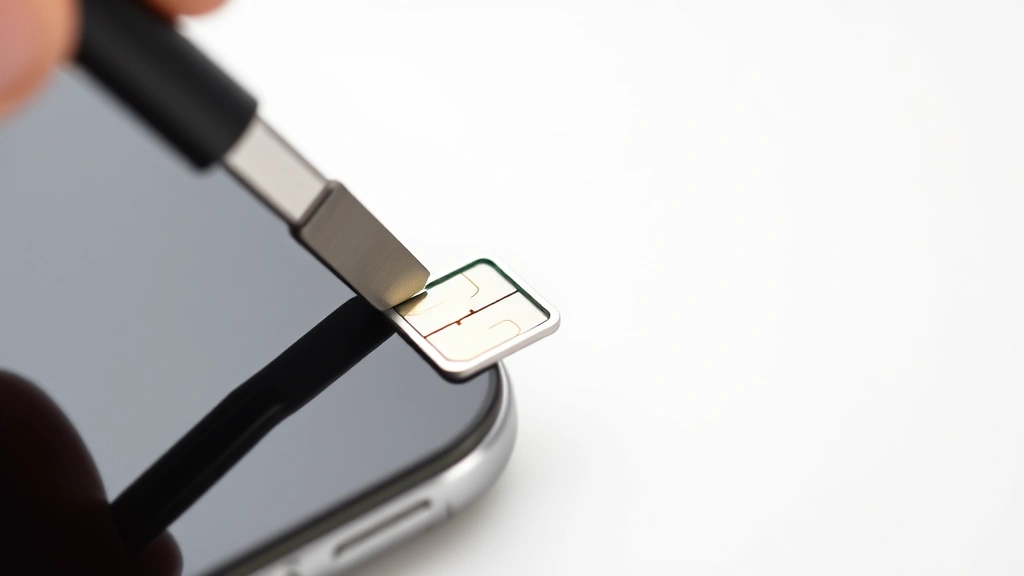
The most straightforward way to determine how to check if iPhone is unlocked is the hands-on SIM card test. This physical method provides immediate, definitive results without navigating menus or making phone calls. Simply obtain a SIM card from any carrier different from your current provider—ask a friend, visit a carrier store, or purchase a prepaid SIM card.
Power off your iPhone completely by pressing and holding the side button and volume button simultaneously until the shutdown screen appears. Locate your iPhone’s SIM card tray (typically on the right side) and use the SIM ejector tool or a small paperclip to open it. Carefully remove your current SIM card and insert the new one from the different carrier. Power your iPhone back on and wait for it to fully boot up.
Once your phone restarts, observe the status bar at the top of your screen. If the phone displays the new carrier’s name and shows signal bars, your iPhone is unlocked. You may see a prompt asking if you want to activate service with the new carrier. If your phone displays “No Service” or “SOS Only,” your device is locked to your original carrier. This test definitively answers your question within minutes.
Method 2: Check Settings for Carrier Lock Information
For a non-invasive approach to checking how to check if iPhone is unlocked, you can examine your iPhone’s settings directly. Open the Settings app on your home screen and navigate to General. Scroll down and tap About to view comprehensive device information including your carrier details.
Look for a field labeled “Carrier Lock” or “Carrier” in the About menu. If you see text stating “No SIM restrictions” or the carrier name appears without any lock indicator, your iPhone is unlocked. Some iPhones display “Carrier locked” or show only your current carrier’s name with restrictions noted. According to WikiHow’s comprehensive guides, this method works particularly well for iPhones running iOS 12.2 or later.
Additionally, check the “Regulatory” section in About, which sometimes contains unlock status information. If you’re still uncertain after reviewing these settings, take a screenshot of the About page to share with your carrier’s customer service team. They can interpret the specific details and confirm your device’s exact status. This method requires no additional hardware and takes less than two minutes to complete.
Method 3: Contact Your Carrier Directly

When you need absolute certainty about whether your iPhone is unlocked, contacting your carrier provides authoritative confirmation. Call your carrier’s customer service line (the number is typically on your bill or the carrier’s website) and have your account information ready, including your phone number and account PIN if available.
Explain to the representative that you want to verify your iPhone’s unlock status. Provide them with your iPhone’s IMEI number, which you can find by dialing *#06# on your phone or viewing it in Settings > General > About > IMEI. The representative will check their system and provide definitive information about your device’s carrier lock status. Many carriers will also offer to unlock your phone immediately if you meet their eligibility requirements, such as completing your contract or paying off your device.
This method is particularly valuable if you’re considering switching carriers or purchasing a used iPhone. The carrier can also explain any remaining payment obligations on your account that might affect your ability to unlock the device. Consumer Reports recommends this approach when making significant decisions about your wireless service, as it provides official documentation of your device status.
Method 4: Visit an Apple Store
For in-person verification of your iPhone’s unlock status, visiting an Apple Store offers professional assistance and expert guidance. Apple Store employees can check your device’s lock status using their diagnostic tools and provide you with official confirmation. Simply make a Genius Bar appointment through the Apple Store app or website, or visit during walk-in hours.
Bring your iPhone and a valid ID to the appointment. The technician will examine your device and check its lock status in Apple’s system. They can also provide information about unlocking procedures, eligibility requirements, and next steps if your device is locked. This method is especially helpful if you’re buying a used iPhone and want professional verification before completing your purchase.
Apple Store visits also allow you to ask questions about related topics like how to turn off Find My iPhone or other security features that might affect your ability to use the device. The staff can walk you through these processes step-by-step, ensuring you understand your phone’s complete security status. This comprehensive approach takes 15-30 minutes but provides complete peace of mind.
Understanding iPhone Lock Status Types
Before determining how to check if iPhone is unlocked, it’s important to understand that there are several different types of locks that can apply to your device. A carrier lock is the most common restriction, which ties your iPhone to a specific wireless network. This was standard practice for subsidized phones, though it’s becoming less common. When your iPhone is carrier locked, you can only use SIM cards from that specific carrier.
A SIM lock is similar but slightly different—it restricts your phone to specific SIM cards rather than just a carrier’s network. Some international phones use SIM locks instead of carrier locks. An iCloud lock (also called Activation Lock) is a security feature that prevents anyone from using your iPhone without your Apple ID credentials, even if they have the device physically. This is separate from carrier status but equally important to verify, especially when buying used phones.
Additionally, some phones might have MDM (Mobile Device Management) locks if they were previously owned by a business or organization. These require removal by the original administrator. Understanding these distinctions helps you know exactly what to look for when checking your device. Each type requires different unlocking procedures and verification methods, so identifying which lock applies to your iPhone is the crucial first step.
What to Do If Your iPhone is Locked
If you’ve determined that your iPhone is locked and you need to unlock it, several options are available depending on your situation. If you’re still under contract with your carrier, contact them directly to request an unlock. Most carriers will unlock your device after you’ve completed your contract or paid off the device in full. The process typically takes 24-48 hours, and you’ll receive confirmation via email.
For older iPhones or devices with complications, you might need to visit a carrier store in person with your ID and account information. Bring any documentation showing you own the device, such as your original receipt or proof of payment. If you purchased a used iPhone that’s locked to a previous owner’s carrier, you’ll need to contact that carrier with proof of purchase to request an unlock.
If you’re dealing with an iCloud lock, you must contact the previous owner to remove the lock using their Apple ID. Alternatively, if you have proof of purchase, Apple can help remove the lock through official channels. Never attempt to use third-party unlocking services, as these are often scams and may compromise your device’s security. For related security concerns, you might also want to learn about how to unhide apps on iPhone to ensure your device is fully configured to your preferences.
Common Misconceptions About iPhone Unlocking
Many people misunderstand what “unlocked” means when referring to iPhones, leading to confusion when checking their device status. A common misconception is that an unlocked iPhone means the device has no security features or passcode protection. In reality, an unlocked iPhone simply refers to carrier restrictions—your passcode and Face ID/Touch ID security remain completely intact regardless of carrier lock status.
Another widespread myth is that unlocking an iPhone voids your warranty or is illegal. In the United States, unlocking your own device is completely legal under the Digital Millennium Copyright Act (DMCA), and doing so through your carrier doesn’t void your warranty. Apple will continue to provide warranty service for hardware issues regardless of your device’s carrier lock status.
Some people believe that unlocked iPhones are more expensive or harder to find. While carrier-locked devices were once the industry standard, unlocked iPhones are now readily available for purchase directly from Apple and many retailers. Instructables and other reputable tech resources confirm that unlocked phones often cost the same as locked versions, with the difference being flexibility rather than price.
Finally, many assume that checking your unlock status will damage your device or cause technical problems. All the methods described in this guide—from inserting a different SIM card to checking settings—are completely safe and won’t affect your iPhone’s functionality. You can check your unlock status as many times as needed without any risk to your device. If you have concerns about other aspects of your iPhone’s functionality, resources like Family Handyman offer comprehensive troubleshooting guides for various devices.
FAQ
Can I check if my iPhone is unlocked without a different SIM card?
Yes, absolutely. You can check your settings through General > About, contact your carrier directly, or visit an Apple Store. The SIM card method is just one of several options available to verify your unlock status.
How long does it take to unlock an iPhone?
If you contact your carrier to request an unlock, the process typically takes 24-48 hours. Some carriers can unlock devices immediately over the phone, while others require you to visit a store. Apple Store unlocks may be processed on the spot.
Will unlocking my iPhone affect its performance?
No, unlocking your iPhone won’t affect performance, battery life, or any features. Your device will function exactly the same way after unlocking—the only difference is your ability to use different carrier SIM cards.
What’s the difference between an unlocked and jailbroken iPhone?
These are completely different concepts. An unlocked iPhone can use any carrier’s SIM card but remains secure and runs official iOS software. A jailbroken iPhone has modified iOS software that allows installation of unauthorized apps, which compromises security and voids warranty.
Can I unlock an iPhone if I’m still making payments?
This depends on your carrier’s policy. Some carriers will unlock devices even if you’re still paying them off, while others require the device to be paid in full. Contact your carrier to check their specific requirements.
Is it safe to buy a locked iPhone second-hand?
It can be risky. Before purchasing a used locked iPhone, verify the unlock status using the methods described in this guide. Contact the seller’s carrier to confirm the device is eligible for unlock, and get written confirmation before completing your purchase.
What should I do if my iPhone shows “No Service” after inserting a new SIM?
This typically indicates your iPhone is locked to a different carrier. However, you should also check that the new SIM card is properly inserted and compatible with your iPhone model. Wait a few minutes for the phone to register on the new network before concluding the device is locked.
Can Apple unlock my iPhone if I forgot my carrier information?
Apple can help, but you’ll need proof of purchase showing you own the device. Bring your original receipt, credit card statement, or other documentation to an Apple Store, and they can assist with unlocking procedures or direct you to the appropriate carrier.