
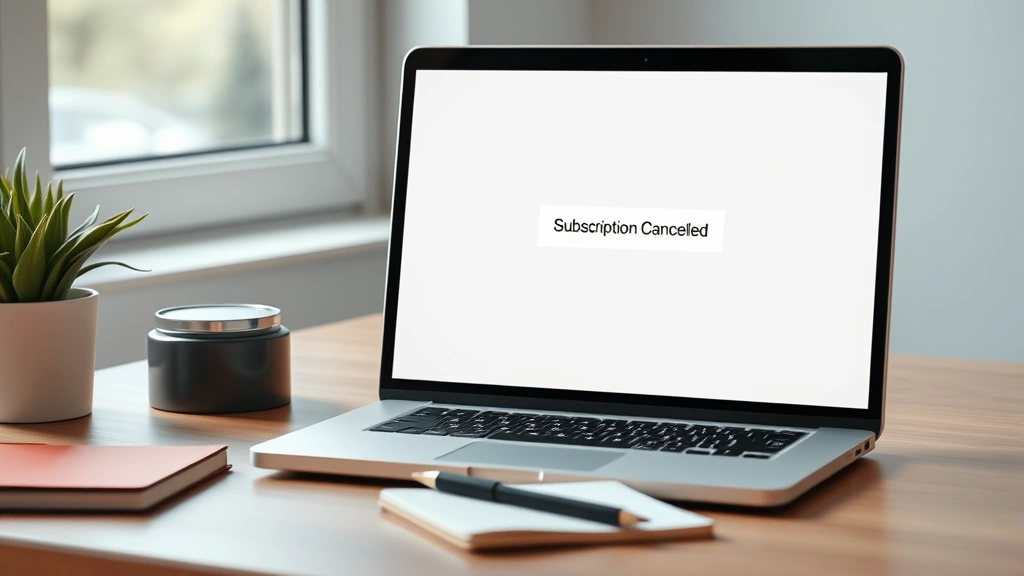
Learning how to cancellation processes across different services doesn’t have to be a frustrating maze of dead ends and hidden menus. Whether you’re ditching a streaming subscription, canceling an order, or terminating a membership, there’s a straightforward approach that works every single time. I’ve walked through these cancellation journeys more times than I’d like to admit, and I’m here to share the exact system that cuts through the confusion and gets the job done fast.
Table of Contents
Understand the Cancellation Policy
Before you even think about hitting any cancel buttons, spend five minutes reading the actual cancellation policy. I know it’s boring—trust me, I’d rather watch paint dry too—but this is where companies hide important details. Most services have different rules depending on whether you’re on a free trial, a monthly plan, or an annual subscription. Some charge early termination fees. Others require you to cancel before a specific date to avoid renewal charges. Head to the company’s help center or FAQ section first. This preliminary research saves you from surprise charges and wasted time later.
Locate Your Account Settings
The cancellation button is almost always buried in account settings, not on the main menu where you’d logically expect it. Start by logging into your account—use the same device and browser you normally use for that service. Look for a profile icon, gear icon, or menu labeled “Settings,” “Account,” or “My Account.” Some services like Audible memberships hide the option even deeper. Once you’re in settings, look for tabs like “Subscription,” “Billing,” “Membership,” or “Plan.” Write down the exact path you take—this is helpful if you need to contact support later or if you’re canceling multiple services.
Find the Cancel Option
This is where the real treasure hunt begins. In the subscription or billing section, you’re looking for buttons labeled “Cancel Subscription,” “End Membership,” “Cancel Plan,” or sometimes just “Cancel.” Some services make you click through a confirmation page first, or they might ask you to select a reason for cancellation. Don’t let this intimidate you—you’re not locked in. If you’re canceling a DoorDash order or similar service, the cancel option often appears right in your active order details. Take a screenshot of the cancellation page before you proceed. This protects you if there’s any dispute later.
Document Your Confirmation
After you click cancel, the system should generate a confirmation—either on-screen, via email, or both. This is critical documentation. Screenshot the on-screen confirmation immediately, then check your email within 10 minutes. If the company sent a confirmation email, forward it to yourself or save it to a folder labeled “Cancellations.” Include the date, time, confirmation number, service name, and the final charge amount if applicable. This paper trail is your insurance policy. If the company tries to charge you after cancellation, you’ve got proof that you did everything right. Services like YouTube TV are usually good about sending immediate confirmations, but not all services are equal.
Verify the Cancellation Worked
Don’t just assume the cancellation took effect. Log back into your account 24 hours later and check your subscription status. It should say something like “Cancelled,” “Inactive,” or “No Active Subscription.” Check your credit card or bank account around the time your next billing cycle would have hit. The charge should not appear. If you’re paranoid (and honestly, you should be), set a calendar reminder for the day before your next expected charge date. That way you can verify nothing went through. I’ve seen situations where the cancellation didn’t fully process on the backend, and this verification step caught it before I got charged again.
Avoid These Common Mistakes
Here’s where most people mess up their cancellations. First mistake: confusing “pause” with “cancel.” Some services let you pause your subscription instead of canceling it. If you click pause thinking you’re canceling, you’ll still get charged when the pause period ends. Second mistake: canceling through a third-party app instead of the official website. If you subscribed through Apple, Amazon, or Google Play, you often have to cancel through that same platform, not the service’s own website. Third mistake: not checking your email for confirmation. If the confirmation email lands in spam, you won’t know if the cancellation actually processed. Fourth mistake: canceling too close to your renewal date. If your renewal is tomorrow and you cancel today, you might still get charged. Try to cancel at least three to five days before renewal when possible. Finally, don’t assume customer service chat is the same as an official cancellation. Always complete the cancellation through the account settings when possible.

Service-Specific Cancellation Guides
Different services play by different rules, and knowing the quirks saves time. For streaming services, the process is usually straightforward—find billing settings and click cancel. For subscription boxes, check whether you need to cancel before a cutoff date to avoid the next shipment. For marketplace services like archiving Amazon orders, cancellation might only work if the order hasn’t shipped yet. For apps that auto-renew, you often need to go through your phone’s app store settings rather than the app itself. For memberships with annual contracts, read the fine print about early termination fees. For services you subscribed to years ago and forgot about, you might need to recover your password first. Pro tip: keep a spreadsheet of all your subscriptions with login information, renewal dates, and cancellation links. This makes future cancellations lightning-fast.
When to Contact Customer Support
If the cancellation option isn’t where it should be, or if you’ve followed these steps and nothing happened, it’s time to call in the pros. Contact customer support through the official channels—usually a help center, email, or phone number on the company’s website. Be specific: tell them exactly what you did, when you did it, and what happened (or didn’t happen). Provide your confirmation numbers if you have them. Most legitimate companies will process your cancellation request within 24-48 hours. Keep records of every support interaction. If a company refuses to cancel your subscription after you’ve asked multiple times, that’s when you escalate to your credit card company or bank and dispute the charges. They’ll often reverse unauthorized charges and might even investigate the company. This is your nuclear option, but it works.
Frequently Asked Questions
Will I lose access immediately after canceling?
Usually yes, but not always. Most services cut off access right away, but some let you use the service through the end of your billing period. Check the confirmation message—it should tell you your exact access end date. If it doesn’t specify, contact support to clarify.
Can I get a refund for unused time?
It depends entirely on the service and when you cancel. Monthly subscriptions usually don’t offer refunds if you cancel mid-month. Annual subscriptions sometimes offer prorated refunds. Free trials almost never offer refunds because you haven’t paid anything. Check the policy before you cancel if a refund matters to you.
What if the company keeps charging me after I cancel?
First, verify that you actually completed the cancellation by checking your account status. If it shows as active, go back and cancel again. If it shows as canceled but charges keep coming, contact support with your cancellation confirmation. If support doesn’t help within 5-7 business days, contact your credit card company or bank and dispute the charges as unauthorized.
Can I reactivate my subscription after canceling?
Almost always yes. Most services let you reactivate by logging back in and starting a new subscription. You might lose any credits or special pricing you had before, so ask support about this if you’re planning to come back soon.
Is there a better time to cancel?
Timing matters less than you’d think, but try to cancel at least 3-5 days before your renewal date. If you’re on an annual plan, canceling right after renewal is usually your best bet to avoid being charged again. Some services offer retention discounts if you try to cancel—if you don’t want the service anymore, don’t get tempted by these offers.
What if I can’t find the cancellation option?
Try these troubleshooting steps in order: clear your browser cache, try a different browser, log out and back in, try the mobile app instead of the website (or vice versa), check the company’s help center for specific instructions, and finally contact support. The option exists—it’s just hidden sometimes.
Do I need to contact support to cancel?
No. Self-service cancellation through account settings is always available for legitimate services. If a company forces you to call or email to cancel, that’s a red flag. You should always have the option to cancel the same way you signed up.
The Bottom Line
Knowing how to cancellation work across different platforms puts you in control of your subscriptions and spending. The five-step process—understand the policy, locate settings, find the cancel button, document confirmation, and verify it worked—handles 95% of cancellation situations. Keep records, check your billing statements, and don’t hesitate to dispute charges if a company won’t cancel properly. Your time and money are too valuable to waste on services you don’t use. Now get out there and clean up those unused subscriptions.


