How to Cancel Amazon Music: Simple & Essential Guide
Ready to stop your Amazon Music subscription? Whether you’re switching to another streaming service or cutting back on expenses, how to cancel Amazon Music is straightforward and takes just a few minutes. This guide walks you through every method to cancel your subscription, avoid unexpected charges, and explore your options before you go.
Quick Answer: You can cancel Amazon Music through your Amazon account settings in seconds. Log into your Amazon account, navigate to “Your Account” → “Memberships and Subscriptions” → “Amazon Music Unlimited,” and click “Cancel Membership.” Your access ends at the end of your current billing cycle. No early termination fees apply, and you can rejoin anytime.
Tools & Resources You’ll Need
- Active Amazon account login credentials
- Access to the device where you signed up for Amazon Music
- Internet connection (desktop or mobile browser)
- Optional: Your billing information for reference
- Optional: List of playlists to export before cancellation
How to Cancel Amazon Music on Desktop
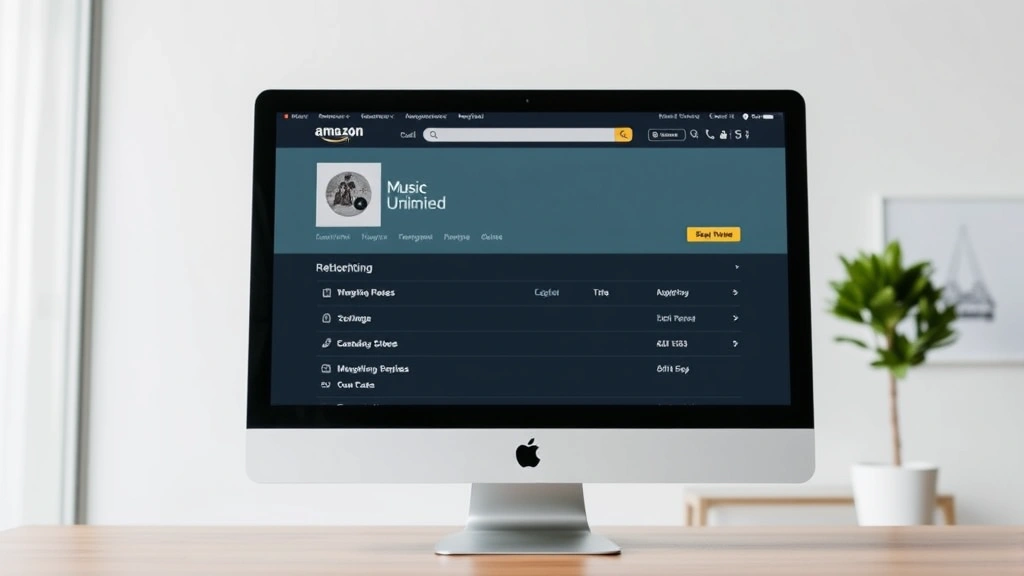
The desktop method is the most reliable way to cancel Amazon Music because you have full visibility of your account settings. Start by opening your web browser and navigating to Amazon.com, then signing into your account with your email and password.
Once logged in, hover over “Account & Lists” in the top right corner and select “Your Account” from the dropdown menu. Look for the “Memberships and Subscriptions” option—this is where all your active subscriptions appear. Click on “Memberships and Subscriptions” to see your current plans.
Find “Amazon Music Unlimited” in your list of active memberships. Click the “Manage Membership” button next to it. You’ll see details about your subscription, including your renewal date and billing amount. At the bottom of this section, you’ll find the “Cancel Membership” button. Click it to proceed.
Amazon will ask you to confirm your cancellation and may offer you a discount to stay subscribed. You can decline this offer and proceed with cancellation. After confirmation, you’ll receive an email acknowledging your cancellation. Your access continues until the end of your current billing period—you won’t lose service immediately.
How to Cancel Amazon Music on Mobile
Canceling how to cancel Amazon Music on your smartphone is equally simple and works on both iOS and Android devices. Open the Amazon Shopping app on your phone and tap the menu icon (three horizontal lines) at the bottom right of the screen.
Scroll down and select “Your Account.” Look for “Memberships and Subscriptions”—this option appears in the account management section. Tap it to view all active subscriptions tied to your Amazon account.
Find Amazon Music Unlimited in your subscription list and tap “Manage Membership.” Review your subscription details and look for the “Cancel Membership” option at the bottom. Tap this button and confirm your cancellation when prompted. You’ll receive a confirmation email within minutes.
If you prefer using the Amazon Music app directly, you can also cancel there. Open the Amazon Music app, tap your profile icon in the top left corner, select “Settings,” then “Manage Membership.” This takes you directly to the cancellation screen without navigating through the main Amazon app.
Canceling Through Alexa Devices
If you primarily use Amazon Music through an Echo speaker or other Alexa device, you can still manage your subscription directly from the device. Ask your Alexa device, “Alexa, manage my subscription,” and follow the voice prompts to access your account settings.
Alternatively, use the Alexa app on your smartphone. Open the app, tap the “More” menu (three dots), select “Account,” then “Memberships and Subscriptions.” From here, you can cancel Amazon Music Unlimited just as you would through the main Amazon account interface.
Voice cancellation through Alexa devices is convenient but may require additional confirmation steps. If voice commands don’t work smoothly, reverting to the desktop or mobile app method ensures a clearer cancellation process without miscommunication.
What to Do Before Canceling Amazon Music
Before you finalize your how to cancel Amazon Music decision, take a few preparatory steps to preserve your music experience and avoid losing important data. First, export your playlists and saved music. Amazon Music doesn’t automatically transfer your playlists to other services, so document your favorite lists and songs.
Consider downloading your saved music for offline listening if you have the premium version. This ensures you can still enjoy your favorite tracks even after cancellation, though only during the remainder of your billing cycle. Check if you’re eligible for a promotional discount—Amazon often offers reduced rates to keep subscribers, and you might find a better deal worth staying for.
Review whether you have an Amazon Prime membership. If you do, you still get access to Amazon Music’s free ad-supported tier, which includes millions of songs. This means you won’t lose music access entirely—just the ad-free, unlimited skips experience of the paid tier.
Make a list of any playlists shared with family members or friends. After cancellation, you may lose the ability to create or edit shared playlists, though existing ones remain accessible to others. Notify collaborators before you cancel to avoid confusion.
What Happens After You Cancel Amazon Music
Understanding what to expect after you cancel Amazon Music helps you plan your music listening strategy. Your subscription remains active until the end of your current billing cycle—you won’t lose access immediately upon cancellation. If you paid for an annual plan, you keep full access until that year ends.
After your billing cycle concludes, your account reverts to the free Amazon Music tier if you have an active Prime membership. This free version includes access to millions of songs with occasional ads and limited skips. You can create playlists, save songs, and listen to curated stations, just with more restrictions than the paid version.
Your saved playlists and music library remain in your account even after cancellation. If you decide to resubscribe later, all your personalized data, recommendations, and listening history return exactly as you left them. Amazon doesn’t delete this information.
You won’t be charged again unless you manually reactivate your subscription. There are no hidden fees or automatic renewal attempts after cancellation. According to Consumer Reports, Amazon is transparent about subscription management and doesn’t employ deceptive billing practices.
How to Reactivate Your Amazon Music Subscription
Changed your mind? Reactivating your how to cancel Amazon Music subscription is just as easy as canceling it. Log into your Amazon account and navigate to “Your Account” → “Memberships and Subscriptions.” Find “Amazon Music Unlimited” and click “Start Your Free Trial” or “Restart Your Membership,” depending on your previous subscription status.
You may be eligible for a promotional offer if you’re reactivating after a cancellation period. Amazon frequently offers discounts like three months at a reduced rate to win back former subscribers. Check the offer details before confirming your reactivation.
Your reactivated account restores all your previous playlists, saved songs, and personalized recommendations. You’ll resume from where you left off—your music library doesn’t disappear during your cancellation period. This seamless transition makes it easy to take breaks from the service without losing your music collection.
If you had a family plan, you can reactivate it and re-invite family members to share the subscription. Everyone’s accounts sync immediately, and they regain access to unlimited music.
Amazon Music Alternatives Worth Considering
Before finalizing your cancellation, explore whether another service better meets your needs. CNET’s music streaming reviews compare major platforms across price, audio quality, and library size. Spotify offers the largest music library and superior playlist curation, making it ideal for discovery-focused listeners. Apple Music integrates seamlessly with Apple devices and includes lossless audio for audiophiles.
YouTube Music is excellent if you watch music videos and want background play without ads through YouTube Premium. Tidal specializes in high-fidelity audio and artist-friendly payment models. Pandora focuses on personalized radio stations and is budget-friendly compared to unlimited services.
If you’re on a tight budget, remember that your Prime membership includes free Amazon Music with ads. This tier supports millions of songs across curated playlists and stations. Many users find the ad-supported version sufficient for casual listening while saving money.
Consider whether you need music at all right now. Some people discover they don’t miss paid streaming after a break. You can always return to canceling other Amazon services like Audible or explore Kindle Unlimited alternatives to consolidate your entertainment spending. Similar to canceling YouTube TV, sometimes stepping back reveals what subscriptions truly add value to your life.
FAQ
Does Amazon Music charge a cancellation fee?
No. Amazon Music has no early termination fees or cancellation charges. You can cancel anytime without penalty. You simply lose access after your current billing period ends, but you’re not charged extra for leaving early.
Will I lose my playlists if I cancel Amazon Music?
Your playlists remain in your account indefinitely. Even after cancellation, all your saved songs and custom playlists stay intact. If you resubscribe later, everything returns exactly as you left it. However, if you switch to a different music service, you’ll need to manually transfer your playlists since most services don’t auto-import from Amazon.
Can I cancel Amazon Music Unlimited but keep Prime Music?
Yes. If you have an active Amazon Prime membership, you automatically get access to Prime Music (the ad-supported tier) after you cancel Amazon Music Unlimited. You don’t need to take any additional action—your account simply downgrades to the free tier.
How long does it take to cancel Amazon Music?
Cancellation is instant. Once you click the “Cancel Membership” button and confirm, your cancellation is processed immediately. You’ll receive a confirmation email within minutes. Your access continues until the end of your billing cycle, but the cancellation itself takes less than two minutes.
Can I cancel Amazon Music through customer service?
Yes, you can call Amazon customer service at 1-888-280-4331 to cancel by phone. However, the self-service method through your account is faster and doesn’t require wait times. A representative can help if you encounter technical issues with the online cancellation process.
What’s the difference between canceling and pausing?
Amazon Music doesn’t offer a pause feature—you either cancel or remain subscribed. Cancellation ends your membership immediately (though access continues through your billing cycle), while remaining subscribed keeps you charged. If you want a break, cancellation is your only option, but you can reactivate anytime.
Will Amazon try to stop me from canceling?
Amazon may offer you a discounted rate or promotional deal when you initiate cancellation. These offers are optional—you can decline them and proceed with cancellation. No aggressive tactics are used to prevent you from leaving, and you’re in complete control of the process.
Can family members still access Amazon Music after I cancel?
If you’re the account owner on a family plan, canceling ends the subscription for everyone. Family members lose access once your billing cycle ends. However, if other family members have their own Amazon accounts with Prime memberships, they can each access the free Prime Music tier independently.
Is there a way to transfer my Amazon Music library to another service?
Amazon Music doesn’t offer automatic export to competing services, but you can manually recreate playlists on other platforms. Services like WikiHow’s music transfer guides show step-by-step methods for moving playlists to Spotify, Apple Music, or YouTube Music. Some third-party tools also facilitate transfers, though results vary by service.
What if I’m charged after canceling?
If you’re charged after your cancellation period ends, contact Amazon customer service immediately. Billing errors are rare, but customer service can reverse unauthorized charges within 90 days. Keep your cancellation confirmation email as proof of when you ended your subscription.