
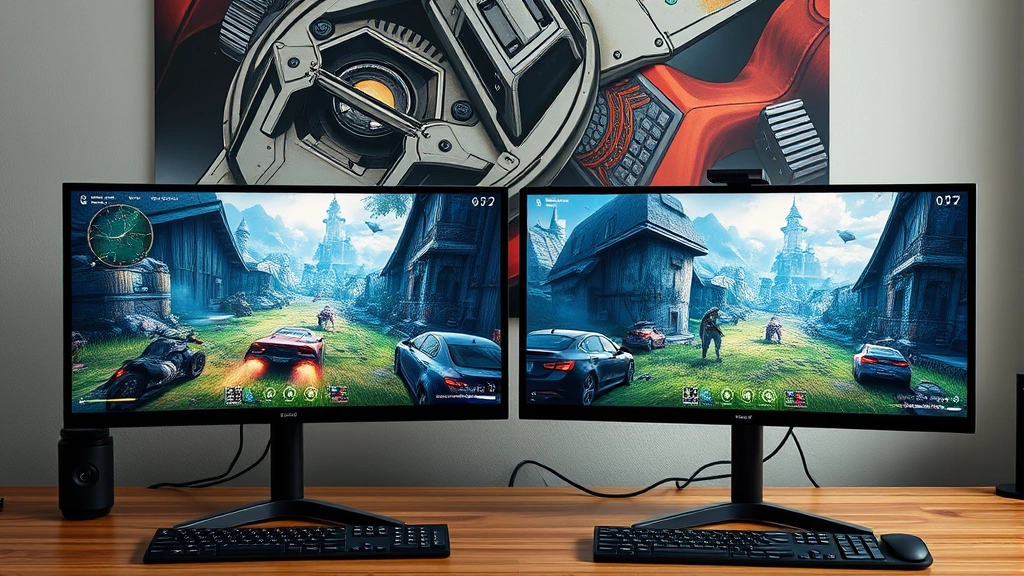
Learning how to 2boxing opens up a whole new dimension to your gaming or application management strategy. Whether you’re juggling multiple accounts for gaming, streaming, content creation, or business purposes, 2boxing—running two instances of the same application simultaneously—is a game-changer that lets you maximize efficiency and control.
Table of Contents
What is 2Boxing?
2boxing is the practice of running two separate instances of the same application simultaneously on a single machine or across multiple devices. Think of it like having two workstations merged into one—you can control two accounts, characters, or sessions at the same time without switching back and forth. This technique has become essential for gamers, traders, content creators, and professionals who need parallel workflows.
The beauty of 2boxing is flexibility. You’re not limited to just two instances either—some power users run three, four, or more depending on their hardware capabilities. The core principle remains the same: maximize productivity by eliminating context-switching delays.
System Requirements Matter
Before you dive into 2boxing, your machine needs serious muscle. Here’s what you’re actually looking at:

Processor: A multi-core CPU is non-negotiable. Minimum 6 cores recommended, though 8+ cores give you breathing room. Each instance of your application will demand its own processing threads.
RAM: This is where most people get surprised. If one instance needs 4GB, you can’t just assume two instances need 8GB. Add overhead for your operating system, background processes, and system buffers. Plan for at least 16GB minimum, preferably 32GB for smooth dual-instance operation.
Storage: Fast SSD storage makes a massive difference. You’ll want at least 500GB of free space, with an NVMe drive strongly recommended. Slow storage becomes your bottleneck faster than you’d think.

Graphics: If your application is GPU-intensive, dual GTX 1080 Ti or better setups aren’t overkill. Integrated graphics won’t cut it for demanding applications. Consider dedicated graphics cards if you’re running anything visually complex.
Virtual Machines Setup Guide
One of the cleanest ways to achieve 2boxing is through virtual machines. Software like VMware, VirtualBox, or Hyper-V lets you create isolated environments running on your host machine. Here’s the practical approach:
Step 1: Choose Your Hypervisor VMware Workstation Pro offers the best performance for 2boxing but costs money. VirtualBox is free and solid for most use cases. Pick based on your budget and technical comfort level.

Step 2: Allocate Resources Carefully Don’t split your hardware 50/50. If you have 32GB RAM, give one VM 12GB and another 12GB, leaving 8GB for the host OS. For processors, allocate 3-4 cores per VM on an 8-core system. You want some headroom.
Step 3: Install Your Application Once your VMs are running, install your application on each one separately. Use different account credentials for each instance. This is where you’d manage your account settings if you’re also handling communication platforms.
Step 4: Network Configuration Ensure both VMs can communicate with your network properly. Most hypervisors default to NAT (Network Address Translation), which works fine for 2boxing. If you need direct network access, bridge networking is your option, but it’s more complex.

Disable Hardware Acceleration
This is the secret sauce that most beginners miss. Hardware acceleration can cause conflicts when running multiple instances. Here’s why: your GPU only has so much bandwidth, and two instances fighting for the same graphics resources creates bottlenecks and crashes.
In Chrome-based applications, disable hardware acceleration in Chrome by going to Settings > Advanced > System, then toggle off “Use hardware acceleration.” Sounds counterintuitive, but it prevents resource conflicts between instances.
For other applications, check their settings menu for graphics options. Look for “GPU acceleration,” “DirectX,” or “graphics rendering” settings. Disable these when 2boxing. Your performance might dip slightly, but stability skyrockets. Stability beats raw speed every single time when you’re managing dual accounts.

Dual Monitor Workflow
Here’s where 2boxing becomes visually elegant. A dual-monitor setup transforms the experience from cramped to luxurious. Put one instance on each monitor and you’ve got true parallel operation.
Monitor Placement: Position monitors side-by-side at roughly arm’s length. Your eyes should move naturally from one to the other without strain. Curved ultrawide monitors work brilliantly too—split the screen into two zones.
Window Management: Use Windows’ Snap feature (Win + Arrow Keys) to lock each application instance to its respective monitor. On Mac, use Mission Control and spaces to organize instances across displays.

Keyboard and Mouse: This is where it gets interesting. Standard setups mean you’re controlling both instances with one mouse and keyboard, which requires focus. Consider software like Synergy or Mouse Without Borders to create a virtual KVM (keyboard-video-mouse) setup. Move your mouse to the edge of one monitor and it switches to controlling the other instance. Game-changer for 2boxing efficiency.
Account Management Strategy
Managing two accounts simultaneously requires organization. Here’s the practical system that works:
Account Documentation: Keep a secure password manager with both account credentials. Bitwarden, 1Password, or KeePass work great. Never use the same password for both accounts—this defeats the security purpose of separation.

Email Separation: If possible, use different email addresses for each account. This prevents account linking and keeps your instances truly independent. If you must use one email, enable email forwarding rules to separate notifications.
Session Management: Log out completely from one instance before logging into another on the same machine. This prevents session conflicts and cache contamination. Sounds tedious, but it takes 30 seconds and prevents hours of debugging later.
Data Synchronization: If your two accounts need to share data, set up a cloud sync folder (Google Drive, OneDrive, Dropbox). This keeps both instances working with current information without direct communication that might trigger anti-cheat or security systems.

Performance Optimization Tips
Raw hardware isn’t everything. Smart optimization squeezes 30-40% more performance from your system:
Background Process Cleanup: Close everything unnecessary. Discord, Slack, Chrome extensions, antivirus scans—disable them while 2boxing. Each running process is resources stolen from your instances. Use Task Manager (Windows) or Activity Monitor (Mac) to identify resource hogs.
Power Settings: Switch to High Performance mode in Windows power settings. Disable dynamic frequency scaling. Your CPU should run at max clock speed constantly while 2boxing—thermal management is secondary to performance here.

Memory Management: Enable a page file or virtual memory. Even with 32GB RAM, having 8-16GB of fast SSD allocated as overflow prevents crashes. It’s slower than physical RAM but infinitely better than running out of memory.
Network Optimization: Close bandwidth hogs. Streaming services, downloads, backups—pause them. Both instances might need network access. Prioritize your 2boxing instances in your router’s QoS (Quality of Service) settings if available.
Troubleshooting Common Issues
Instance Crashes: Usually memory-related. Check your RAM usage in Task Manager. If you’re above 90% usage, you need more RAM or fewer instances. Alternatively, reduce graphics quality in your application settings.

Lag or Stuttering: Disable hardware acceleration first. If that doesn’t help, your CPU is bottlenecked. Close background applications or upgrade your processor. Sometimes it’s as simple as turning off unnecessary devices connected to your system that drain resources.
Network Disconnections: Both instances competing for bandwidth causes this. Upgrade to gigabit internet if you’re on slower connections. Use wired Ethernet instead of WiFi—latency and stability improve dramatically.
Application Won’t Launch Second Instance: Some apps have built-in single-instance restrictions. Use the virtual machine approach or look for portable versions of the application that don’t have these restrictions. Check the application’s forums for known workarounds.

Account Bans: This is the legal gray area. Many online games prohibit 2boxing in their terms of service. Research your specific application before committing. Some games explicitly allow it; others don’t. Know the rules before you break them.
Security Best Practices
Running multiple instances increases your attack surface. Protect yourself properly:
Antivirus Protection: Keep your antivirus updated and running. Each instance is a potential entry point for malware. Real-time scanning is non-negotiable.

Firewall Configuration: Set up Windows Firewall rules to restrict your application instances to specific ports. This prevents unauthorized access and limits damage if one instance gets compromised.
VPN Usage: If you’re 2boxing across different geographic regions or need privacy, use a reputable VPN. This masks your IP and prevents ISP throttling. Just ensure your application permits VPN usage—some games ban VPN connections.
Two-Factor Authentication: Enable 2FA on both accounts. This adds a security layer that makes account compromise significantly harder. Use authenticator apps rather than SMS when possible.

Regular Updates: Keep your OS, drivers, and application patched. Security vulnerabilities get exploited quickly. Set updates to automatic if possible. You might also want to understand how to manage your connected devices to ensure nothing unexpected is accessing your system.
Frequently Asked Questions
Is 2boxing legal?
It depends entirely on what you’re doing and which application you’re using. Gaming: check the game’s terms of service—many games explicitly prohibit it, while others allow it. Trading platforms: usually legal but may violate terms of service. Business applications: generally fine unless prohibited by license agreement. Always read the fine print before starting.
How much does a good 2boxing setup cost?
Budget builds start around $1,200-1,500 with a solid CPU, 32GB RAM, and an SSD. Mid-range setups run $2,000-3,500. High-end gaming or professional 2boxing rigs can exceed $5,000. The main expenses are the processor, RAM, and GPU if needed. Monitor costs vary wildly depending on your preferences.

Can I 2box on a laptop?
Technically yes, but practically difficult. Laptops have thermal limitations and can’t dissipate heat from dual-instance loads effectively. You’d need a high-end gaming laptop with active cooling, which gets expensive. Desktop setups are far more practical for sustained 2boxing.
What’s the difference between 2boxing and multiboxing?
2boxing specifically means running two instances. Multiboxing is the umbrella term for running three or more instances simultaneously. The techniques are identical; multiboxing just requires more aggressive hardware and optimization.
Will 2boxing slow down my internet?
Both instances use bandwidth, so yes, there’s impact. Two instances using moderate bandwidth might consume 20-30 Mbps combined. If you have gigabit internet, this is negligible. On slower connections, you might notice lag. Wired Ethernet helps tremendously.

Can I 2box different applications?
Absolutely. 2boxing specifically means two instances of the same app, but you can absolutely run different applications simultaneously. That’s just normal multitasking. The optimization techniques here apply mainly when running identical applications competing for resources.
What about using Excel or spreadsheet applications for account tracking?
Smart move. Create a spreadsheet tracking both accounts—login times, activities, resource usage, earnings if applicable. This helps identify patterns and troubleshoot issues. Conditional formatting makes it easy to spot anomalies.
Final Thoughts on 2Boxing
Learning how to 2boxing transforms your workflow from linear to parallel. Whether you’re gaming, trading, streaming, or managing business accounts, the ability to control two instances simultaneously saves enormous amounts of time and increases your overall productivity.
Start with solid hardware—don’t cheap out on RAM or CPU. Disable hardware acceleration, organize your accounts carefully, and monitor your system resources constantly. Most 2boxing failures come from underestimating hardware demands or overlooking security implications, not from technical complexity.
The learning curve is real, but the payoff justifies the effort. Once you’ve optimized your 2boxing setup, you’ll wonder how you ever managed without it. Build your system methodically, test thoroughly, and you’ll join the ranks of efficient dual-account masters.


