

If you’re wondering how long does StockX take to ship, you’ve landed in the right spot. Whether you just copped some rare sneakers, collectible trading cards, or luxury watches, the waiting game begins the moment you hit that purchase button. Let me break down exactly what to expect from StockX’s shipping timeline, what factors affect your delivery speed, and how to track your package like a pro.
Table of Contents
StockX Shipping Basics Explained
StockX operates as a marketplace platform, not a traditional retailer with inventory sitting in warehouses ready to ship. Think of it like a middleman that connects buyers and sellers. When you purchase an item, it doesn’t ship directly from StockX’s warehouse—it comes from the seller’s location. This is crucial to understanding why how long does StockX take to ship varies so much.
The platform acts as an authenticator and escrow service. Your payment goes to StockX first, then they coordinate with the seller to ship the item to their authentication center. Only after the item passes authentication does it get shipped to you. This multi-step process is why you won’t see your sneakers or collectibles arrive overnight.
StockX handles everything from over 170 countries, which means you could be buying from a seller across the globe. The company has authentication centers in New York, Los Angeles, and overseas locations to speed things up, but the process still takes time.
Standard Processing Times
Here’s the real talk: most StockX orders take 7-14 business days from purchase to your doorstep. But let’s break this down into phases so you understand what’s happening during that window.
Phase 1: Seller Ships to StockX (2-5 business days) – After you buy, the seller has up to 5 business days to ship their item to StockX’s authentication center. Some sellers are faster, shipping within 24 hours. Others take the full 5 days. This is completely out of StockX’s control.
Phase 2: Authentication (1-3 business days) – Once the item arrives at the authentication center, specialists inspect it thoroughly. They verify authenticity, condition, and completeness. High-volume items like popular sneaker drops might take longer due to queue backups. Rare or complex items might need extra scrutiny.
Phase 3: StockX Ships to You (2-5 business days) – After authentication passes, StockX ships to your address. Standard shipping typically takes 2-5 business days depending on your location and the shipping method selected.
Add these phases together, and you’re looking at a realistic 7-14 day window. During peak seasons like holiday shopping or major sneaker releases, expect the longer end of that spectrum.
Factors Affecting Delivery Speed
Several variables impact how quickly your package arrives. Understanding these helps you set realistic expectations and avoid unnecessary stress.
Seller Location: If the seller is local to one of StockX’s authentication centers, the first phase moves faster. International sellers naturally take longer to get items to the authentication hub.
Product Category: Sneakers and streetwear typically process faster because StockX authenticates thousands daily. Rare collectibles, vintage items, or niche products might require expert review, adding days to the timeline.
Order Volume: During major releases—like limited-edition Jordan drops or new PlayStation console launches—authentication centers get slammed. I’ve seen authentication times double during these peak periods. If you’re buying something hyped, plan for the longer timeline.
Your Location: Buyers on the coasts receive packages faster than those in the Midwest or rural areas. StockX’s shipping partners have better infrastructure in densely populated regions.
Shipping Method Selected: You can choose between standard and expedited shipping at checkout. Expedited costs more but cuts the timeline significantly—sometimes by 50%.
Authentication Process Timeline
The authentication step is where StockX adds real value, but it’s also where delays happen most. Let me walk you through what actually occurs during this phase.
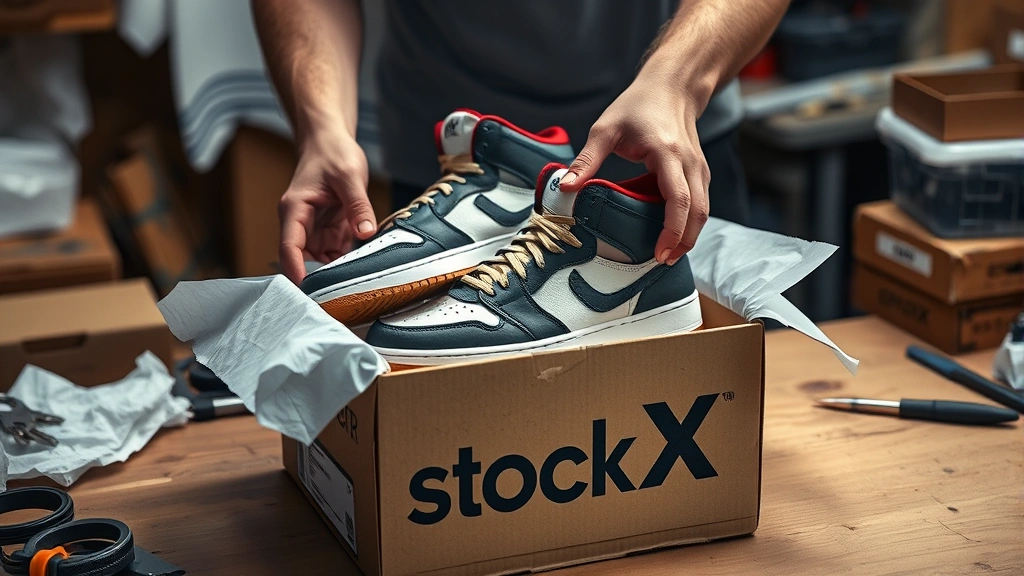
When your item arrives at the authentication center, it enters a queue. Specialists photograph it from multiple angles, check serial numbers, inspect stitching, verify materials, and compare it against known counterfeits. For sneakers, they check the box, insole, heel tab, and outsole. For collectibles, they verify signatures, condition, and provenance.
This isn’t a five-minute process. A single authentication can take 15-30 minutes depending on complexity. Multiply that by thousands of daily items, and you understand why backlogs happen.
The good news? StockX rarely rejects items. If something doesn’t pass, they contact the seller immediately. This is rare but adds extra time if it happens to your order. You can create a Facebook Business Page to track updates if you want to stay connected with StockX’s customer service announcements.
Shipping Methods Available
StockX offers multiple shipping options, and your choice directly impacts the overall timeline.
Standard Shipping: This is the default option. It covers ground shipping within the US and takes 2-5 business days after authentication. It’s included in your purchase or costs a small fee depending on your item category.
Expedited Shipping: Pay extra for faster processing. Expedited typically reduces your total time by 2-4 days. The authentication process stays the same, but StockX prioritizes your item for faster shipment once it passes.
International Shipping: If you’re outside the US, StockX ships to 170+ countries. International orders add 5-15 additional days depending on customs and destination country logistics.
Express Options: Some markets offer next-day or 2-day shipping, but these are premium services with higher costs. Reserve these for time-sensitive purchases.
Choose based on your urgency and budget. Standard shipping works fine for most situations, but if you’re gifting something or need it by a specific date, expedited is worth the investment.
International Shipping Considerations
Buying from StockX internationally adds complexity to the timeline. Customs clearance can add 5-10 days depending on your country. Some nations require additional documentation or inspections, which delays delivery further.
StockX handles customs duties for most countries, but some require you to pay import taxes upon delivery. Check your country’s import regulations before purchasing. The good news? StockX’s international authentication centers in Europe and Asia speed up processing for buyers in those regions.
If you’re in Canada, UK, or Australia, expect 10-14 days total. For other countries, add another week to that estimate. Always factor in potential customs delays when planning international purchases.
Tracking Your Order
Once StockX ships your item, you’ll receive a tracking number via email. This is your window into real-time delivery status. Log into your StockX account, go to your order history, and click the order. You’ll see the tracking link and current location of your package.
StockX uses multiple carriers—UPS, FedEx, and USPS—depending on your location and shipping method. Each carrier has different tracking interfaces, but StockX provides a unified view in your account. You can also stop getting spam emails from package delivery services if you prefer fewer notifications.
Pro tip: Enable push notifications in the StockX app. You’ll get alerts when your package ships, is out for delivery, and arrives. This beats checking manually every hour.
Common Delays and Solutions
Despite StockX’s best efforts, delays happen. Here’s what typically causes them and how to handle it.
Seller Doesn’t Ship: If a seller takes longer than 5 days, StockX automatically cancels the order and refunds you. You’ll be notified and can either wait for a restock or purchase from another seller.
Authentication Issues: If an item doesn’t pass authentication, StockX contacts the seller. The seller can then dispute the decision or accept the return. This adds 5-10 days to your timeline. Rarely, you might receive a refund instead.
Carrier Delays: Weather, holidays, and unexpected events impact shipping carriers. If your package is delayed in transit, contact the carrier directly using your tracking number. StockX can also file claims if packages are lost.
Address Issues: Double-check your shipping address before checkout. Incorrect addresses cause returns and re-shipments, adding 7-14 days. If you notice an error immediately after purchase, contact StockX support right away—they can sometimes intercept the package.
Customs Hold-Up: International packages sometimes get stuck in customs. Contact your local customs office with your tracking number. StockX can also provide documentation to expedite clearance.
If delays exceed the promised timeline significantly, reach out to StockX support. They’re usually responsive and can provide updates or compensation if they’re at fault.
Frequently Asked Questions
Does StockX ship immediately after purchase?
No. StockX doesn’t ship immediately. The seller must first ship to StockX’s authentication center, which takes 2-5 days. Then authentication takes 1-3 days. Only after passing authentication does StockX ship to you. Total time is typically 7-14 days.
Can I expedite StockX shipping?
Yes. You can select expedited shipping at checkout for an additional fee. This reduces the overall timeline by 2-4 days by prioritizing your item after authentication. It doesn’t speed up the seller’s initial shipment or authentication itself.
What happens if my item fails authentication?
If an item doesn’t pass authentication, StockX notifies the seller immediately. The seller can dispute the decision or accept the return. If accepted, you receive a full refund. This process adds time, but you’re protected—you won’t receive counterfeit items.
How do I track my StockX order?
Log into your StockX account and go to order history. Click your order to see the status and tracking number. Once shipped, you can track in real-time through the carrier’s website. StockX also sends email and app notifications at each stage.
Does StockX ship internationally?
Yes, StockX ships to 170+ countries. International orders take 10-21 days total, depending on customs clearance and destination. Some countries require import taxes paid upon delivery. Check your country’s regulations before purchasing.
Why is my StockX order taking so long?
Common reasons include seller delays (up to 5 days), authentication queue backups (especially during peak seasons), carrier delays, or customs hold-ups for international orders. If delays exceed 21 days, contact StockX support for investigation.
Is there a way to speed up StockX shipping?
Select expedited shipping at checkout for faster processing after authentication. Buy from sellers with fast shipping histories. Order during off-peak times rather than major release days. Choose items that authenticate quickly (popular sneakers vs. rare collectibles).
What if my package arrives damaged?
Contact StockX immediately with photos of the damage. They’ll file a claim with the carrier and may issue a refund or replacement. Always inspect packages upon arrival and document any damage before opening.
Final Thoughts
So, how long does StockX take to ship? The honest answer is 7-14 business days for most orders, with the potential for longer timelines during peak seasons or for international purchases. The process involves multiple stages—seller shipment, authentication, and final delivery—each adding days to your total wait time.
The authentication step, while sometimes frustrating, is what makes StockX valuable. You’re not just buying a product; you’re buying confidence that it’s genuine. That takes time, but it’s worth it.
To speed things up, choose expedited shipping, buy during slower periods, and select items that authenticate quickly. Track your order obsessively using the tracking number. And if something seems off, reach out to StockX support early rather than waiting.
StockX has built a reputation for reliability, and most orders arrive safely within the expected timeframe. Plan accordingly, stay patient, and enjoy your purchase when it finally arrives. For more information on managing online purchases and subscriptions, check out our guide on how to cancel Shopify subscription for future reference.
Need help with other online tools? Learn how to connect Brother printer to WiFi to print your shipping labels and tracking information for easy reference.


