
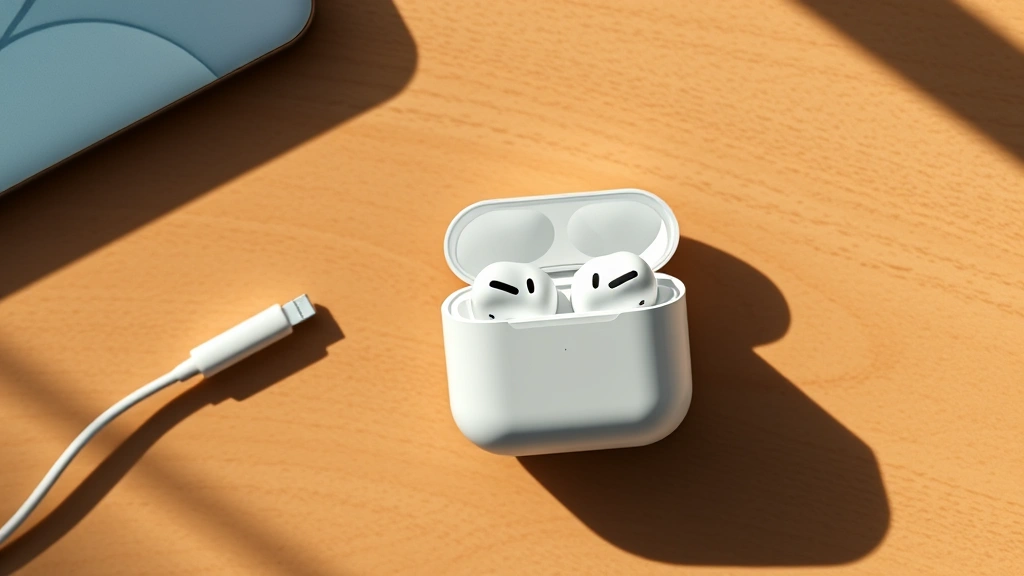
Let’s be honest—nothing’s more frustrating than grabbing your AirPods for a workout or commute only to find the battery icon flashing red. You’re standing there wondering, “How long do AirPods take to charge?” and whether you have time to juice them up before heading out the door. The answer isn’t one-size-fits-all, and that’s what we’re breaking down today.
Whether you’ve got the standard AirPods, AirPods Pro, AirPods Max, or the newer AirPods Pro 2, charging times vary. We’re talking anywhere from 15 minutes to a couple of hours depending on which model you own and how you’re charging them. This guide walks you through exact charging times, the best practices to keep your battery healthy, and real troubleshooting tips when something feels off.
AirPods Charging Times by Model
Here’s the straight story: not all AirPods charge at the same speed. Apple made different choices for different models, and knowing which one you’ve got matters.
Standard AirPods (3rd Generation)
The regular AirPods (not Pro, not Max) charge pretty quickly. You’re looking at about 15 to 30 minutes to get a full charge on the earbuds themselves when you place them in the case. If you’re using the Lightning cable directly on the charging case, expect the whole case to be fully charged in roughly 45 minutes to an hour. That’s the fastest option if you need a quick turnaround.
AirPods Pro (1st and 2nd Generation)
The AirPods Pro take a bit longer because they pack more battery capacity and active noise cancellation technology. Plan on 20 to 40 minutes for the earbuds to fully charge inside the case. The charging case itself takes about 1.5 to 2 hours via Lightning cable. If you’re using wireless charging with a compatible pad, add another 15-30 minutes to that estimate—wireless charging is slower, but it’s convenient if you’ve got a Qi charger sitting on your desk.
AirPods Max
These over-ear headphones are the heavyweight champion of Apple’s audio lineup, so charging takes longer. The AirPods Max need about 2 to 2.5 hours for a complete charge using the USB-C cable. That larger battery gives you 20 hours of listening time, so the wait is worth it. There’s no wireless charging option for the Max—you’re committed to the cable.
AirPods Pro 2 (USB-C)
Apple’s newest AirPods Pro switched to USB-C, which actually speeds things up slightly. You’re looking at 15 to 30 minutes for the earbuds in the case, and 1 to 1.5 hours for the case itself via USB-C cable. The USB-C version also supports MagSafe wireless charging, which takes about 2 hours for a full charge—noticeably faster than the Lightning wireless option on older models.
How Long to Charge the AirPods Charging Case
Here’s where people get confused: charging the case is different from charging the earbuds inside it. The case is essentially a portable battery, and it takes longer to fully charge than the earbuds do.
Think of it like this—the case is the fuel tank, and the earbuds are the engine. You can fill the engine quickly, but refilling the entire tank takes more time. Most AirPods cases take between 45 minutes to 2.5 hours depending on the model and charging method. Lightning cable is fastest, USB-C is slightly faster, and wireless charging is slowest but most convenient.
One pro move: if you’re in a real pinch, you don’t need to fully charge the case. Just 15-20 minutes of charging gives you enough juice to top up your earbuds multiple times. That’s the real lifesaver when you’re running late.
Fast Charging and Quick Top-Ups
Apple doesn’t officially call it “fast charging,” but there are absolutely ways to speed up the process. The fastest method is always the wired Lightning or USB-C connection directly to the case. Wireless charging is convenient but slower—we’re talking 30-50% slower depending on the charger quality.
Here’s the practical breakdown for a quick top-up scenario: if you’ve got 10 minutes before you leave the house, plugging in the case with a Lightning or USB-C cable will give you enough charge for several hours of listening. You don’t need a full charge to get meaningful battery life. A 15-minute charge session can extend your AirPods’ lifespan by 6-8 hours in many cases.
The quality of your charger matters too. A cheap third-party Lightning cable might charge slower than Apple’s official cable. If you’re consistently frustrated with charging speed, upgrading to an official Apple cable or a high-quality third-party option (look for MFi certification) makes a real difference.
Pro Tip: Keep your AirPods case in your bag or car with a small portable USB-C or Lightning cable. You’d be surprised how many times you’ll get a quick charge at a coffee shop, airport, or friend’s place. Five minutes of charging buys you 30 minutes of listening time.
Keeping Your Battery Healthy During Charging
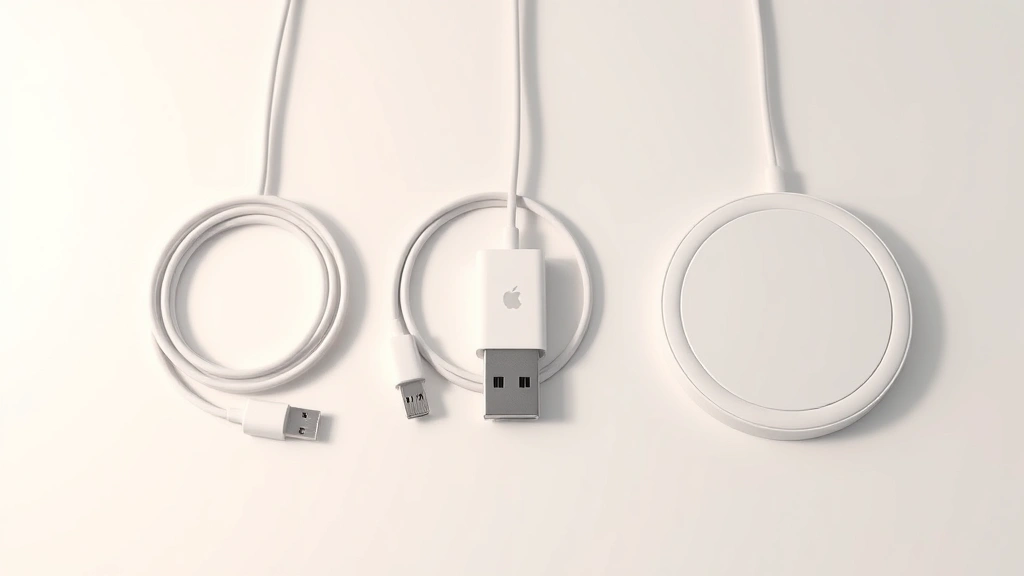
Lithium-ion batteries—the kind in your AirPods—don’t like extremes. Too hot, too cold, or constantly charging to 100% and draining to zero will age your battery faster. This is true for every Apple device, and Apple’s official battery guidance confirms it.
The real-world advice: don’t leave your AirPods charging overnight every single night. Charge them when you need them, and try to keep them between 20% and 80% battery most of the time if you’re thinking long-term. Yes, this sounds obsessive, but if you want your AirPods to still perform well after two years, this actually works.
Temperature matters. Charging in a hot car or direct sunlight speeds up battery degradation. Charge them at room temperature when possible. If your AirPods feel warm while charging, that’s normal, but if they’re hot to the touch, something’s wrong—stop charging and let them cool down.
Also, don’t let them sit completely dead for weeks. If you’re not using your AirPods, charge them to about 50% and store them in a cool, dry place. A completely dead battery that sits unused can actually fail to hold a charge when you try to revive it.
Troubleshooting Slow Charging Issues
Sometimes your AirPods seem to charge slower than they should. Before you assume the battery is dying, check these things first.
Clean the Charging Contacts
This is the most common culprit. The metal contacts on your AirPods and inside the case get dirty, dusty, or corroded over time. A thin layer of gunk blocks the electrical connection, forcing the charger to work harder and slower. Use a dry cotton swab or soft cloth to gently clean the contacts on both the earbuds and inside the case. If there’s visible corrosion (greenish or whitish buildup), use a slightly damp cloth with a tiny bit of isopropyl alcohol. Let everything dry completely before charging again. For more detailed guidance on battery corrosion, check out how to clean battery corrosion.
Check Your Charging Cable
A damaged Lightning or USB-C cable is a silent killer. Look for visible cracks, fraying, or bent connectors. Try a different cable if you have one available. Official Apple cables are expensive, but third-party MFi-certified cables work fine and cost less. If the cable works with other devices but not your AirPods case, the case’s charging port might be damaged.
Restart Your Device
This sounds like tech support nonsense, but it genuinely helps sometimes. Reboot your iPhone or connected device, then try charging your AirPods again. Occasionally, a software glitch prevents proper charging communication between your device and your AirPods.
Check the Charging Case Battery
If the case itself is nearly dead, it charges the earbuds very slowly. Make sure the case has enough battery to actually power the charging process. Plug the case into a wall outlet for 30 minutes, then try charging the earbuds again.
Try a Different Power Source
A weak USB port or low-quality power adapter can make charging crawl. Try charging the case directly from a wall outlet using a known-good power adapter. Avoid cheap dollar-store chargers or underpowered USB ports on old computers.
Safety Warning: If your AirPods case gets extremely hot while charging (too hot to touch comfortably), stop charging immediately and let it cool. This could indicate a battery defect. Contact Apple Support if this happens repeatedly.
Pro Tips for Longer Battery Life Between Charges
Charging speed is only half the equation. If you can make your AirPods last longer between charges, you’ll charge them less often, which is better for battery health overall.
- Disable Automatic Ear Detection: When Automatic Ear Detection is on, your AirPods drain battery even when you’re not listening. Turn this off in Settings if you find yourself frequently removing one earbud and setting it down. Disabling it saves noticeable battery life.
- Lower the Volume: Blasting audio at 100% volume drains your battery much faster than listening at moderate levels. Drop it to 70-80% and you’ll get noticeably longer playtime.
- Turn Off Noise Cancellation When You Don’t Need It: Active Noise Cancellation (on Pro models) is a battery hog. Switch to Transparency mode or turn it off entirely when you’re in a quiet environment. You’ll get 2-3 extra hours of listening time.
- Keep Them Away from Extreme Temperatures: Both very hot and very cold environments drain batteries faster. Don’t leave them in a hot car or outside in freezing weather for extended periods.
- Update Your Firmware: Apple occasionally releases firmware updates that improve battery efficiency. Check for updates through your iPhone’s Bluetooth settings under your AirPods.
Wireless vs. Wired Charging: Which Is Faster?
Wired charging (Lightning or USB-C) is faster. Period. This is true across all Apple products. Wireless charging is slower because energy transfer through induction is inherently less efficient than a direct electrical connection.
Here’s the real comparison:
- Lightning Cable: 45 minutes to 1 hour for full case charge
- USB-C Cable: 1 to 1.5 hours for full case charge (newer AirPods Pro 2)
- Wireless Charging (Qi): 2 to 2.5 hours for full case charge
- MagSafe Wireless (AirPods Pro 2): Approximately 2 hours
So why use wireless charging at all? Convenience. If you’ve got a wireless charging pad on your nightstand or desk, you just set the case down and forget about it. No fumbling with cables. For overnight charging, the extra hour doesn’t matter. For “I need my AirPods in 20 minutes,” wired is your only real option.
Quality matters with wireless chargers too. A cheap Qi pad might charge 20-30% slower than a quality one. If wireless charging feels painfully slow, your charger might be the issue, not your AirPods.
Frequently Asked Questions
Can I charge my AirPods while wearing them?
– No, you can’t charge AirPods while wearing them. They need to be in the case to charge. The charging contacts are on the bottom of each earbud, and they only connect when seated in the case. Some people ask this because they’ve seen wireless charging cases and assume you can charge them any way, but that’s not how it works.
Why do my AirPods charge slowly in the case?
– Most commonly, dirty charging contacts. The metal contact points get dust and debris buildup, which blocks the electrical connection. Clean them with a dry cotton swab. Second most common: your charging case battery is low, so it’s trickling charge slowly. Plug the case itself into a wall outlet for 30 minutes first.
How long do AirPods take to charge from completely dead?
– It depends on the model, but expect 1 to 2.5 hours for a completely dead case to reach 100% using a wired connection. The earbuds themselves charge much faster—15 to 40 minutes—once the case has power. If you’re in a rush, a 20-minute charge session gets you 6-8 hours of listening time.
Is it bad to leave AirPods charging overnight?
– Occasionally? No problem. Every single night for years? That will age your battery faster than normal use. Modern devices have charging optimization that helps, but lithium-ion batteries genuinely last longer if you don’t keep them at 100% constantly. If you charge overnight regularly, consider enabling Optimized Battery Charging in your settings.
Can I use any USB-C cable to charge AirPods Pro 2?
– Yes, any standard USB-C cable works. You don’t need an Apple-branded cable, though Apple’s are well-made. Just make sure it’s a quality cable—cheap knockoffs sometimes have poor connections that slow charging. MFi certification is a good sign for third-party cables.
What’s the difference between charging the case and charging the earbuds?
– The case is a battery itself. Charging the case means plugging it into power. The earbuds charge from the battery inside the case—they draw power from the case’s battery, not from the wall outlet. You can charge just the case without the earbuds inside, and you can charge just the earbuds by putting them in a charged case.
Do AirPods charge faster with newer iPhones?
– No. The charging speed is determined by the charging case and the cable, not your iPhone. Your iPhone doesn’t directly charge your AirPods—the case does. The phone just tells the case and earbuds how much battery they have via Bluetooth. You could charge them with a 10-year-old iPad and get the same speed as a brand-new iPhone.
Why won’t my AirPods charge past 80%?
– This is usually Optimized Battery Charging, a feature designed to extend battery lifespan. Your device learns your charging patterns and intentionally stops charging at 80% most of the time, then tops up to 100% right before you typically use them. You can disable this in Settings > Bluetooth > AirPods > Battery > Optimized Battery Charging, but it will wear out your battery faster over time.
Can I charge my AirPods with a fast charger?
– The charging case doesn’t support fast charging in the traditional sense. You can use a high-wattage power adapter (like a 30W or 65W charger), but it won’t speed up charging because the case’s charging circuit limits how much power it accepts. A regular 5W charger works just fine and is actually better for long-term battery health.
How do I know if my AirPods case is charging?
– Look at the LED light on the case. When plugged in, it should glow amber (orange) while charging and turn green when fully charged. If you’re using wireless charging, the light might be harder to see depending on the angle. You can also check the battery percentage in your iPhone’s Control Center or Settings > Bluetooth.
—
Additional Resources: For more on maintaining your Apple devices, check out how to pair Beats headphones and how to connect Apple Pencil to iPad for other Apple accessory tips. You might also find Family Handyman’s charging station setup guide helpful for creating a dedicated charging area. For deeper technical information, Apple’s official support pages have detailed specs on every model.


