
Learning how to call back a no caller id can feel like chasing a ghost, but there are actually several legitimate methods that work better than you’d think. Whether you missed an important call or got curious about that mysterious ring, I’ve tested the most reliable techniques to help you track down who’s trying to reach you.
Table of Contents
The Star 69 Trick
The oldest trick in the book still works in many cases. Dialing *69 (call return) is a built-in feature on most landlines and some mobile networks that automatically dials back the last number that called you. Here’s the catch—it only works if the caller didn’t specifically block their number using *67 or a blocking service.
Pick up your phone, dial *69, and listen carefully. If it connects, you’ll hear the number being dialed. If the call was blocked with *67, you’ll get a message saying the number can’t be retrieved. This method costs nothing and takes five seconds, making it worth trying first before exploring other options.
Some carriers charge a small fee (usually 50 cents to a dollar) for repeated *69 uses, but the first attempt is typically free. On mobile phones, the success rate is lower than landlines because *69 depends on your carrier’s network infrastructure.
Carrier Call Return Services
Your mobile carrier—whether it’s Verizon, AT&T, T-Mobile, or another provider—offers dedicated call return services that go beyond *69. These premium services can sometimes identify blocked callers, though they’re not foolproof.
Contact your carrier’s customer service and ask about their call return or anonymous call trace features. Verizon offers Call Return (*69), while AT&T has similar services under different names. You might need to activate these services through your account settings or by calling customer support directly.
Keep in mind that these services work best when the caller used basic blocking methods. If someone used a professional blocking service or spoofing app, even your carrier might struggle to identify them. It’s also worth noting that some carriers charge monthly fees ($2-5) for enhanced caller ID services.
Check Your Phone Settings
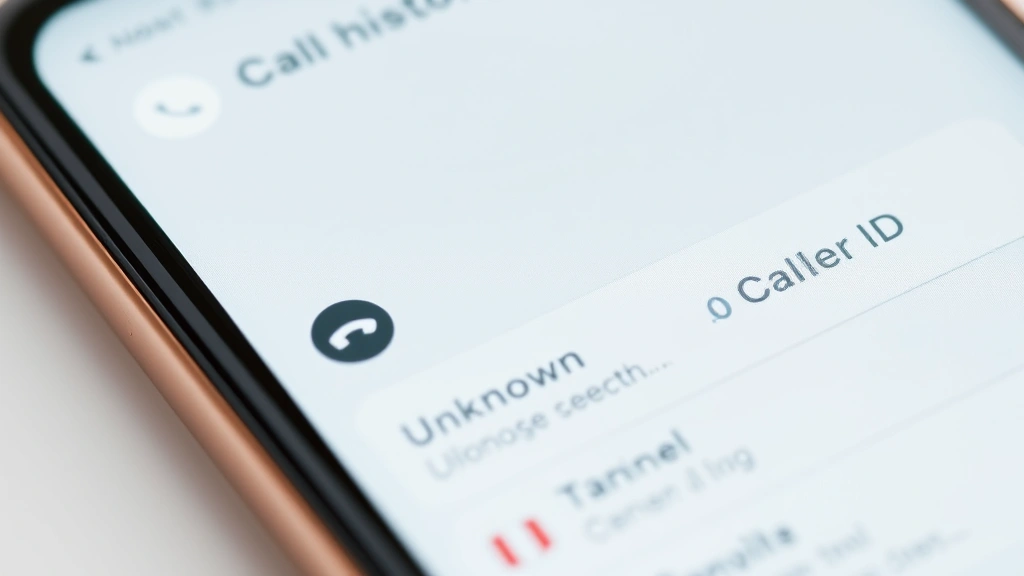
Before trying anything fancy, dig into your phone’s built-in features. Modern smartphones log every incoming call, including those from no caller ID numbers. Your call history might contain clues about when the call came in, how long it lasted, or patterns in the calling.
On iPhone, open the Phone app and check your recent calls. Look for entries labeled “Unknown,” “No Caller ID,” or similar. While these won’t show the number directly, the timestamp can help you remember what you were doing and who might have called. Some iPhones display partial information if the caller’s data was partially transmitted.
Android users should check their call logs in the Phone app. Some Android phones display more detailed information about blocked or unknown calls than others, depending on your device manufacturer and Android version. Samsung phones, for instance, sometimes show additional metadata about incoming calls.
Third-Party Caller ID Apps
Apps like TrueCaller, RoboKiller, and Nomorobo have massive databases of phone numbers and can sometimes identify no caller ID calls. These apps work by comparing incoming numbers against their databases and using reverse lookup technology. Download one of these apps, and they’ll automatically screen your calls going forward.
The catch is that these apps work better for identifying spam or known numbers. If someone called you with a genuinely private or spoofed number, these apps might not help. However, they’re excellent for preventing future no caller ID calls from bothering you.
Most of these apps are free with optional premium features. The premium versions offer more detailed caller information and advanced blocking options. Be aware that you’re sharing your call data with these companies, so read their privacy policies carefully before installing.
Review Your Call Logs
Your phone bill from your carrier contains detailed call logs. Log into your carrier’s website or call their customer service to request a detailed billing statement. This document shows incoming and outgoing calls, including timestamps and sometimes partial number information.
If the no caller ID call came from a business or organization, your bill might show enough information to identify them. Many businesses are required to transmit their number to your carrier, even if they block it from displaying on your phone. Your carrier’s records might have what your phone didn’t show.
This method takes longer (24-48 hours for billing records) but provides official documentation. It’s particularly useful if you need to report harassment or suspicious calls to authorities.
Advanced Telecom Features
If you’re on a landline, ask your phone company about anonymous call rejection (ACR) or call trace features. These advanced features can sometimes force callers to reveal their numbers or prevent calls from hidden numbers altogether.
Call trace is particularly useful for harassment situations. You dial *57 after receiving a suspicious call, and your carrier logs the call’s origin for law enforcement. This doesn’t immediately show you the number, but it creates an official record that police can use to investigate.
Anonymous call rejection blocks all calls from hidden numbers automatically. It’s more aggressive than other methods but effective if you’re tired of mystery calls. The downside is that some legitimate callers (hospitals, banks) sometimes block their numbers, so you might miss important calls.
Privacy and Legal Considerations
Before you get too aggressive about identifying callers, understand the legal landscape. In the United States, people have a legal right to block their caller ID using *67 or carrier services. Trying to circumvent this isn’t illegal, but respecting caller privacy is important.
However, if you’re dealing with harassment or threatening calls, that’s a different story. Document everything, use call trace features, and contact local law enforcement. They have legal authority to subpoena phone records that you can’t access.
Be cautious about downloading apps that promise to “hack” or “expose” hidden numbers. Many of these are scams designed to steal your data or charge you unexpected fees. Stick with legitimate apps from established companies with good reviews.
Blocking No Caller ID Calls
Sometimes the best offense is a good defense. If you’re tired of no caller ID calls, set up blocking rules on your phone. Most modern smartphones have built-in features to silence or block unknown callers.
On iPhone, enable “Silence Unknown Callers” in Settings > Phone. This sends unknown numbers straight to voicemail while keeping your contacts’ calls coming through normally. It’s not perfect—some legitimate callers will be silenced—but it dramatically reduces interruptions.
Android users can enable “Filter Unknown Senders” in the Phone app settings, or use Google Call Screen to screen suspicious calls. These features use Google’s spam detection database to identify likely spam before it rings your phone.
For more control, use a dedicated app like Nomorobo or RoboKiller. These apps let you create custom rules about how to handle calls from unknown numbers, giving you granular control over your incoming calls.
Frequently Asked Questions
Does *69 work on cell phones?
*69 works on some cell phone networks, but success rates are lower than landlines. Your carrier determines whether this feature is available. Try it—if it works, great. If not, move to other methods. Many carriers have replaced *69 with more modern call return services accessible through your account settings.
Can I trace a call from a spoofing app?
Spoofing apps are specifically designed to hide the real caller’s number, making them nearly impossible to trace without law enforcement help. If you suspect spoofing (the number shown doesn’t match the caller’s voice or context), contact your carrier and police. Spoofing for fraud or harassment is illegal.
Will blocking my caller ID prevent people from calling me back?
No. When you block your caller ID using *67, only your number is hidden from the recipient. They can still call you back, and if they do, you’ll see their number normally. Blocking is one-way—it only affects what they see, not your ability to receive calls.
How do hospitals and banks hide their numbers?
Large institutions often use private phone systems that transmit to carriers but block display on your phone. This is legal and standard practice. If you’re expecting a call from your bank, you can usually add their known numbers to your contacts beforehand to recognize them.
Is it illegal to try to identify a no caller ID number?
Using legitimate methods like *69 or carrier services is completely legal. Using hacking tools or paying for illegal data access is not. Stick with official carrier features and reputable apps, and you’ll stay on the right side of the law.
Why do some callers block their numbers?
People block their numbers for privacy, security, or professional reasons. Journalists, abuse survivors, and people in sensitive positions often block their caller ID. Businesses sometimes block to prevent customers from calling back outside business hours. It’s not inherently suspicious—context matters.
Can I see the blocked number if I use Do Not Disturb mode?
Do Not Disturb silences calls but doesn’t reveal hidden numbers. Your phone still receives the call in the background; it’s just silent. Check your voicemail or call logs after Do Not Disturb is off to see if anyone called. The number (or lack thereof) will be the same as if your phone had rung normally.


