
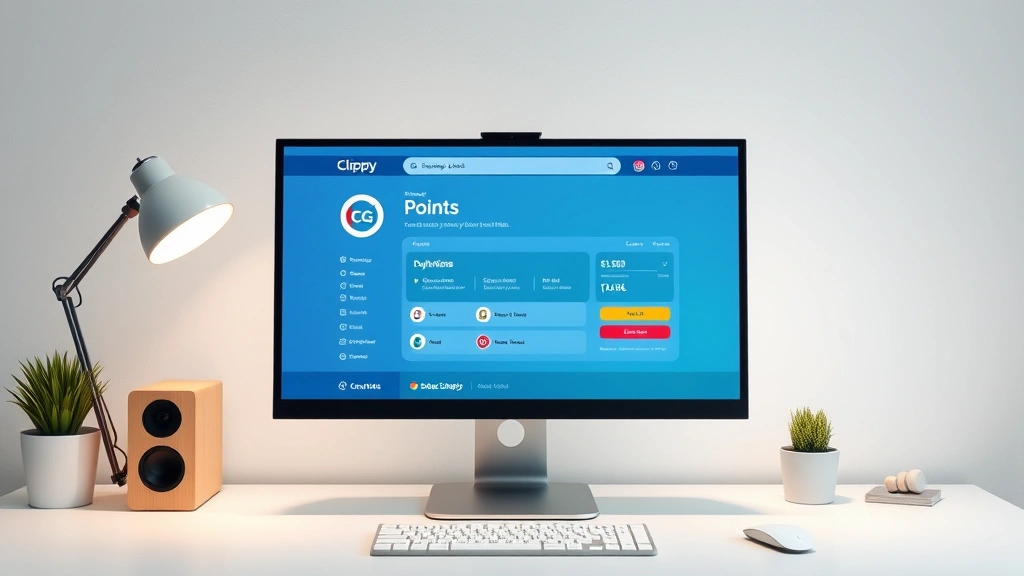
Learning how to buy Clippy points is your ticket to unlocking premium features and maximizing your design potential on the Clippy platform. Whether you’re a casual creator or a serious designer, understanding the ins and outs of purchasing points will save you time, money, and frustration.
Table of Contents
What Are Clippy Points?
Clippy points are the digital currency powering the Clippy ecosystem, giving you access to premium design assets, templates, and advanced features. Think of them as your creative toolkit’s fuel—without them, you’re limited to basic features, but with a healthy stash, you unlock the full potential of what the platform offers.
These points work like a hybrid system: you can earn them through certain activities, but most users find that purchasing points directly is the most efficient path. Each point has a specific value that translates directly into premium content access. The beauty of this system is its flexibility—you’re not locked into expensive annual subscriptions if you don’t want to be.
Why Buy Clippy Points?
The primary reason designers buy Clippy points is straightforward: access to premium templates and design elements that would take hours to create from scratch. If you’re working on client projects or personal branding, premium assets can be the difference between a mediocre design and something portfolio-worthy.
Beyond templates, points unlock advanced features like priority customer support, early access to new tools, and exclusive design collections. Many professionals find that investing in points pays for itself within a few projects. It’s similar to how investing in quality tools makes your workshop more efficient—the upfront cost saves you time and delivers better results.
Payment Methods Available
Clippy accepts multiple payment options to keep the purchasing process friction-free. Credit cards (Visa, Mastercard, American Express) are universally accepted, and the platform also supports digital wallets like PayPal and Apple Pay. For international users, the platform has expanded to include local payment methods in various regions.
The checkout process is designed to be quick and secure, with SSL encryption protecting your financial information. You’ll receive immediate confirmation once your payment processes, and your points appear in your account instantly. This instant gratification is one reason why direct purchase beats waiting for earned points.
Step-by-Step Purchase Process
Step 1: Log Into Your Account — Open the Clippy platform and sign in with your credentials. If you don’t have an account yet, you’ll need to create one first (it takes about two minutes).
Step 2: Navigate to the Points Store — Look for the “Buy Points” or “Store” section in your dashboard. It’s typically located in the main menu or accessible from your profile dropdown.
Step 3: Select Your Package — Choose from available point packages. Packages range from small starter bundles to large professional packs. The more you buy upfront, the better your per-point value (similar to buying supplies in bulk).
Step 4: Review Your Order — Before committing, double-check the point quantity and total cost. This is your last chance to adjust quantities or reconsider package size.
Step 5: Enter Payment Information — Select your preferred payment method and enter the required details. Clippy’s payment gateway is PCI-compliant and highly secure.
Step 6: Confirm and Complete — Click the final confirmation button. You’ll see an order confirmation page, and your points should appear in your account within seconds.
Step 7: Start Using Your Points — Head to the design library and start accessing premium content. Your newly purchased points are ready to deploy immediately.
Pricing Tiers Explained
Clippy offers several purchasing tiers designed to accommodate different budgets and usage patterns. The entry-level package typically costs $9.99 for 100 points—ideal for testing the premium features without major investment. This is like buying a single quality tool before committing to a full workshop upgrade.
Mid-tier packages usually run $24.99 for 300 points or $39.99 for 600 points. These are popular with active designers who use premium features regularly but don’t need an unlimited subscription. The per-point cost drops noticeably at this level, rewarding bulk purchases.
Premium packages range from $69.99 for 1,500 points up to $199.99 for 5,000+ points. These appeal to agencies, design teams, and heavy users. At this tier, you’re getting approximately 25% better value than starter packages.
If you’re uncertain about your usage, start with a mid-tier package. You can always purchase more later, and you’ll have concrete data about your actual point consumption to guide future purchases.
Maximizing Your Points Value
Smart point usage starts with understanding what costs what. Premium templates typically run 10-50 points depending on complexity, while individual design elements might cost 2-10 points. Before purchasing a large package, browse what interests you to estimate your actual needs.
Join the Clippy community forums or check their blog for tips on efficient design workflows. Experienced users often share templates and techniques that maximize point value. You might also want to check if you’re eligible for any promotional offers—Clippy occasionally runs discounts for new users or during seasonal promotions.
Consider bundling: purchasing related elements together sometimes costs fewer points than buying individually. It’s like buying a complete toolkit instead of individual tools—you get better overall value and everything works together seamlessly.
If you’re managing a team or agency, look into whether Clippy offers group purchasing discounts or team accounts. Many platforms provide better rates for organizations, similar to how bulk tool purchases work in professional shops.
Subscription vs One-Time Purchases
Clippy offers both subscription plans and one-time point purchases, and choosing between them depends on your usage pattern. Subscriptions provide monthly point allowances (typically 200-500 points monthly) at a fixed rate, perfect if you design consistently and want predictable costs.
One-time purchases, by contrast, give you complete control. Buy when you need to, use points at your own pace, and never worry about unused monthly allocations. This approach works better for sporadic designers or those with variable project loads.
Do the math for your situation: if you average more than 200 points monthly, a subscription might offer better value. If you’re irregular or project-based, one-time purchases provide more flexibility. Many users maintain a hybrid approach—a small subscription for baseline access plus occasional one-time purchases during busy periods.
Troubleshooting Common Issues
Payment Declined? — Check that your card details are correct and current. If the card is valid, contact your bank to ensure they’re not blocking international transactions. Clippy’s payment processor is legitimate, but some banks flag it as suspicious initially.
Points Not Appearing? — After purchase, points typically appear within seconds. If they don’t show up after five minutes, try refreshing your browser or logging out and back in. If the problem persists after 15 minutes, contact Clippy support with your order confirmation number.
Accidental Purchase? — Most point purchases are final, but Clippy offers a 24-hour refund window for accidental orders. Contact support immediately with proof of purchase if this happens to you.
Account Security Concerns? — If you notice suspicious point usage or unauthorized purchases, change your password immediately and contact support. Enable two-factor authentication if available to prevent future unauthorized access.
For persistent issues, Clippy’s support team is responsive during business hours. Having your order confirmation number and account email ready will speed up resolution significantly.
Frequently Asked Questions
Do Clippy points expire?
No, Clippy points don’t expire. Once purchased, they remain in your account indefinitely until you use them. This is different from some subscription services where monthly allocations disappear if unused, giving you complete flexibility in your design timeline.
Can I gift Clippy points to someone else?
Currently, Clippy doesn’t support direct point transfers between accounts. However, you can purchase a gift code or gift card through their website, which recipients can redeem for points. This is ideal for giving design tools as gifts.
What happens if I buy points and cancel my subscription?
Your purchased points remain in your account regardless of subscription status. You can continue using them indefinitely. Only monthly subscription allocations disappear when you cancel a subscription plan.
Are there student or educator discounts?
Yes, Clippy offers 20-30% discounts for verified students and educators. You’ll need to verify your status through their education verification partner. This makes premium design tools accessible for learning and teaching purposes.
Can I use points across multiple devices?
Absolutely. Your points are tied to your account, not your device. Log in on any computer, tablet, or phone, and your points are available. This cloud-based approach means you can switch between devices seamlessly.
What’s the best time to buy Clippy points?
Clippy typically offers promotions around major holidays (Black Friday, Cyber Monday, Christmas) and during new feature launches. Signing up for their newsletter ensures you’ll know about sales before they end. However, if you need points immediately, don’t wait—the base pricing is already reasonable.
Do I need a subscription to buy points?
No, point purchases are completely separate from subscriptions. You can buy points as a one-time customer without any subscription commitment. Many users prefer this approach for complete flexibility and control over spending.
Understanding how to navigate Clippy’s point system transforms you from a casual user into a power user. The investment in points pays dividends through faster design workflows, professional-quality outputs, and access to tools that would cost significantly more elsewhere. Start with a mid-tier package, experiment with the platform, and scale up as your design needs grow. Like any creative tool investment, the key is matching your point purchases to your actual usage patterns and project demands.
For related account management guidance, check out our guides on how to cancel Canva subscription if you’re consolidating your design tool subscriptions, or learn about how to change screen time passcode for managing account security across your devices. If you’re also managing video content creation, our guide on recording phone calls on iPhone covers another useful digital tool. You might also find value in understanding how to clear Instagram cache for optimizing your creative workflow across platforms, and our YouTube TV cancellation guide helps you manage your digital subscriptions efficiently.


