

Learning how to annotate a book is one of the most practical skills you can develop as a reader. Whether you’re tackling a dense novel, studying for an exam, or diving into a non-fiction deep dive, marking up your books transforms passive reading into active learning. Think of annotation as having a conversation with the author—you’re asking questions, flagging important ideas, and leaving breadcrumbs for your future self to follow.
Table of Contents
Why Annotate Books?
Before we dive into the mechanics, let’s talk about why annotation matters. When you mark up a book, you’re engaging multiple learning pathways simultaneously. Your brain processes the text, your hand physically marks it, and your eyes track the visual cues you’ve created. This multi-sensory approach boosts retention by up to 80% compared to passive reading alone.
Annotation forces you to slow down and think critically about what you’re reading. You can’t just breeze through pages on autopilot. Instead, you’re constantly asking yourself: Is this important? Do I agree with this? How does this connect to what I already know? This active questioning deepens comprehension and helps you build genuine understanding rather than just accumulating words.
Margin Notes Method
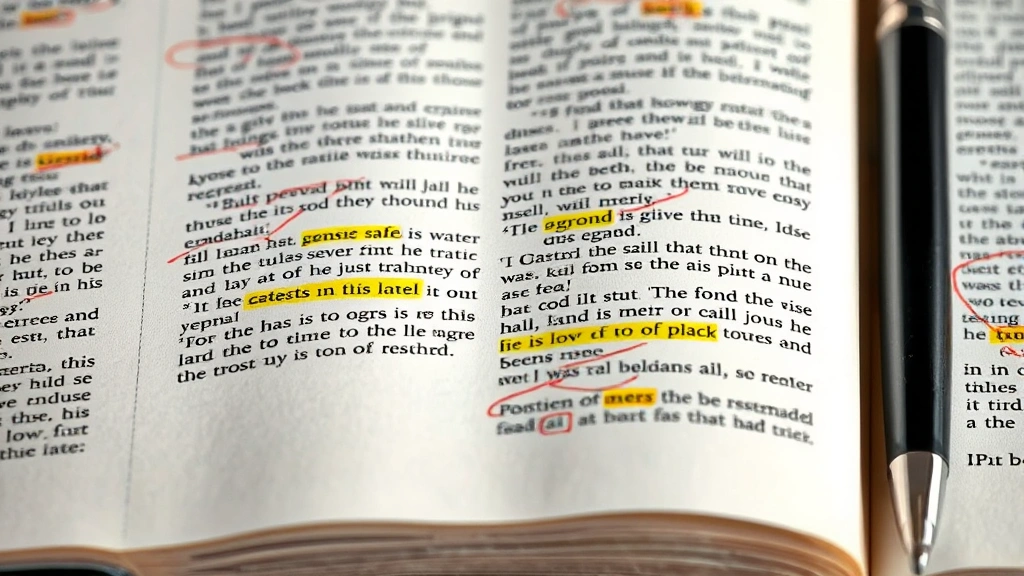
The simplest and most direct approach to annotation is writing notes directly in the margins. This method works best for books you own (obviously—don’t deface library copies). Grab a pencil or fine-tip pen and jot down your immediate reactions, questions, or observations as you read.
Your margin notes should be brief—think shorthand, not essays. Write a single sentence summarizing a key point, jot a question mark next to confusing passages, or scribble “important!” next to crucial arguments. The goal is to create visual anchors that your eye can quickly scan when you flip back through the book later. Many readers find that keeping a reading journal alongside their book helps them expand on margin notes without cluttering the pages too much. You can reference page numbers in your journal and write longer thoughts there, while keeping the book itself clean and scannable.
Color Coding System
Color coding transforms annotation from a one-dimensional activity into a visual system you can read at a glance. The key is consistency—you need to establish a color scheme before you start and stick with it throughout the entire book. Here’s a framework that works for most readers:
- Yellow highlighter: Main ideas and topic sentences
- Pink highlighter: Important supporting details and evidence
- Blue pen: Questions or areas of confusion
- Green pen: Personal connections or relevant examples
- Orange highlighter: Surprising facts or counterarguments
The beauty of this system is that when you review your annotated book, you can instantly identify different types of information. If you’re studying for an exam, you can focus on yellow highlights first, then dig into pink details. If you’re writing an essay, you can quickly locate green annotations where you noted personal connections.
Don’t go overboard with color, though. If more than 30% of a page is highlighted, you’ve lost the benefit of visual distinction. Highlight strategically—one or two sentences per paragraph, not entire passages.
Highlighting Strategy
Highlighting is deceptively tricky. The biggest mistake most readers make is highlighting too much on a first pass. Here’s the pro move: read the entire paragraph or section first, then go back and highlight only the most essential parts. This two-pass approach prevents the “rainbow page syndrome” where everything looks important because everything’s marked.
When you highlight, focus on topic sentences and key evidence. These are the building blocks of the author’s argument. Skip the examples unless they’re particularly illuminating or unusual. Skip the transitions and connective tissue. Your highlights should tell the story of the book’s main ideas when read in sequence.
Use a highlighter with a fine tip rather than a thick chisel tip—precision matters. A thick marker will obscure the text beneath it, defeating the purpose. Many readers prefer pencil underlining to highlighting because it’s less permanent, easier to erase if you change your mind, and doesn’t bleed through pages.
Symbols & Shorthand
Develop a personal symbol system to mark different types of content quickly. These visual shortcuts save time and make scanning your annotations incredibly efficient. Here are some common symbols used by experienced annotators:
- ★ or ⭐ = Key concept or main idea
- ? = Confusing passage or question
- ! = Surprising or shocking information
- → = Important connection or consequence
- ↔ = Contradiction or conflicting idea
- ✓ = Agree or well-argued point
- ✗ = Disagree or weak argument
- DEF = Definition to remember
- EX = Good example
- SUM = Summary or conclusion
Create a key at the front of your book so you don’t forget what your symbols mean. This is especially helpful if you’re annotating multiple books simultaneously or if you plan to return to the book months later. Your future self will thank you for the clarity.

Digital Annotation Tools
If you’re reading e-books or PDFs, digital annotation tools offer unique advantages. Apps like Kindle, Apple Books, and Moon+ Reader let you highlight, add notes, and bookmark passages without physically marking anything. Many of these platforms automatically compile your annotations into a summary document, which is incredibly useful for study or writing projects.
For more serious annotators, PDF annotation software like Adobe Acrobat or Notability gives you precise control over highlighting, drawing, and note placement. You can even add typed notes that don’t clutter the page. The downside? Digital annotation sometimes feels less tactile and immersive than physical marking. Some readers find they retain less information when annotating on screens compared to paper.
The best approach is choosing based on your learning style. If you’re a visual, kinesthetic learner, stick with physical books and pens. If you’re digital-native and appreciate having searchable notes, embrace the e-reader platforms.
Review Your Annotations
Annotation only works if you actually review what you’ve marked. Set aside time within a week of finishing the book to flip back through and re-read your highlights and notes. This review session cements the material in your memory and helps you synthesize the author’s main arguments into your own understanding.
During review, try creating a one-page summary of the entire book using only your annotations as reference material. Don’t look at the original text—force yourself to synthesize from your marks. This exercise reveals whether your annotations were truly capturing the essential ideas or whether you were just highlighting randomly.
For books you plan to reference repeatedly, consider transferring key annotations into a reading notebook or digital note-taking system like Notion or OneNote. This creates a searchable archive of your reading across multiple books. When you’re writing an essay or researching a topic, you can quickly locate relevant passages and ideas you’ve previously marked.
Common Annotation Mistakes
Even experienced readers fall into annotation traps. Here are the biggest pitfalls to avoid:
Over-highlighting: The most common mistake. If you’re highlighting more than one-third of a page, you’re not being selective enough. Annotation should reduce information to its essential components, not reproduce the entire text in color.
Annotating on first read: Your first pass through material should be about understanding the overall argument. Wait until you’ve finished a chapter or section before marking anything. You can’t know what’s important until you see how ideas connect.
Inconsistent systems: Switching between color schemes, symbol meanings, or highlighting styles mid-book creates confusion. Commit to a system and stick with it. Consistency is what makes your annotations scannable.
Illegible notes: Chicken-scratch margin notes that you can’t read later are useless. Write clearly, even if it means writing more slowly. Your future self needs to understand what you meant.
Annotating borrowed books: Only mark up books you own. Respect library property and other people’s books. If you’re reading a borrowed or library book, use sticky notes instead of permanent marks.
Frequently Asked Questions
Is it okay to annotate library books?
No. Never mark up library books or borrowed copies. Use removable sticky notes instead, or keep a separate reading journal. Respect the property and preserve the books for other readers.
What’s the best pen for annotating books?
A fine-tip pen (0.5-0.7mm) works best because it’s precise without bleeding through pages. Many readers prefer mechanical pencils because they’re erasable and create clean lines. Avoid thick markers that obscure text or ballpoint pens that require heavy pressure.
Should I annotate fiction and non-fiction differently?
Yes. For fiction, focus on character development, plot turns, and thematic elements. Mark passages with beautiful or surprising language. For non-fiction, prioritize main arguments, evidence, and key definitions. Your annotation strategy should match your reading purpose.
How much should I annotate?
Aim for 10-20% of the text to be marked or noted. This varies by book complexity and your familiarity with the subject. Dense academic texts might warrant more annotation than a narrative non-fiction book.
Can I use pencil instead of pen?
Absolutely. Many serious readers prefer pencil because it’s erasable, doesn’t bleed through pages, and requires less pressure. The only downside is that pencil marks fade over decades, so if you’re building a permanent library, pen is more durable.
What should I do with my annotated books?
Keep them. Your annotated books become reference libraries and learning records. Years later, you’ll flip back through and remember exactly what you learned and thought about the material. They’re invaluable for writing projects, conversations, and revisiting ideas.
Final Thoughts
Learning how to annotate a book is a skill that pays dividends throughout your life. Whether you’re a student tackling assigned readings, a professional developing expertise in your field, or a lifelong learner exploring new ideas, annotation transforms how you engage with books. The methods outlined here—margin notes, color coding, highlighting, symbols, and digital tools—give you a complete toolkit to choose from based on your style and situation.
The key is starting somewhere and building consistency. Pick one method, commit to it for a full book, then adjust based on what worked and what didn’t. Over time, you’ll develop an annotation style that feels natural and serves your learning goals. Your books will become conversation partners, filled with your thoughts and questions, making every re-read a richer experience than the first.
For more ways to organize your learning and document your work, check out our guides on how to do double spacing in Word for formatting your notes, and how to identify duplicates in Excel if you’re building a reading database. You might also find it helpful to learn how to delete blank rows in Excel when organizing your reading lists and annotations digitally.
For authoritative reading and study strategies, check out resources from Family Handyman on learning techniques, This Old House for detailed how-to approaches, and Bob Vila for practical methodology guides.


