
Look, if you’re here searching for how to hack Instagram, I need to be straight with you: there’s a massive difference between understanding account security and actually compromising someone else’s account. This guide walks you through both sides—how hackers actually get in, and more importantly, how to lock your own account down tight so you’re not the next victim.
Instagram hacking is real. It happens thousands of times a day. People lose years of photos, their followers, their business accounts, their identity. The scary part? Most hacks aren’t sophisticated. They’re opportunistic. Someone uses a weak password, falls for a phishing link, or doesn’t have two-factor authentication enabled. That’s it. Game over.
This isn’t a “how to commit a crime” guide. This is a how to hack Instagram from a defensive standpoint—understanding the attack vectors so you can protect yourself and help others do the same. Think of it like learning how a burglar picks a lock so you can buy a better one.
Common Instagram Hacking Methods
Most people think Instagram hacking requires some kind of tech wizard in a dark basement. Wrong. The reality is far more mundane—and that’s what makes it dangerous.
Here are the actual ways accounts get compromised:
- Credential stuffing: Hackers buy lists of leaked usernames and passwords from data breaches (there are thousands online). They run them against Instagram automatically. If you reused your password from that sketchy website you signed up for in 2015, you’re vulnerable.
- Phishing links: A message that looks like it’s from Instagram saying “Verify your account” or “Unusual login detected.” You click. You enter your username and password. The attacker now has it.
- SIM swapping: The attacker convinces your phone carrier they’re you, swaps your phone number to a new SIM card they control. Now they can reset your Instagram password and intercept recovery codes.
- Keyloggers & malware: You download what looks like an Instagram follower counter app. It’s actually malware that records everything you type.
- Email compromise: Your email account gets hacked first. Instagram is just the next domino. The attacker resets your Instagram password using your email.
- Third-party app abuse: You authorized some sketchy app to access your Instagram “to get free followers.” Now they have your credentials.
The pattern? How to hack Instagram almost always starts with information the user willingly gives away or fails to protect. It’s not magic. It’s negligence—and it’s preventable.
Phishing Attacks & Social Engineering
Phishing is the bread and butter of Instagram account takeovers. It’s so effective because it exploits human psychology, not technology.
A typical phishing attack looks like this:
- You get a DM or email appearing to be from Instagram: “We detected unusual activity on your account.”
- There’s a link: “Click here to verify your identity.”
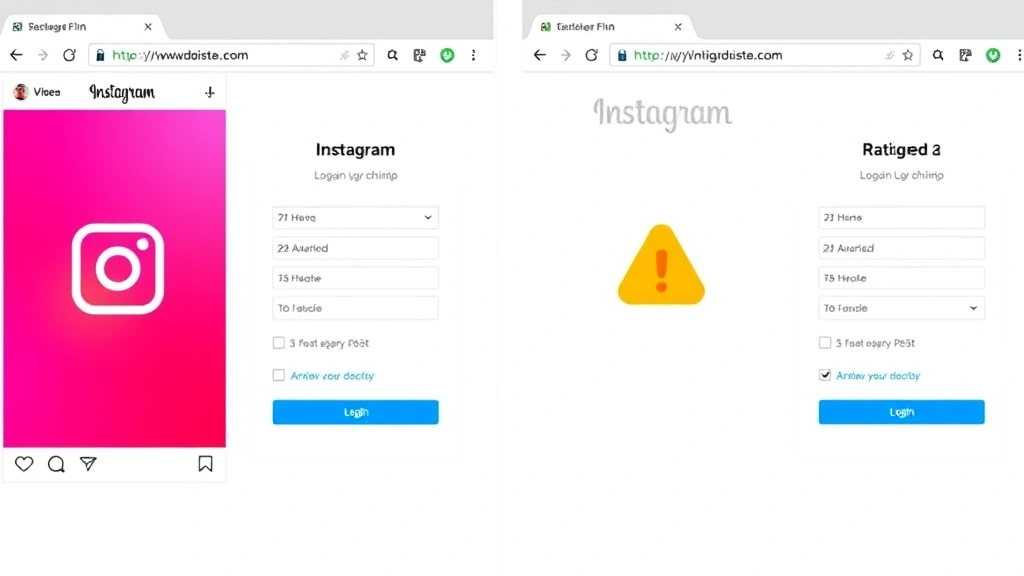
- The link takes you to a fake Instagram login page. It looks perfect. Same logo, same layout, same everything.
- You enter your username and password (because you’re panicked about account security).
- The fake page says “Verification failed. Try again.” You’re redirected to the real Instagram.
- You just gave your credentials to a criminal.
How do you spot a phishing link? Check the URL carefully. Instagram’s domain is instagram.com. If the link is instrgram.com or instagram-verify.com or anything else, it’s fake. Hover over links before clicking. Look at the actual URL, not the anchor text.
Pro Tip: Instagram will never ask you to verify your password via a link in a message. Never. If you’re concerned about account security, go directly to instagram.com in your browser and check your settings. Don’t click links from messages.
Social engineering takes this further. An attacker calls your phone pretending to be Instagram support (they’re not). They say your account is compromised and they need to “verify” your password. They sound official. They have details about your account. You believe them.
Real Instagram support will never call you asking for your password. Period.
Password Vulnerabilities & Weak Credentials
Here’s the uncomfortable truth: most people’s Instagram passwords are terrible.
If your password is any of these, you’re basically handing over your account:
- Your birthday or a family member’s birthday
- Your pet’s name
- “123456” or “password” or “qwerty”
- Your username with a number at the end
- Anything that appears in your Instagram bio or posts
- The same password you use for other accounts
Why? Because hackers don’t guess randomly. They use your public information (your bio, your posts, your location, your job) to generate likely password combinations. It’s called a “dictionary attack.” They run thousands of variations in seconds.
A strong Instagram password should have:
- At least 12 characters (longer is better)
- A mix of uppercase and lowercase letters
- Numbers and special characters (!@#$%)
- No dictionary words or personal information
- Completely unique—not used anywhere else
Think of a password like the lock on your front door. A weak password is a lock you can open with a butter knife. A strong password is a deadbolt with a security bar. You want the deadbolt.
Use a password manager like Bitwarden, 1Password, or LastPass. Seriously. They generate random passwords and store them encrypted. You only remember one master password. This is the single best thing you can do for your security.
Two-Factor Authentication: Your First Line of Defense
Two-factor authentication (2FA) is the difference between a hacker needing your password and a hacker needing your password plus your phone. It’s exponentially harder.
Here’s how it works: After you enter your password, Instagram asks for a second verification. Usually, it’s a code sent to your phone via text message or generated by an authenticator app.
To enable 2FA on Instagram:
- Open Instagram and go to Settings (the three lines in the bottom right)
- Tap “Security”
- Select “Two-Factor Authentication”
- Choose your method: text message (SMS) or authenticator app
- Follow the prompts to verify
SMS-based 2FA is better than nothing. But authenticator apps are stronger. Why? Because SIM swapping is real. An attacker can trick your phone carrier into moving your number to their SIM. Then they intercept your SMS codes.
An authenticator app (Google Authenticator, Authy, Microsoft Authenticator) generates codes on your phone that can’t be intercepted. The attacker would need your phone itself.
If you enable 2FA, Instagram will give you backup codes. Write these down. Store them somewhere safe (not in your phone, not in your email, not in a note on your Instagram account). If you lose your phone, these codes are your lifeline to getting back in.
Safety Warning: Don’t screenshot your backup codes and email them to yourself. Don’t store them in Google Drive. If your email gets hacked, the attacker has everything. Print them out or write them by hand. Store the physical copy in a safe place.
Recovery Options & Account Takeover Prevention
Before you get hacked, set up recovery options. This is your emergency exit route.
Go to Settings → Security → Account Center (or Security → Login Alerts & Notifications). Here’s what you should configure:
- Recovery email: Make sure this is an email you actually control and check regularly. This is how Instagram will contact you if something goes wrong.
- Recovery phone number: A phone number linked to your account. Again, make sure it’s yours.
- Trusted contacts: Instagram lets you add trusted friends. If you get locked out, you can ask them to help you regain access. It’s like having a spare key hidden at a friend’s house.
- Login alerts: Turn on notifications for new logins. If someone else logs into your account, you’ll know immediately.
Also, review your connected apps and websites. Go to Settings → Apps and Websites. Remove anything you don’t recognize or don’t use anymore. That sketchy follower app from 2019? Delete it.
For business accounts, consider using Instagram’s professional dashboard features. They offer additional security controls and insights into account activity.
What to Do If Your Instagram Gets Hacked
You log in and your profile picture is gone. Your bio is different. Your posts are deleted. Your heart sinks. You’ve been hacked. Here’s what to do immediately:
- Try to log in: Go to instagram.com and attempt to log in with your password. If the attacker changed your password, use “Forgot Password?” to reset it. Instagram will send a link to your recovery email. If you can’t access your email, you’re in trouble—but there are workarounds.
- Change your password immediately: Once you’re back in, change your password to something completely new and strong. Not a variation of your old one. Completely different.
- Check your email and phone: Go to Settings → Security and verify your recovery email and phone number are still yours. The attacker might have changed them.
- Enable 2FA: If you didn’t have it before, enable it now. This prevents the attacker from getting back in even if they somehow obtain your new password.
- Review connected apps: Check Settings → Apps and Websites. Remove any apps the attacker might have authorized.
- Check your email account: Hackers often compromise your email first, then use it to access Instagram. Change your email password too. Check your recovery phone number and two-factor authentication on your email account.
- Contact Instagram Support: Go to Settings → Help → Report a Problem. Explain that your account was compromised. Instagram can sometimes restore deleted posts or reverse changes.
- Warn your followers: Post a story or message letting people know your account was hacked. Tell them not to click any suspicious links you might have posted while compromised.
- Check if other accounts were compromised: If you reused passwords elsewhere, change those too. This is your wake-up call to use unique passwords everywhere.
If you can’t access your recovery email (because it was hacked too), you’ll need to contact Instagram directly. Go to the login page, enter your username, and select “Need Help?” You can upload an ID to verify you’re the account owner. It takes time, but it works.
According to Instagram’s official security resources, account recovery can take anywhere from a few hours to several weeks depending on the situation. Be patient and document everything.
Advanced Security Measures for Power Users
If you’re running a business account or managing significant followers, you need more than basic security.
Use a VPN: A VPN encrypts your internet traffic and masks your IP address. If you’re logging into Instagram from public WiFi, use a VPN. This prevents someone on the same network from intercepting your login credentials. Services like ExpressVPN or Surfshark are reputable choices.
Monitor your account activity: Go to Settings → Security → Login Activity. You can see every device that’s logged into your account, including the location and device type. If you see a login from somewhere you don’t recognize, it’s a red flag. Log out all other sessions immediately.
Use a dedicated email for Instagram: Create an email address you use only for Instagram. Don’t use it for anything else. This limits the damage if one service gets compromised—your Instagram email stays isolated.
Secure your phone: Your phone is the key to your Instagram kingdom. If someone gets access to your phone, they can reset your password, intercept 2FA codes, and take over your account. Use a strong PIN or biometric lock. Enable Find My iPhone/Find My Mobile so you can remotely wipe it if it’s stolen.
Check your account permissions: Go to Settings → Apps and Websites regularly (at least monthly). Remove any apps or websites you don’t actively use. Each one is a potential entry point for hackers.
Use Instagram’s Account Center: This feature lets you manage multiple accounts from one dashboard and set up additional security controls. It’s particularly useful if you manage accounts for clients or multiple brands.
Enable login alerts and notifications: Make sure you’re notified of new logins, password changes, and email/phone number updates. This gives you early warning if something’s wrong.
For additional guidance on digital security practices, CISA (Cybersecurity and Infrastructure Security Agency) provides excellent resources on protecting your accounts and devices.
Pro Tip: If you manage Instagram for a business, consider using separate admin and business accounts. Your admin account should have the strongest security (longest password, 2FA with authenticator app, etc.). Your business account can be slightly less locked down but still secure. This way, if one account is compromised, you don’t lose everything.
Frequently Asked Questions
Can Instagram hackers see my DMs?
– Yes, if they have full access to your account, they can read your direct messages. This is why account security matters so much—your DMs are private conversations. Hackers can also impersonate you and send messages to your followers pretending to be you.
What should I do if I receive a suspicious DM asking me to verify my account?
– Delete it immediately. Don’t click any links. Report the message to Instagram by tapping the three dots and selecting “Report.” Then go directly to instagram.com and check your account settings. If something seems wrong, change your password.
Is it safe to use third-party apps that promise free Instagram followers?
– No. Almost all of these are scams or malware. They either steal your credentials, inject malware into your device, or just don’t work. Instagram’s terms of service prohibit them anyway. If something promises free followers, it’s not legitimate.
How do I know if my Instagram password has been compromised?
– Check Have I Been Pwned, a website that lets you search if your email or password appears in known data breaches. If it does, change your password immediately everywhere you used it.
Can someone hack my Instagram without my password?
– Yes. Through SIM swapping, email compromise, phishing, or social engineering. This is why two-factor authentication is so important—it adds a second barrier even if your password is compromised.
What’s the difference between “hacking” and “account takeover”?
– Hacking is the act of gaining unauthorized access. Account takeover is what happens after—the attacker now controls your account. For Instagram purposes, they’re essentially the same thing.
If I change my password, will the hacker be locked out?
– Yes, changing your password will log out all other sessions (if you select that option). But if the attacker still has access to your recovery email, they can just reset your password again. That’s why securing your email is equally important.
Is Instagram’s security good enough?
– Instagram’s security is decent, but it’s only as strong as your weakest link. Instagram can’t force you to use a strong password or enable two-factor authentication. The responsibility is on you. Most hacks happen because users don’t follow security best practices, not because Instagram’s systems are weak.
How long does it take Instagram to recover a hacked account?
– It depends. If you regain access quickly and the attacker didn’t change your recovery email, it might take hours. If your recovery email was compromised and you need to verify your identity, it can take weeks. Contact Instagram support for the fastest resolution.
Can I prevent SIM swapping?
– Yes. Contact your phone carrier and ask about adding a PIN or password to your account. This prevents anyone (even someone with your personal information) from making changes without the PIN. It’s an extra step, but it’s worth it.
Should I use the same password for Instagram and other accounts?
– Absolutely not. If one service gets breached, the attacker now has your password for every account. Use unique passwords everywhere. A password manager makes this easy.
What if Instagram asks me to verify my account via a link in my email?
– Be cautious. Check the sender’s email address carefully. It should be from @instagram.com or @facebookmail.com. If it’s from any other domain, it’s likely phishing. Even if it looks legitimate, don’t click the link. Go directly to instagram.com instead.
The bottom line: how to hack Instagram is easy when users don’t take security seriously. But if you follow these practices—strong unique password, two-factor authentication, recovery options configured, and regular account reviews—your account will be dramatically harder to compromise. Hackers want easy targets. Don’t be one.


