

Battery corrosion is one of those sneaky problems that sneaks up on you. One day your car won’t start, your remote control is acting weird, or your flashlight dies faster than it should. You pop open the battery compartment and—boom—crusty white, blue, or green gunk all over the terminals. That’s battery corrosion, and it’s actually pretty common. The good news? How to remove battery corrosion is straightforward once you know what you’re dealing with. This guide walks you through identifying it, understanding why it happens, and getting your batteries and devices working again without calling in a professional.
What Is Battery Corrosion and Why Does It Happen?
Battery corrosion is the buildup of oxidized metal on battery terminals and contacts. Think of it like rust, but it happens faster and looks different. The white, blue, or greenish crust you see is typically a combination of zinc oxide, copper oxide, or other metal compounds, depending on what your battery terminals are made from.
Here’s the real talk: batteries leak. Not always catastrophically, but they do release electrolyte over time—especially if they’re old, damaged, or stored in humid conditions. When that electrolyte (an alkaline or acidic substance) touches the metal terminals, a chemical reaction happens. That reaction creates corrosion. It’s not a sign you’re doing something wrong; it’s just chemistry at work.
Corrosion is a problem because it acts like an insulator. It blocks the electrical connection between the battery and whatever device it’s powering. That’s why your remote stops working or your car battery won’t crank the engine—the corrosion is literally blocking the circuit. Remove the corrosion, and you restore the connection.
Safety First: Prep Work Before You Start
Before you grab your tools, let’s talk safety. Battery corrosion isn’t just messy—it can be hazardous if you’re not careful.
Safety Warning: Alkaline battery leaks contain potassium hydroxide, which can burn skin and eyes. Car battery acid (sulfuric acid) is even more dangerous. Always wear gloves and eye protection when cleaning battery corrosion. If you get any corrosion material in your eyes, flush immediately with water for at least 15 minutes and seek medical attention.
For car batteries specifically, how to disconnect car battery properly is your first step. You don’t want to be touching corroded terminals while the battery is still connected—that’s how you get shocked or cause a short circuit. Always disconnect the negative terminal first, then the positive. This prevents accidental grounding.
For household devices, remove the battery completely before you start cleaning. Don’t try to clean corrosion while the battery is still in the device—you risk damaging the electronics.
Tools and Materials You’ll Need
The good news: you probably have most of what you need already. Here’s the rundown:
- Rubber gloves – Nitrile or latex work fine. Protects your hands from corrosive material.
- Safety glasses – Cheap insurance. Corrosion particles can flake off and end up in your eyes.
- Baking soda – The MVP for household battery corrosion. It neutralizes the acid and is gentle on electronics.
- White vinegar – Works great for light to moderate corrosion. The acidity cuts through the buildup.
- Distilled water – Use this to rinse, not tap water. Tap water has minerals that can leave residue.
- Small brush – An old toothbrush, wire brush, or battery terminal brush works. You need something with bristles to scrub.
- Cotton swabs or small cloth – For precision cleaning in tight spaces.
- Petroleum jelly or terminal protectant spray – Prevents future corrosion. Optional but recommended.
- Baking soda paste – Mix three parts baking soda with one part water to create a gentle abrasive paste.
For car batteries specifically, you might grab a battery terminal brush (they’re cheap and have both wire and plastic sides) or a wrench to disconnect the terminals safely.
Step-by-Step Guide to Remove Battery Corrosion
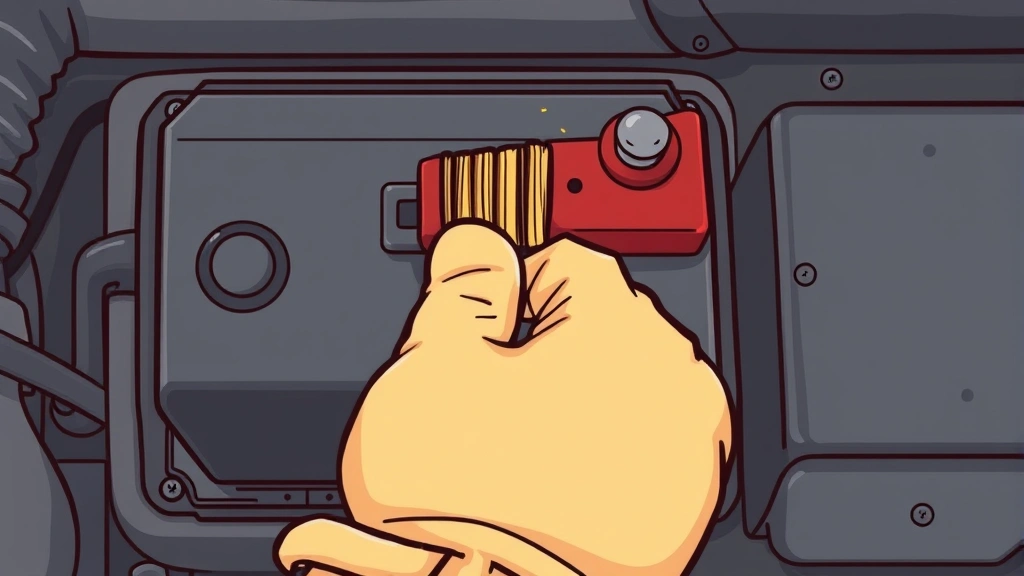
Let’s break this down into the basic process that works for most battery types. We’ll get specific about car batteries and household devices in the next sections.
- Put on your gloves and safety glasses. This isn’t optional. Corrosion is caustic.
- Remove the battery or disconnect it. For car batteries, disconnect the negative terminal first using a wrench. For household devices, take the battery out completely.
- Inspect the corrosion. Is it light (thin white coating) or heavy (thick, crusty buildup)? This determines your cleaning approach.
- Apply your cleaning agent. For light corrosion, mix baking soda and water into a paste and apply directly to the corroded area. For heavier corrosion, dampen the area with white vinegar first, let it sit for 5-10 minutes, then apply baking soda paste.
- Scrub gently but thoroughly. Use your brush to work the paste into the corrosion. Don’t be aggressive—you’re trying to dissolve the buildup, not strip the terminal. For car batteries, you might need to scrub harder because the terminals are more robust.
- Rinse with distilled water. Use a damp cloth or cotton swab to wipe away the paste and loosened corrosion. Keep rinsing until no residue remains.
- Dry completely. Use a dry cloth or let it air dry. Moisture left behind can cause corrosion to return faster.
- Apply protectant (optional but smart). A thin coat of petroleum jelly or battery terminal protectant spray creates a barrier against future corrosion.
- Reconnect or reinstall. For car batteries, reconnect the positive terminal first, then the negative. For household devices, pop the battery back in.
- Test. Does your device work? If not, you might have a dead battery (unrelated to corrosion) or the corrosion was more severe than you thought.
Removing Corrosion From Car Battery Terminals
Car batteries are the heavyweight champion of battery corrosion. They sit under the hood, exposed to heat, moisture, and temperature swings. That’s the perfect storm for corrosion.
Car battery corrosion typically appears as a crusty buildup on the battery terminals themselves—usually white, blue, or sometimes greenish. This is lead sulfate (from the battery’s internal chemistry) mixed with oxidized copper and lead from the terminals.
The car-specific process:
- Park your car on level ground and turn off the engine. Let it cool for a few minutes if you’ve been driving.
- Open the hood and locate the battery. It’s usually a rectangular black box with two cable connections—red (positive) and black (negative).
- Using a wrench that fits the negative terminal bolt, loosen and disconnect the negative cable first. This is critical. Always negative first. Then disconnect the positive cable.
- If the corrosion is light, spray it with a battery cleaner spray (available at any auto parts store) and let it sit for a minute. If it’s heavy, apply white vinegar and let it sit for 10 minutes.
- Use a battery terminal brush (the wire side) or an old toothbrush to scrub the terminals and cable connectors. Get into the crevices. This is where corrosion hides.
- Mix baking soda with a little water to make a paste and scrub again. This neutralizes any remaining acid.
- Rinse thoroughly with distilled water. You want zero residue because any leftover corrosion material will keep eating away at your connection.
- Dry everything with a clean cloth. Let it air dry for a minute if needed.
- Apply a thin coat of petroleum jelly or dielectric grease to both terminals. This seals them against moisture and prevents future corrosion.
- Reconnect the positive cable first, then the negative. Tighten both securely.
- Start your car to make sure everything’s working.
According to Family Handyman’s guide on battery corrosion, this process typically takes 15-20 minutes and can save you a dead battery situation down the road.
Pro tip: If your car battery keeps corroding even after cleaning, you might have a charging system problem. Your alternator might be overcharging, which causes excess acid production. Have a mechanic check it if this becomes a pattern.
Cleaning Household Battery Compartments
Household battery corrosion is different. It’s usually lighter (because the batteries themselves are smaller) but can still kill your devices. Remote controls, flashlights, toys, and wireless mice all suffer from corroded battery compartments.
The household battery approach:
- Remove the battery from the device. Don’t try to clean around it.
- Look at the battery compartment. You’ll likely see white, blue, or greenish crusty stuff on the metal contacts inside the device.
- Mix equal parts white vinegar and baking soda to create a fizzy paste. The vinegar dissolves corrosion while the baking soda neutralizes it.
- Dip a cotton swab into the paste and scrub the metal contacts inside the compartment. Get all the corroded areas.
- Use a dry cotton swab to wipe away the paste and loosened corrosion.
- Let the compartment air dry for 5 minutes. You can speed this up with a hair dryer on low heat if you’re in a hurry, but don’t use high heat near electronics.
- Check the battery itself. If it’s also corroded, clean it with a dry cloth or cotton swab. Don’t soak it—just remove the surface corrosion.
- Insert a fresh battery (not the old one if it was leaking). The old battery probably won’t work anyway if it leaked.
- Close the compartment and test your device.
For how to clean washing machine battery-operated components or how to clean mouse pad areas with battery contacts, the same principle applies—remove corrosion with vinegar and baking soda, dry thoroughly, and replace old batteries with fresh ones.
Real talk: if the device is old and the battery compartment is heavily corroded, the corrosion might have damaged the internal contacts beyond repair. Sometimes it’s just time for a new remote or flashlight. But it’s always worth trying to clean it first.
According to This Old House, battery maintenance is one of those small tasks that prevents bigger headaches later. A few minutes of cleaning now saves you from a dead car battery or broken remote in the middle of the night.
How to Prevent Battery Corrosion in the Future
Prevention is easier than cleanup. Once you’ve dealt with corrosion, you’ll want to avoid it happening again.
Storage matters: Keep batteries in a cool, dry place. Heat and humidity accelerate corrosion. Don’t store them in the garage if it gets damp, and definitely don’t leave them in a hot car. Room temperature is ideal.
Remove old batteries promptly: If a device isn’t going to be used for a while, take the batteries out. Batteries sitting in a device slowly leak, even if they’re not being used. That’s when corrosion creeps in.
Use quality batteries: Cheaper batteries leak more often. You don’t need premium batteries for everything, but for devices you use regularly or that are hard to access, spending a bit more on reputable brands (Duracell, Energizer, etc.) pays off.
Protect car battery terminals: After cleaning your car battery, apply a thin coat of petroleum jelly or battery terminal protectant spray. This creates a moisture barrier. Reapply every 6-12 months or whenever you notice the protective layer wearing off.
Check batteries seasonally: In spring and fall, pop open your remotes, flashlights, and other battery devices and do a quick visual inspection. Catch corrosion early before it damages anything.
Keep devices dry: Don’t leave flashlights or other battery-powered devices in damp basements, bathrooms, or garages. Moisture is the enemy. Store them in your bedroom closet or a kitchen cabinet instead.
For car batteries specifically: Check your battery every few months, especially if you live in a hot or humid climate. Extreme temperatures speed up corrosion. If you see even light corrosion starting, clean it immediately rather than waiting for it to get worse.
Think of battery maintenance like changing your oil. Small, regular attention prevents big, expensive problems.
Frequently Asked Questions
Can I use vinegar alone to clean battery corrosion?
– Yes, vinegar works on light corrosion. The acidity cuts through the buildup. However, vinegar alone doesn’t neutralize the corrosion completely, which is why pairing it with baking soda is smarter. Baking soda neutralizes the acid, while vinegar dissolves the oxidized metal. Together they’re more effective than either one alone.
Is battery corrosion dangerous to touch?
– It depends on the battery type. Alkaline battery corrosion (from household batteries) contains potassium hydroxide, which can burn skin and eyes. Car battery corrosion involves sulfuric acid, which is much more dangerous. Always wear gloves and safety glasses. Don’t touch your face while handling corroded batteries. Wash your hands thoroughly when you’re done.
Why does my car battery keep corroding even after I clean it?
– Repeated corrosion usually means your charging system is overcharging the battery. The alternator might be faulty, causing excess acid production inside the battery. Have a mechanic test your alternator and charging voltage. If everything checks out, it might just be the battery reaching the end of its life. Car batteries typically last 3-5 years.
Can I use a wire brush to clean car battery terminals?
– Yes, but be gentle. A wire brush is more aggressive than a soft toothbrush, which is why it works well for heavy corrosion on car batteries. The terminals are made of lead and copper, which can handle some scrubbing. However, don’t go crazy—you’re removing corrosion, not stripping the terminal. A battery terminal brush (available at auto parts stores) has both wire and soft sides, which is ideal.
What’s the difference between battery corrosion and battery leakage?
– Corrosion is the crusty buildup on the outside of the battery and terminals. Leakage is when the battery’s internal electrolyte seeps out, usually because the battery is old or damaged. Leakage causes corrosion, but they’re not the same thing. If a battery is actively leaking, cleaning won’t fix it—you need to replace the battery.
How long does it take to clean battery corrosion?
– Light corrosion on household batteries takes 5-10 minutes. Car battery corrosion typically takes 15-20 minutes if you’re doing it properly (disconnecting, scrubbing, rinsing, drying, reconnecting). Heavy corrosion might take 30 minutes. It’s not a quick job, but it’s straightforward.
Can baking soda damage electronics?
– No, baking soda is safe for electronics. It’s gentle and non-conductive. That’s why it’s the preferred cleaning agent for battery compartments in devices. Just make sure you dry everything thoroughly afterward and don’t get baking soda paste deep inside the device where it might get stuck.

What should I do if the corrosion is really heavy and won’t come off?
– If you’ve scrubbed for 10 minutes and the corrosion isn’t budging, let your cleaning agent sit longer. Apply vinegar and let it work for 15-20 minutes, then try again. For car batteries, you can use a commercial battery cleaner spray (like Coca-Cola, which actually works due to its acidity, or a dedicated battery terminal cleaner). If the corrosion still won’t budge, the terminal might be permanently damaged and need replacement.
Is it okay to use tap water to rinse battery corrosion?
– Technically it works, but distilled water is better. Tap water contains minerals that can leave residue, which might cause corrosion to return faster. Distilled water is cheap (a few dollars for a gallon) and ensures you’re not introducing new contaminants. It’s worth the small investment.


