How to Close Chase Checking Account: Easy & Complete Guide

Closing a bank account might seem daunting, but how to close Chase checking account is straightforward when you follow the right steps. Whether you’re switching banks, consolidating accounts, or simply moving on, Chase makes the process manageable with multiple closure options. This guide walks you through everything you need to know to close your Chase checking account smoothly without penalties or complications.
Quick Answer: You can close your Chase checking account in three ways: visit a local branch in person, call Chase customer service at 1-800-935-9935, or use the mobile app. Before closing, transfer remaining funds, set up direct deposit redirects if needed, and ensure all pending transactions clear. Chase typically closes accounts within 1-2 business days, and you’ll receive written confirmation by mail.
Tools & Materials You’ll Need
- Valid government-issued ID (for branch visits)
- Chase account number and routing number
- List of active direct deposits and automatic payments
- New bank account details (if transferring funds)
- Phone access or internet connection
- Current account balance information
- Checkbook (if you have outstanding checks)
Prepare Your Account Before Closing
Before you initiate the process of how to close Chase checking account, proper preparation prevents problems and ensures a smooth transition. Take time to review your account activity and plan your next steps carefully. This preparation phase typically takes 1-2 weeks and is essential for avoiding overdraft fees or lost funds.
Review Your Account Balance and Pending Transactions Start by logging into your Chase account online or through the mobile app to check your current balance. Look for any pending transactions, outstanding checks, or scheduled payments that haven’t cleared yet. Chase will close your account, but pending items may still process afterward, so you need to know what’s coming. Write down the exact balance and take screenshots for your records.
Transfer Your Remaining Funds Decide where your money will go. You can transfer your remaining balance to another Chase account you own, a different bank, or withdraw it in cash at a Chase ATM or branch. If transferring to another bank, initiate an external transfer through Chase’s online banking portal at least 3-5 business days before closing. This ensures funds arrive safely before your account closes. According to WikiHow, proper fund management is crucial when closing any financial account.
Update Direct Deposits and Automatic Payments This step is critical for how to close Chase checking account without disrupting your finances. Contact your employer, government agencies, or other entities sending regular deposits to provide your new bank account information. Similarly, identify all automatic bill payments, subscriptions, and recurring transfers linked to your Chase account. Update each one with your new banking details at least 1-2 weeks before closing. Common automatic payments include utilities, insurance, loan payments, and streaming services like YouTube TV or Amazon Music.
Gather Important Information Collect your account number, routing number, and recent statements for your records. Note any outstanding checks you’ve written—Chase will keep your account open long enough for them to clear, but confirm this timeline when closing. If you have a Chase credit card linked to this checking account, verify it won’t be affected by the checking account closure.
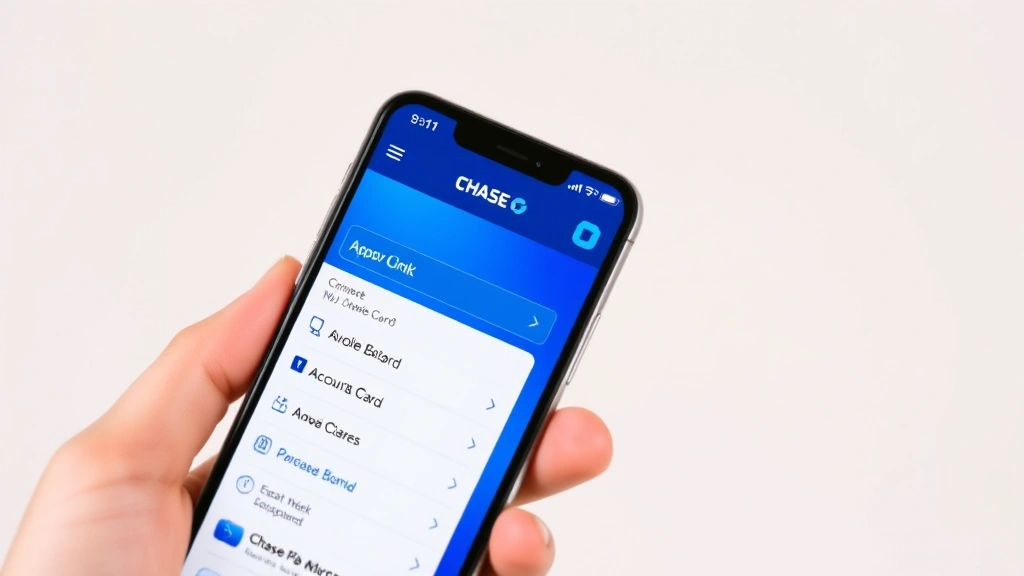
Three Methods to Close Your Chase Checking Account
Chase offers flexibility in how you close your account, accommodating different preferences and situations. Each method is equally valid and takes approximately the same time to process. Choose the option that feels most comfortable for you.
Method Comparison: In-person branch visits offer immediate confirmation and the ability to handle cash withdrawals simultaneously. Phone closure is convenient for those with busy schedules or located far from branches. Mobile app closure is the fastest digital option, though some customers prefer speaking with a representative. All three methods result in account closure within 1-2 business days.
Closing In Person at a Chase Branch
Visiting a Chase branch to close your checking account provides the most personal service and immediate documentation. This method works best if you need to withdraw cash or prefer face-to-face interaction. Bring your valid government-issued ID and account information when you visit.
Step 1: Locate Your Nearest Chase Branch Use the Chase branch locator on their website or mobile app to find the closest location with hours that work for your schedule. Most Chase branches are open Monday-Friday 9 AM to 5 PM, with limited Saturday hours. Call ahead to confirm they can process account closures—most branches can, but it’s better to verify.
Step 2: Speak With a Banker When you arrive, tell a teller or banker that you want to close your checking account. They’ll pull up your account and review the balance with you. Ask about any outstanding transactions or holds on the account. This is your opportunity to ask questions about the closure process and timeline.
Step 3: Finalize the Closure The banker will process the closure, which typically takes 5-10 minutes. If you have remaining funds, you can receive a cashier’s check, have funds transferred to another account, or withdraw cash on the spot. Request written confirmation of the closure, including the date and final balance. Keep this documentation for your records.
Step 4: Verify Closure Confirmation After closing, you’ll receive a confirmation letter from Chase within 7-10 business days. Keep this letter with your financial records. Your debit card will stop working immediately after closure, so destroy it or wait for it to expire naturally.
Closing Over the Phone
Phone closure is convenient for busy individuals and doesn’t require traveling to a branch. Chase customer service representatives can process how to close Chase checking account requests quickly and efficiently. Have your account information and ID ready before calling.
Step 1: Call Chase Customer Service Dial 1-800-935-9935 and select the option for checking account services. You’ll be connected to a representative who can assist with account closure. Have your account number, Social Security number, and a form of ID available for verification purposes.
Step 2: Verify Your Identity The representative will ask security questions to verify you’re the account holder. Answer questions about recent transactions, your address, or other account details. This security step protects your account from unauthorized closures.
Step 3: Discuss Remaining Balance Tell the representative what you want to do with your remaining funds. Options include transferring to another Chase account, sending a check, or arranging a wire transfer. Discuss any pending transactions or outstanding checks that might still process after closure.
Step 4: Confirm Closure Details Ask for a confirmation number and request that closure details be sent to your email address on file. Write down the representative’s name, date, time, and confirmation number for your records. Ask about the timeline for receiving written confirmation by mail.
Step 5: Follow Up in Writing After the call, send a follow-up email or letter to Chase confirming your closure request. Include your account number, the date of your call, and the confirmation number. This creates a paper trail and ensures there’s no confusion about your intent to close.
Closing Through the Mobile App
The Chase mobile app offers the quickest digital option for how to close Chase checking account without phone calls or branch visits. This method is ideal for tech-savvy users comfortable managing finances digitally. You’ll need the app installed on your smartphone and your login credentials.
Step 1: Open the Mobile App and Log In Launch the Chase mobile app and log in with your username and password. Navigate to your checking account by selecting it from the accounts list. Ensure you’re viewing the correct account before proceeding with closure.
Step 2: Access Account Settings Look for the account menu or settings option, typically represented by three horizontal lines or a gear icon. Select “Account Services” or “More Options” and scroll to find the “Close Account” or “Account Closure” option. The exact menu structure may vary depending on your app version.
Step 3: Review Account Information The app will display your current balance and ask you to confirm account details. Review this information carefully to ensure you’re closing the correct account. If you have multiple Chase accounts, double-check that you’re selecting the right checking account.
Step 4: Choose Fund Disposition Select what happens to your remaining balance. Most apps allow you to transfer to another account, request a check, or arrange other payment methods. Choose your preferred option and provide any necessary account numbers for transfers.
Step 5: Confirm and Submit Review all closure details one final time before submitting. The app will generate a confirmation number—screenshot or write this down immediately. You’ll receive an email confirmation within minutes, and a formal closure letter within 7-10 business days.
What Happens After You Close Your Account
Understanding the post-closure timeline helps you manage your finances during the transition period. How to close Chase checking account is just the first step; knowing what comes next ensures no disruptions to your banking.
Immediate Effects (Within Hours) Your debit card stops working immediately, though it may take a few hours for the system to fully process. Online and mobile banking access to this specific account will be disabled. Any pending transactions initiated before closure will still process, so don’t be alarmed if you see activity after closing.
Short-Term Timeline (1-2 Business Days) Chase processes the closure officially within 1-2 business days. During this window, outstanding checks may still clear, and automatic payments scheduled before closure might go through. Your account will show a “closed” status in Chase’s system, preventing new transactions.
Medium-Term Timeline (7-10 Business Days) You’ll receive written confirmation of account closure by mail. This letter includes your final balance, closure date, and any remaining funds information. Keep this document for tax records and proof of closure if needed.
Long-Term Considerations (30+ Days) Your account information remains in Chase’s system for reporting purposes. If you need documentation of past transactions, you can request statements even after closure. Your account will no longer appear in your online banking portal after 90 days, though you can still access historical statements through Chase’s archive.
For those managing multiple service cancellations, similar processes apply to other accounts. If you’re also canceling subscriptions, check out guides like how to cancel Audible membership or how to set out of office in Outlook for comprehensive account management.
Common Issues to Avoid When Closing
Knowing potential pitfalls helps you navigate how to close Chase checking account without complications or unexpected fees. These common mistakes can delay closure or create financial headaches.
Avoid Closing With Outstanding Checks If you’ve written checks that haven’t cleared yet, Chase will keep your account open until they do. This can delay official closure by weeks. Before closing, verify which checks have cleared through your statement. Consider calling recipients of outstanding checks to confirm they’ve deposited them, or request they do so quickly.
Don’t Forget About Automatic Payments Overlooking recurring payments is the most common mistake. If you forget to update a bill payment to your new bank, it will fail and may result in late fees from the service provider. Create a checklist of all automatic transactions and update each one before closure. This includes utilities, insurance, subscriptions, and loan payments.
Prevent Negative Balance Issues Closing with a negative balance—meaning you owe Chase money—will delay closure. Chase will hold the account open until the balance is paid. Transfer enough funds to cover any pending transactions before closing, or pay the negative balance directly.
Don’t Miss Confirmation Documentation Losing your closure confirmation number or letter makes it harder to prove you closed the account if disputes arise. Save all confirmation numbers, emails, and letters. Take screenshots of digital confirmations before they expire from your email.
Avoid Closing Linked Accounts Simultaneously If you have a Chase savings account linked to your checking account, closing both at once can complicate the process. Close accounts one at a time, waiting for confirmation of the first closure before closing the second. This prevents confusion and ensures proper processing.
Don’t Ignore Tax Documents Chase may issue 1099 forms or other tax documents for accounts closed mid-year. Ensure your address is current so you receive these documents. If you don’t receive expected tax forms, contact Chase directly to request them.
Similar to managing account closures, organizing digital information is crucial. If you need to mass delete emails on Gmail related to banking statements, do this after saving important documents to your computer.
FAQ
Q: Will closing my Chase checking account affect my credit score?
A: No, closing a checking account does not affect your credit score. Credit scores only consider credit history, not checking accounts. You can close a checking account without any impact on your creditworthiness.
Q: Can I reopen a closed Chase checking account?
A: Chase can reopen closed accounts within a limited timeframe, typically 30-90 days. Contact Chase customer service to inquire about reopening. If more than 90 days have passed, you’ll need to open a new account instead.
Q: What if I have a negative balance when closing?
A: Chase won’t close your account until the negative balance is paid. You must deposit funds to cover the negative balance before closure can be processed. The representative will tell you the exact amount owed.
Q: How long does it take to close a Chase checking account?
A: Official closure takes 1-2 business days. However, if you have outstanding checks or pending transactions, closure may take longer. Written confirmation arrives within 7-10 business days.
Q: Do I need to destroy my Chase debit card after closing?
A: You should destroy your debit card by cutting it up or shredding it. The card stops working immediately upon closure, but destroying it prevents any possibility of misuse and protects your security.
Q: Can I close my account online if I have direct deposits scheduled?
A: Yes, you can close your account online, but you must update your direct deposits first. Failing to redirect direct deposits will cause them to fail, potentially affecting your income or benefits. Update direct deposits at least 1-2 weeks before closing.
Q: What should I do with old Chase checks after closing?
A: Destroy old checks by shredding them once your account is officially closed. Don’t throw them in regular trash where someone could retrieve them. Any checks written after closure won’t be honored by Chase.
Q: Will I receive a final statement after closing?
A: Yes, Chase will mail a final statement showing your account activity through the closure date and your final balance. You can also download your final statement from the Chase website before account access is completely disabled.
Q: Can I close my account if I have a Chase credit card?
A: Yes, closing your checking account doesn’t affect your Chase credit card. The credit card is a separate product and will continue working normally. However, if you use the checking account to pay your credit card bill, set up automatic payments from your new bank.
Q: What if Chase denies my closure request?
A: Chase rarely denies closure requests, but they may delay if you have outstanding checks or a negative balance. If denied, ask the representative for specific reasons. Common reasons include pending transactions or account holds. Resolve these issues and resubmit your closure request.
According to Consumer Reports, understanding your rights when closing bank accounts protects you from unexpected fees or complications. Taking time to prepare and follow proper procedures ensures a smooth transition to your new banking situation.
Final Thoughts on How to Close Chase Checking Account
Closing your Chase checking account is a straightforward process when you follow the right steps and prepare adequately. Whether you choose to visit a branch, call customer service, or use the mobile app, how to close Chase checking account can be completed in just a few minutes. The key to success is planning ahead, updating direct deposits and automatic payments, and maintaining documentation of the closure for your records.
Take your time with the preparation phase, as this prevents most common problems. Update all recurring payments and direct deposits at least 1-2 weeks before closing. Transfer your remaining balance to your new bank or withdraw it in cash. Once these steps are complete, initiating the closure through your preferred method is quick and simple.
Remember that Chase will mail written confirmation of your closure within 7-10 business days. Keep this documentation with your financial records for future reference. If you have questions during the process, don’t hesitate to contact Chase customer service—representatives are trained to handle account closures and can answer specific questions about your situation.
By following this comprehensive guide, you’ll successfully close your Chase checking account without complications, ensuring a smooth transition to your new banking arrangement. The process is designed to be customer-friendly, and Chase has handled thousands of account closures, so you can proceed with confidence.